ipLDK-60 Issue 2.0
Admin Programming Manual July, 2010
77
3.3.9 T1 CO Line Attributes (PGM 152)
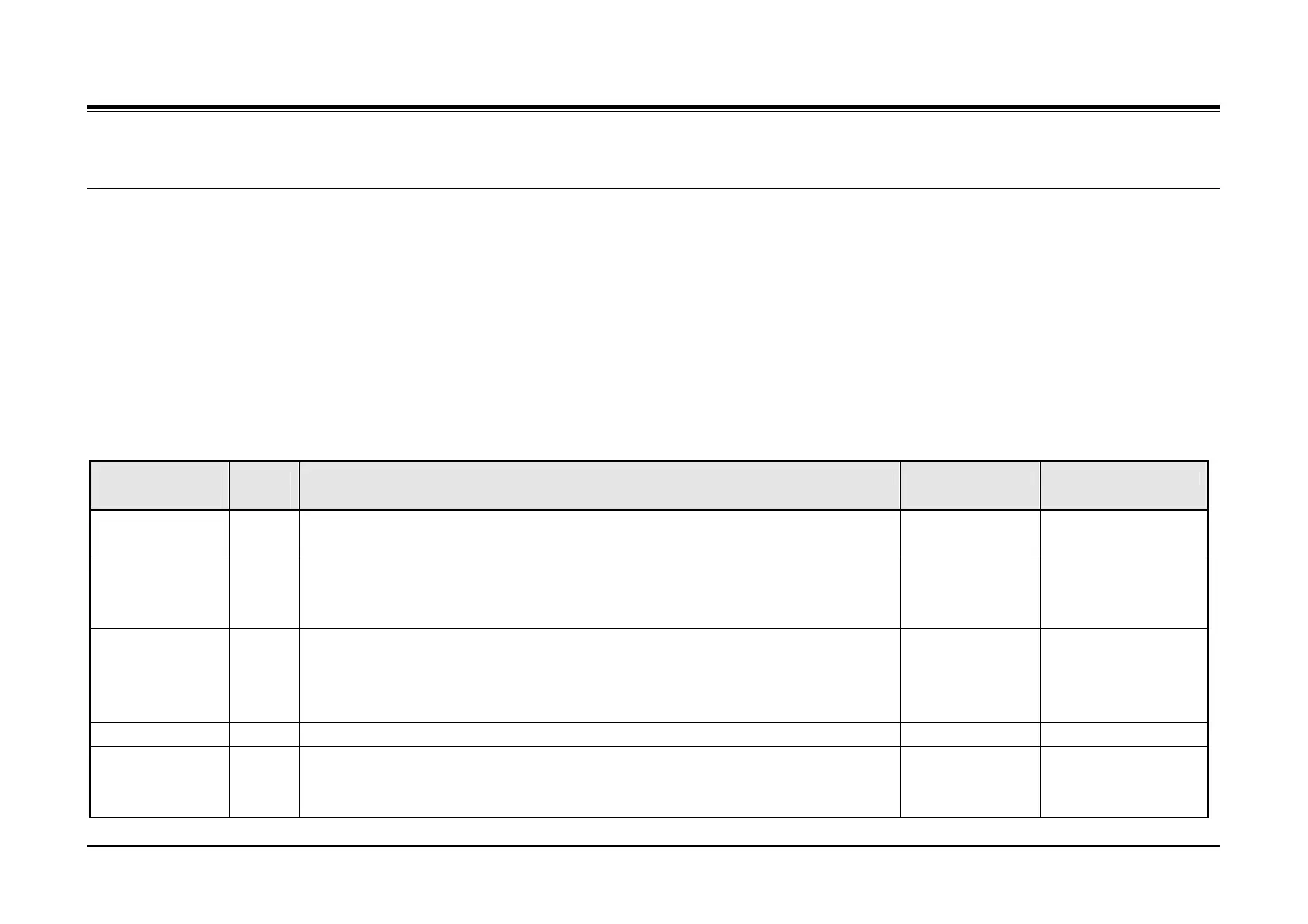
PGM 152 defines various attributes associated with T1 CO lines.
Procedure:
1. Press the [TRANS/PGM] button.
2. Dial 152.
3. Enter the appropriate CO Line Range.
4. Press the desired Flexible button.
5. Enter the appropriate value.
6. Press the [Hold/Save] button.
PGM
152
Flex
Btn
Description Default Values
Pause Duration 1 This parameter sets the duration of the delay in dialing when a pause is encountered
in a Speed Dial number.
2 seconds 1 ~ 9 in 1-second
increments
Release Guard
Time
2 This parameter defines the interval between when a user disconnects from a T1 CO
line call and when the CO line is available for access by another user. This interval
allows time for the CO to return the circuit to an idle state.
20 (2 seconds) 01 ~ 60 in 100-milli-
second increments
Dial tone Delay
Timer
3 This parameter sets the time between the user accessing a T1 CO line and dial tone
delivery to the user. This interval allows the T1 CO line to setup the circuit. If Dial
Tone Detect (PGM 160, Flexible button 6) is enabled, when dial tone is detected, it is
immediately sent to the user otherwise, this timer is employed.
10 (1 second) 02 ~ 50 in 100-milli-
second increments
Inter-digit Timer 4 not used
Wink Timer 5 This parameter sets the duration of the ‘Wink’ signal for Wink start T1 CO lines. The
parameter is also used to define the delay when delay start is assigned for the T1
CO line.
10 (200 milli-
seconds)
07 ~ 15 in 20-milli-
second increments



 To Next Page