ipLDK-60 Issue 2.0
Admin Programming Manual July, 2010
184
3.11.4 Network Routing-Network Numbering Plan Table (PGM 324)
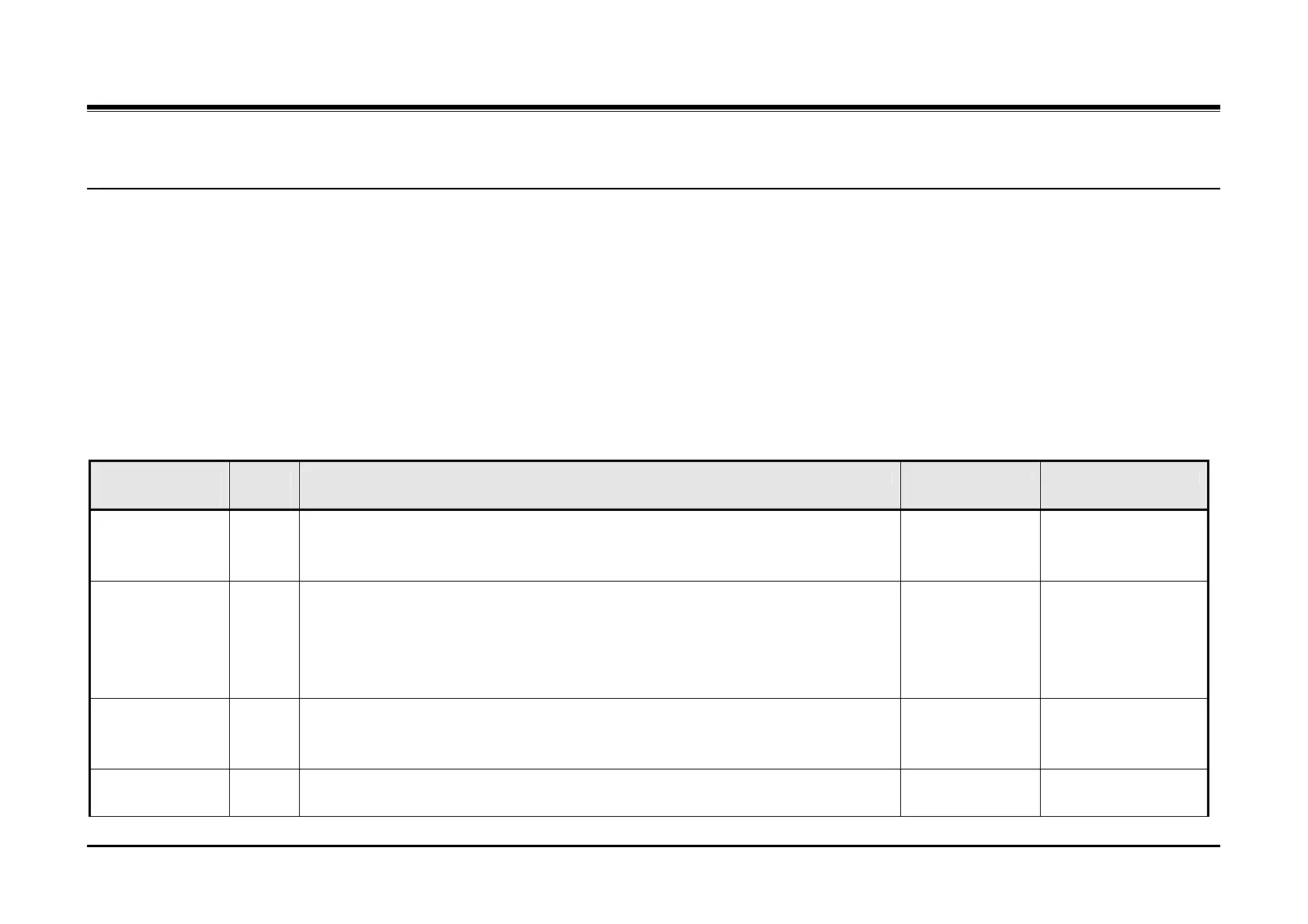
PGM 324 establishes the routing for each Network Numbering Plan code.
Procedure:
1. Press the [TRANS PGM] button.
2. Dial 324.
3. Enter the Network Numbering Plan index, 00 ~ 70.
4. Select the desired Flexible button.
5. Enter the appropriate value.
6. Press the [Hold/Save] button.
PGM
324
Flex
Btn
Description Default Values
System Usage 1 This parameter defines the type of connection for the Numbering Plan code.
Network setting is used when the connection is between networked systems
otherwise use PSTN.
0 (Network)] 0 = Network
1 = PSTN
Net Numbering
Code
2 This parameter defines the individual Network Numbering Plan code digits. For a
local station number, enter ‘#’ after the first digit to signify a local station, 1#**. An
asterisk, ‘*’, is used to signify any digit, 0 ~ 9.
Not assigned 16 digits, 0 - 9 and.
‘#’ = signifies local
station numbers
‘*’ = any digit wild
card
Net Number CO
Line Group
3 This parameter defines the Network CO line group used to set-up the connection for
the Network Numbering Plan code. A ‘00’ value is used to denote a local intercom
connection.
Not assigned 00 ~ 24
CPN IP
Information
4 This parameter defines the IP address of the destination system’s VOIB. Only
Flexible button 1 is used for the ipLDK-60 to define the VOIB IP address.
0.0.0.0 Flexible button 1 ~ 4,
IP v4 address



 To Next Page