110
Settin
Checkers
Cha
ter 6
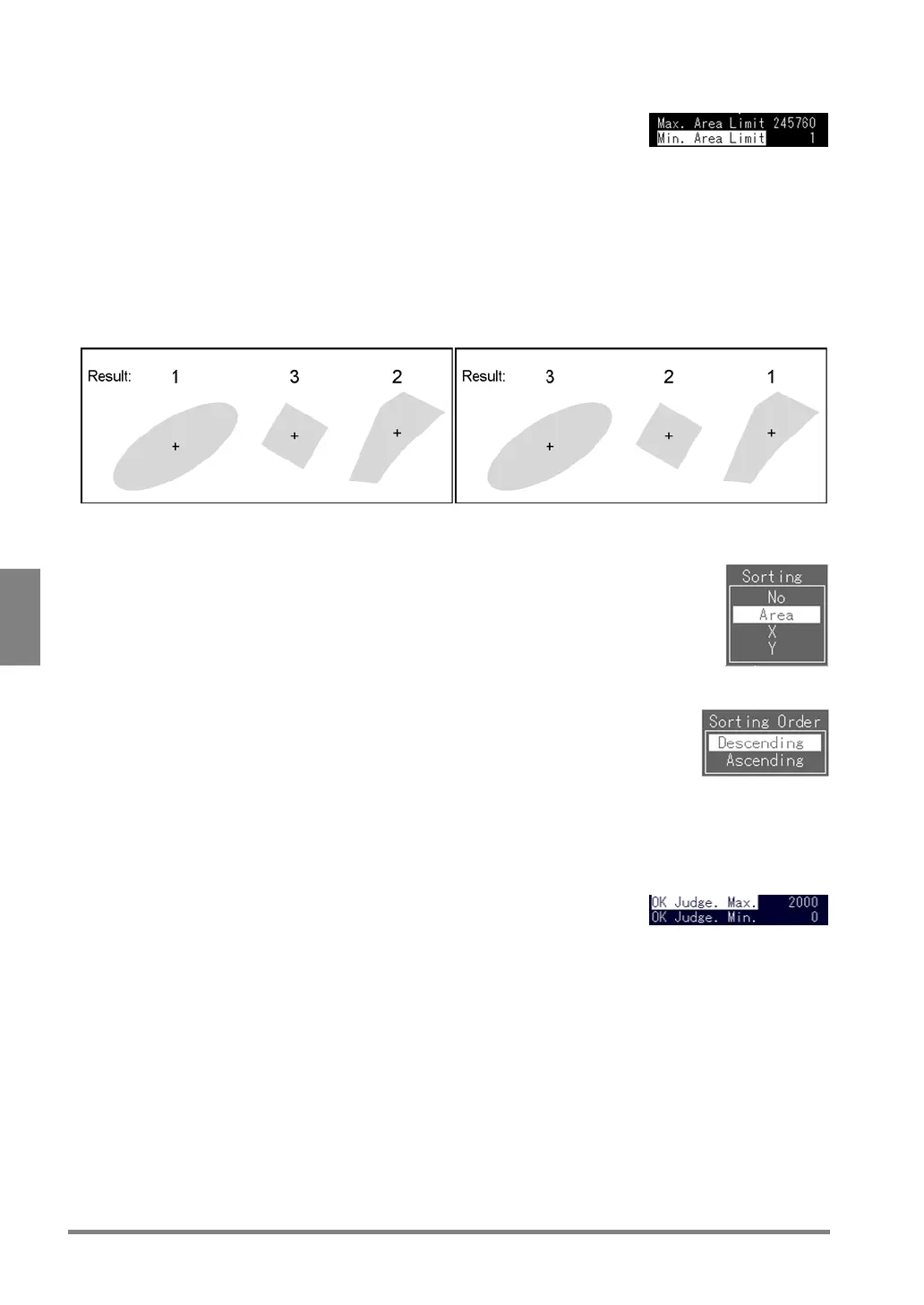
7. Specify "Max. Area Limit" and "Min. Area Limit".
8. Select "Sorting".
The sub window is displayed.
Sorting:
This is a function that is necessary when Feature data are used (for Calculation, Statistics and Data
Monitor windows). When the multiple images were detected, area and gravity x/y are rearranged in
descending/ ascending order. You can specify “the number of the object” by always rearranging multiple
objects in a certain order.
Area: Sorts in descending order X coordinate: Sorts in descending order
9. Select "Area", "X" or "Y".
10. Select "Sorting Order".
Choose a sorting order based on the information specified at step 8.
11. Select "Descending"/"Ascending".
12. Select "OK Judg. Max." and press the ENTER key.
The value shown at the right of "OK Judg. Max" is highlighted.
What is OK Judgment Maximum/Minimum value?
These are the standard values of the object judged as "OK. If the results
are within the values you set as OK Judgment Maximum/Minimum, the
object will be judged as "OK"
13. Specify "OK Judg. Max." and "OK Judg. Min."
14. Press the A key to begin a test.
Check for a judgment result and detection count displayed in the message area of the screen.



 To Next Page