123
Settin
Checkers
Cha
ter 6
Subtraction
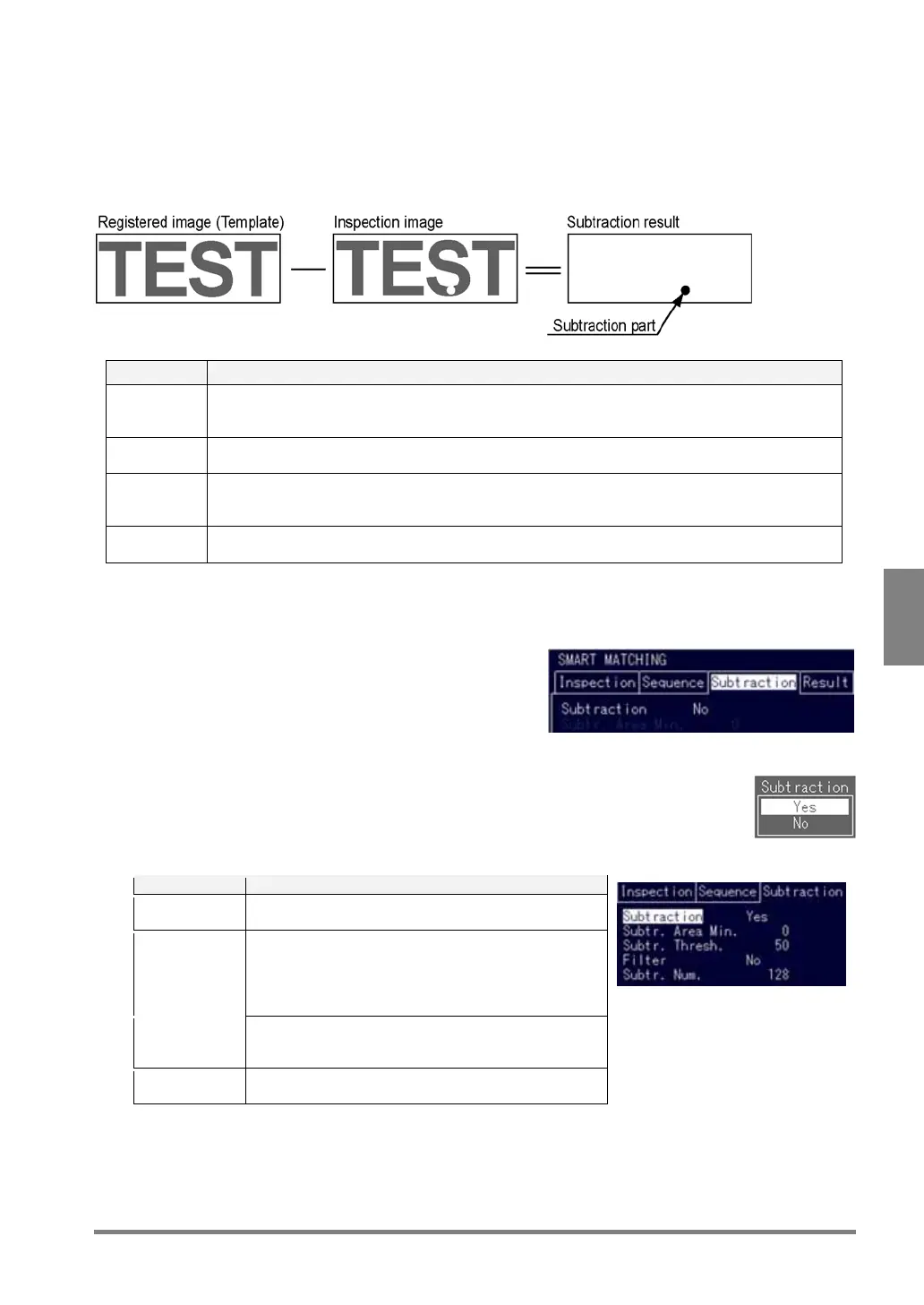
The Subtraction function extracts pixels that exceed a certain degree of the difference in the grayscale value
when the detected image is covered with the template. With this feature, the PV310 can detect up to 128
subtraction parts that are difficult to reflect the correlation value, and judge based on the number of subtraction
parts exceeding a certain degree of the difference in the grayscale value.
Item Description
Subtraction
Threshold
Extracts pixels that exceed a certain degree of the difference in the grayscale value between the
detected image and the template. The lower the Subtraction Threshold value, the stricter
extraction standard is.
Filter Dilates or erodes the extracted pixel clusters, or does so after dilation or erosion. Use the Filter
function to enhance the extracted pixel cluster or remove fine noises or dusts.
Subtraction
Area Min.
Detects only the clusters of the filtered extraction pixels having the area value more than the
Subtraction Area Min. For example, if you want to exclude the 10 pixel or less extracted
subtraction parts from the standard for judgment, set Subtraction Area Min. to “11”.
Subtraction
number
A standard value of a detected pixel cluster. If the number of detected pixel clusters is less than
the subtraction number, the object will be judged as "OK".
Setting procedure
1. Highlight "Subtraction" and press the ENTER key again.
A sub window appears.
2. Choose "Yes" to continue.
The option items under "Subtraction" in the menu are displayed.
3. Choose the item you want to change.
Item Details
Subtraction
Area Min.
The range from 0 to 245760 is available. After
changing the value, press the ENTER key.
Subtraction
Threshold
The range from 0 to 255 is available. Default
Subtraction Threshold is set to 50. Set to the lower
Subtraction Threshold value to extract even a pixel
having the small difference in the gray value. After
changing the value, press the ENTER key.
Filter Choose "No", "3x3 Erosion", "5x5 Erosion", "3x3
Eros.->Dilat.", "5x5 Eros.->Dilat.",
"3x3 Dilat.->Eros." or "5x5 Dilat.->Eros."
Subtraction
Number
The range from 0 to 128 is available. After setting the
subtraction number, press the ENTER key.



 To Next Page