139
Settin
Checkers
Cha
ter 6
Referring the results
You can refer to the test results of flaw detection.
The items shown in Result column
Item Description
No. Flaw number (flaws are sorted in the descending order of cells making up a flaw.)
X coordinate The center X coordinate of the first cell from the start point in a flaw
Y coordinate The center Y coordinate of the first cell from the start point in a flaw
Flaw size The number of cells making up a flaw
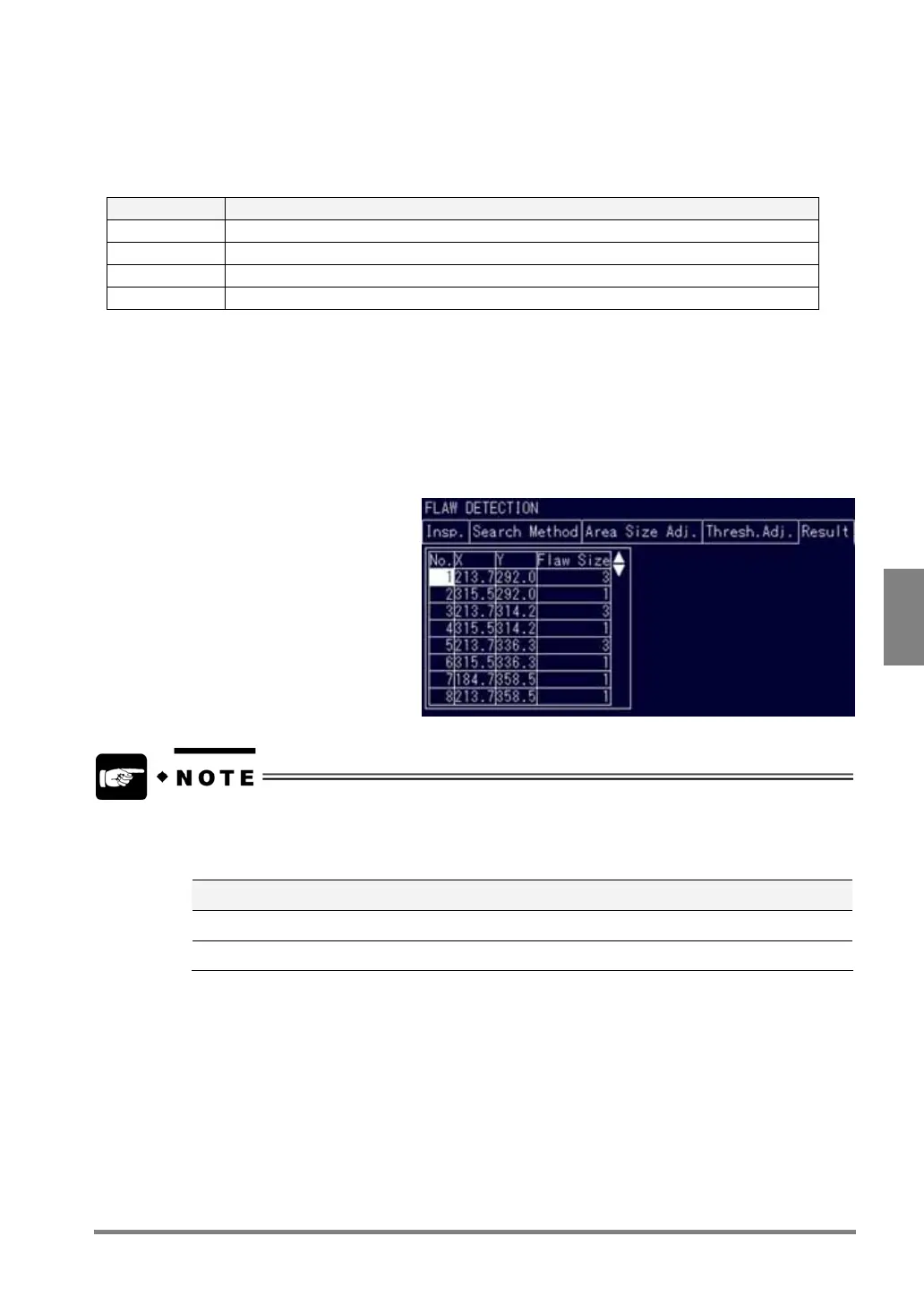
1. Select the “Result” tab.
2. Press the A key and begin the test.
The data of eight detected flaws are displayed in the descending order.
The flaws displayed in red are those of the number you are selecting or the cursor is on. The rest of the
flaws are displayed in orange.
To view the data of flaws that are not
currently displayed, tilt the ENTER
key up or down.
• To output judgment result and measurement data to the external device, use the “Judgment” function
and “Numeric Calculation” functions respectively.
• If you test on a checker menu, the operation of the PV310 differs depending on the currently displayed
image.
Display Image Operation of PV310
Live Tests after capturing a new image
Memory Tests using a currently displayed memory image without capturing a new image



 To Next Page