138
Settin
Checkers
Cha
ter 6
Search Method
Configure the settings for the following search methods. Refer to page 131 for the principle of flaw detection.
Item Option Description
Inspection Mode
Dif.
Gray Range
To select an inspection method
Num. Of Cells for
Calc. Range
2 - 256 To set the number of cells to be grouped
(Available only if the inspection mode is set to “Gray Range” mode)
Number of cells
per shift
1 - 253 To set how much the grouped cells are shifted
(Available only if the inspection mode is set to “Gray Range” mode)
Threshold 1 - 255 To set a lower limit of variation in brightness in order to extract the cells in a
candidate flaw. The PV310 extracts the cells more than the setting value for
Threshold as the cells making up a candidate flaw.
Detect Size 2 - 256 To set a flaw size in cell unit
Set the minimum number of the cells in a candidate flaw. The PV310 regards
a candidate flaw consisting of the cells more than the minimum number of
cells you have set here as a flaw.
Adjusting the threshold
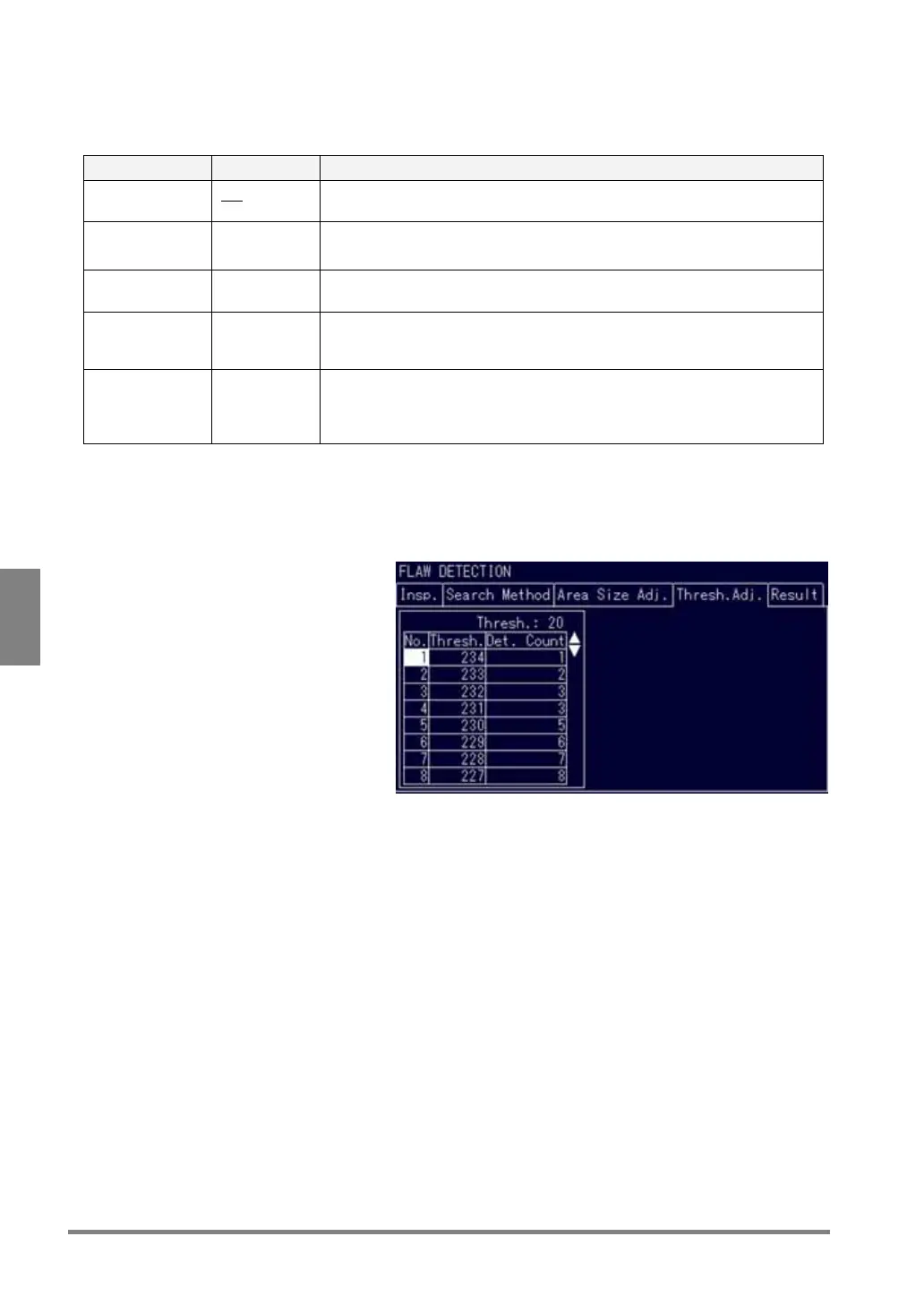
This feature is effective if you do not know how much you should adjust the threshold to detect the desired flaw.
With this feature, you can check the number of flaws to be detected after adjusting the threshold. After that, you
can set the adjusted threshold as inspection condition.
1. Select “Thresh.Adj.”.
After the message “Please wait a moment.” appears, the number of flaws to be detected for each threshold
is displayed. The eight flaws are displayed in the descending order of threshold. If you want to view the
next eight flaws, press the right or left arrow key. If you want to view the flaws after the 9th, press the up or
down key.
The current setting value for threshold is displayed out of the table.
2. Move the cursor to the column in which threshold numbers appear and check the number and
positions of flaws that are detected according to the selected threshold.
The flaw detected according to the threshold is displayed in pink.
3. Select the desired threshold number and press the ENTER key.
The current threshold in the table is changed.
The threshold that has been set as an inspection condition is also changed.



 To Next Page