219
Environment Settin
s
Cha
ter 9
Item
Option
(Initial value: With
an underline)
Function
Ref.
page
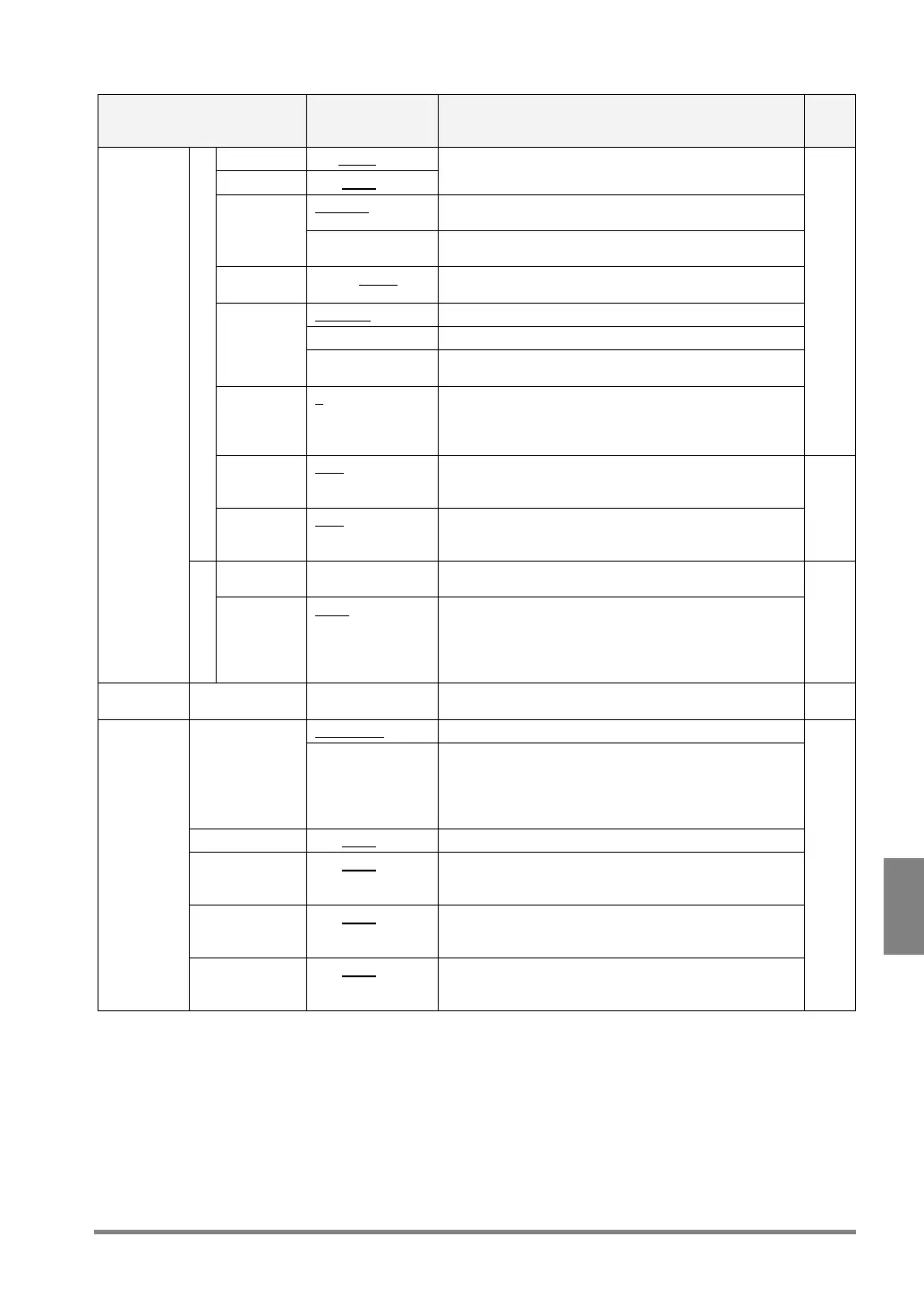
Camera 1 Out/None
Camera 2 Out/None
To output images captured by Cameras 1 and 2 to a
Compact Flash memory card or PC via Ethernet.
Ethernet To output an image to the PC in which the designated
software is installed via Ethernet.
Destination
CF To output an image the PC in which a Compact Flash
memory card is inserted
Output
Operation
Sync. /Async. Select whether or not to output an image within the
inspection time.
Per Start To output an image per inspection
Total Judgment To output the image that was totally judged as NG.
Output
Condition
Customize output
interval
To output images at intervals of the specified time.
Output
interval
2 – 10000 This function is effective if you want to let the PV310
output images at the interval that is set as “Customize
output interval”.
Images are output every time inspection is executed.
232
Output
signal(Err)
at error
OFF
/ ON Outputs an error-signal when an error occurred in
image outputting through Ethernet.
Output Settings
Forced
outage at
error
OFF / ON Pauses inspections and displays a message on the
monitor when an error occurred in image outputting
through Ethernet.
237
Header 1 – 16 letters Specify the header at the destination where an image
is output. Initial value: Image
Image
Output
Setting
File Name
Additional
information
1 -4
None/Year-Month
-Day/Time-Minute
-Second/Total
Judgment/ Type
No.
Select the information to be added to a file name
File name = “Header”, “Additional Information 1_”,
“Additional Information 2_”, “Additional Information 3_”,
“Additional Information 4_” and “.bmp (extension)”
236
Conversion
Data
CV1 to CV4 --- To convert the units of calculation results.
For example, unit conversion from pixel to mm
178
Not Output To cancel inspection result output Output Setting
(General
Output)
Serial (Per
Start)/Computer
Link/Serial
(Async.)/Ethernet/
Card
Outputs the data of scan, judgment, numeric
calculation or statistics that have been set to output to
the selected external device
Scan Out/None To output the number of scans to the external device.
Judgment Out/None Outputs all of the judgment data that has been set to
output the external device by selecting “TOOL” >
“Calcu.-Stat.-Output” > “Judgment”
Num. Calcu Out/None Outputs the numeric calculation data that has been set
to output to the external device by selecting “TOOL” >
“Calcu.-Stat.-Output” > “Num. Calcu”
Data
Output
Settings
Statistics Out/None
Outputs the statistics data that has been set to output
to the external device by selecting “TOOL” >
“Calcu.-Stat.-Output” > Statistics”
258
292
305



 To Next Page