266
RS-232C Communication
Cha
ter 11
Re-registering the template - Area Display: Yes
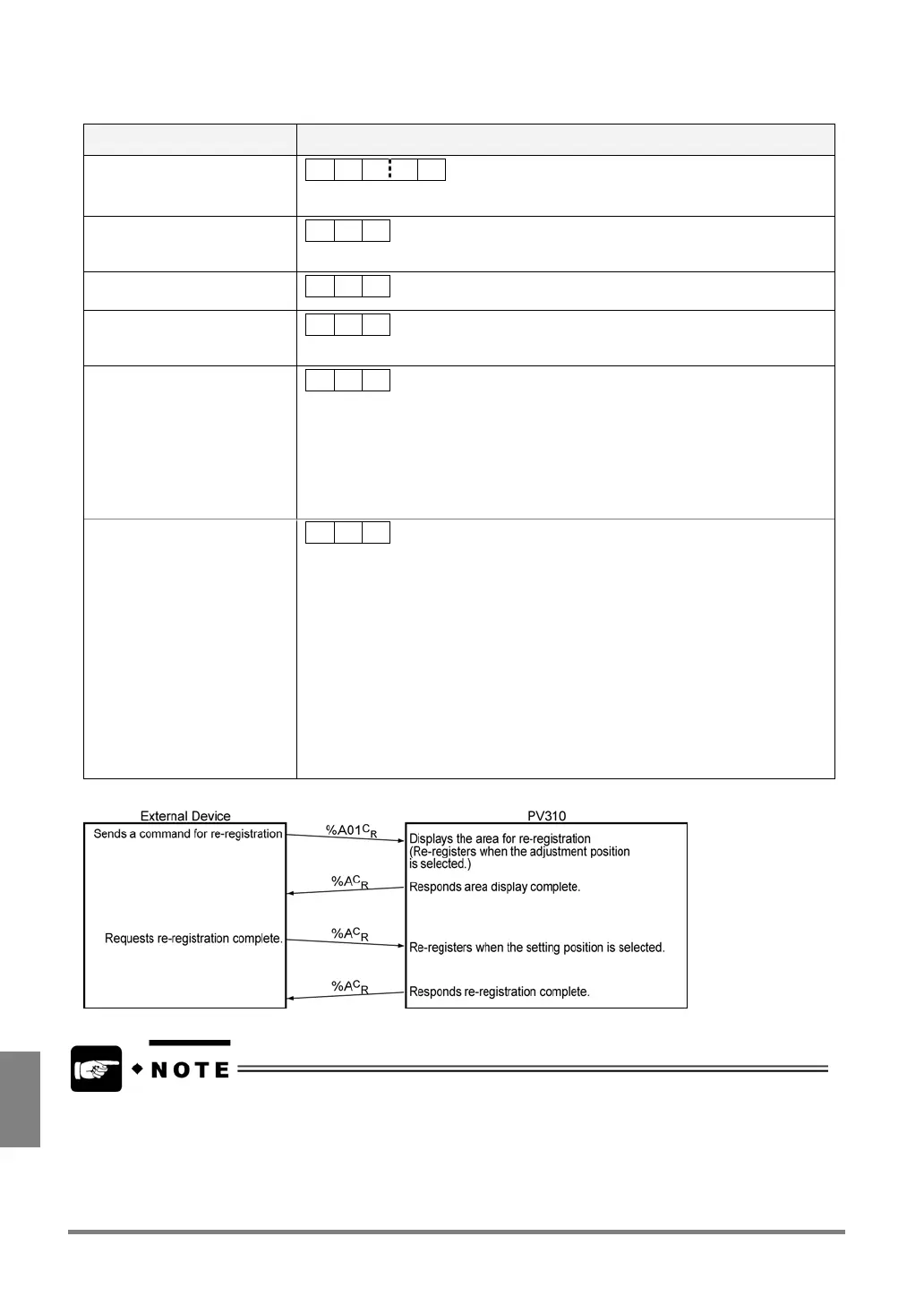
To complete re-registering the template, this command must be sent from external device to PV310 twice.
Communication direction Command / Description
From the External Device to
PV310 (1st. time)
% A ? ? CR
??: 01 to 99 (Specify the number of the folders where product types and
configuration data are stored in 2-digit form.)
Response (1st time)
-Normal (at the end of
re-registering the template)
% A CR
From external device to PV310
(2nd. time)
% A CR
Response (2nd. time): Normal
(at the end of re-registering the
template)
% A CR
Response: Error 1
% U CR
Cause:
Command in the unspecified form or not provided was received.
Examples:
- %F
C
R
(any other checker number than 01 - 99 was specified. (1- or more
than 3-digit numbers were specified.))
- %B01
C
R
(not provided command)
Response: Error 2
• ERROR signal = “ON”
• Error Code: E0174 is
displayed on the screen
% Z CR
Causes:
• The checker types already saved as the specified numbers are not Smart
Matching or Contour Matching.
• Template is not registered using the Smart Matching or Contour Matching
checker already saved as the specified number.
• As the image in the re-registration area has no feature, it cannot be registered
as a template.
• When re-registration position = Adjusted Position, grouped Position Adjustment
(or Rotation Adjustment) is NG
• When re-registration position = Adjusted Position, the position adjusted using
grouped Position Adjustment (or Rotation Adjustment) checker is out of the
screen.
Processing flow
• When a live image is displayed, it is newly re-registered after being captured.
• When a memory image is displayed, template is registered using the currently displayed memory image
(the last captured image).
• The images are discarded when the power turns off unless saving them. To hold the images even if the
power turns off, save the current settings by selecting "SAVE" from the menu bar or by inputting a
command of "%MCR" from the external device.



 To Next Page