277
Cha
ter 11
RS-232C Communication
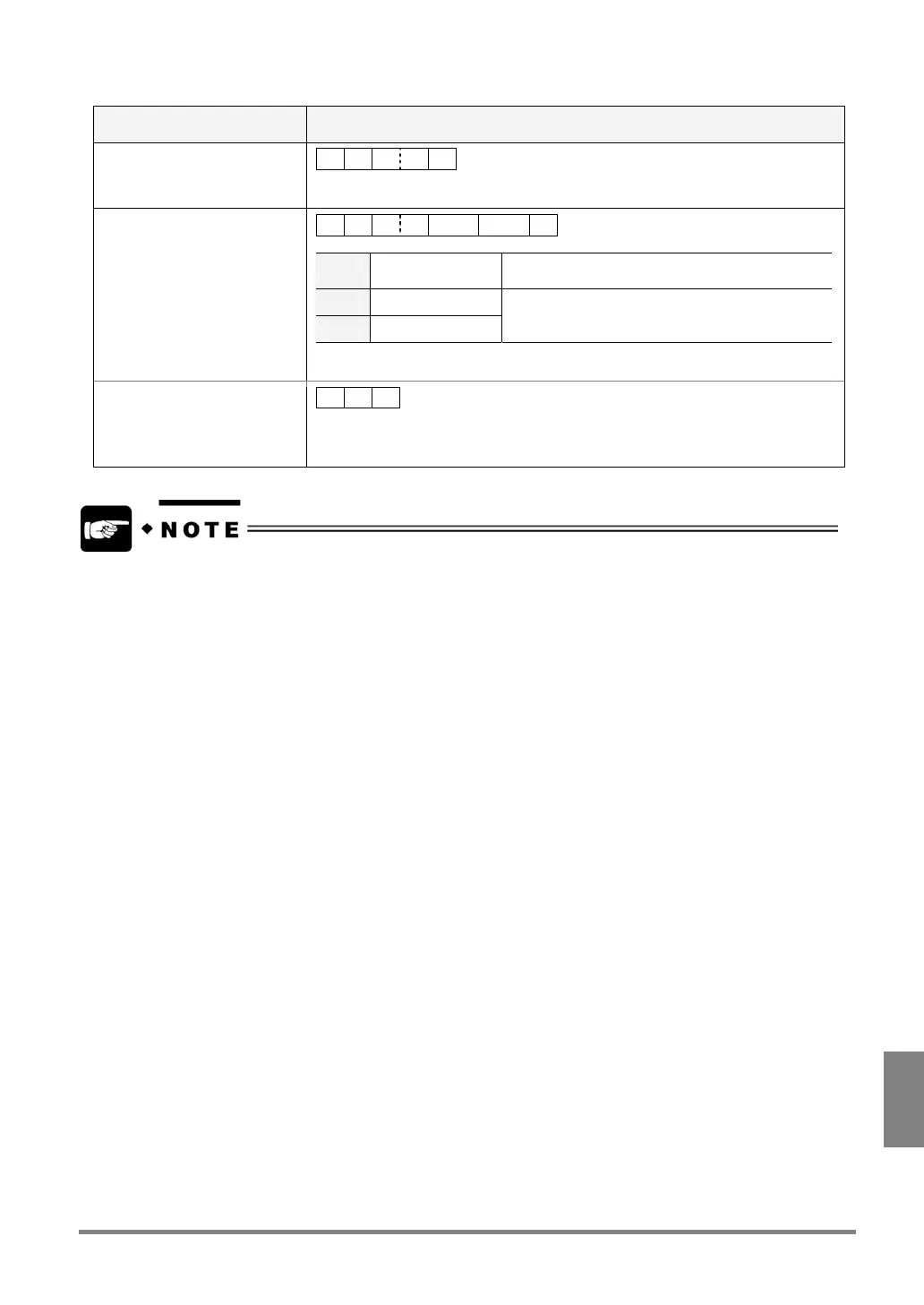
Command format: Fixed Length
Communication direction Command / Description
Sending command from
external device
% C ? ? CR
?? : 01 to 96 (Specify the numeric calculation number in 2-digit form.)
Response: Normal
% C ? ? Min. Max. CR
?? 01 to 96 Specify the numeric calculation number in 2-digit
form.
Min. Fixed (12 Digits)
bbbb Fixed (12 Digits)
- 02147483648 to 002147483647
or
- 02147483648 to 002147483647
- 02147483648 to 002147483647: Unused digits are filled with '0'.
- 02147483648 to 002147483647: Unused digits are filled with 'Blanks'.
Response: Error 2
ERROR signal is output to the
parallel output port
% Z CR
Cause:
Numeric calculation No. specified by the sending command does not exist.
• To specify the command format (Comma separated/Fixed Length), select “ENVIRONMENT” > “Serial
Communication” > “Command” from the menu bar.
• Even if “Fixed Length" is selected, the PV310 can read more than 5-digit data.



 To Next Page