40
In
ut and Out
ut Interface Ports
Cha
ter 3
Connection with PLC
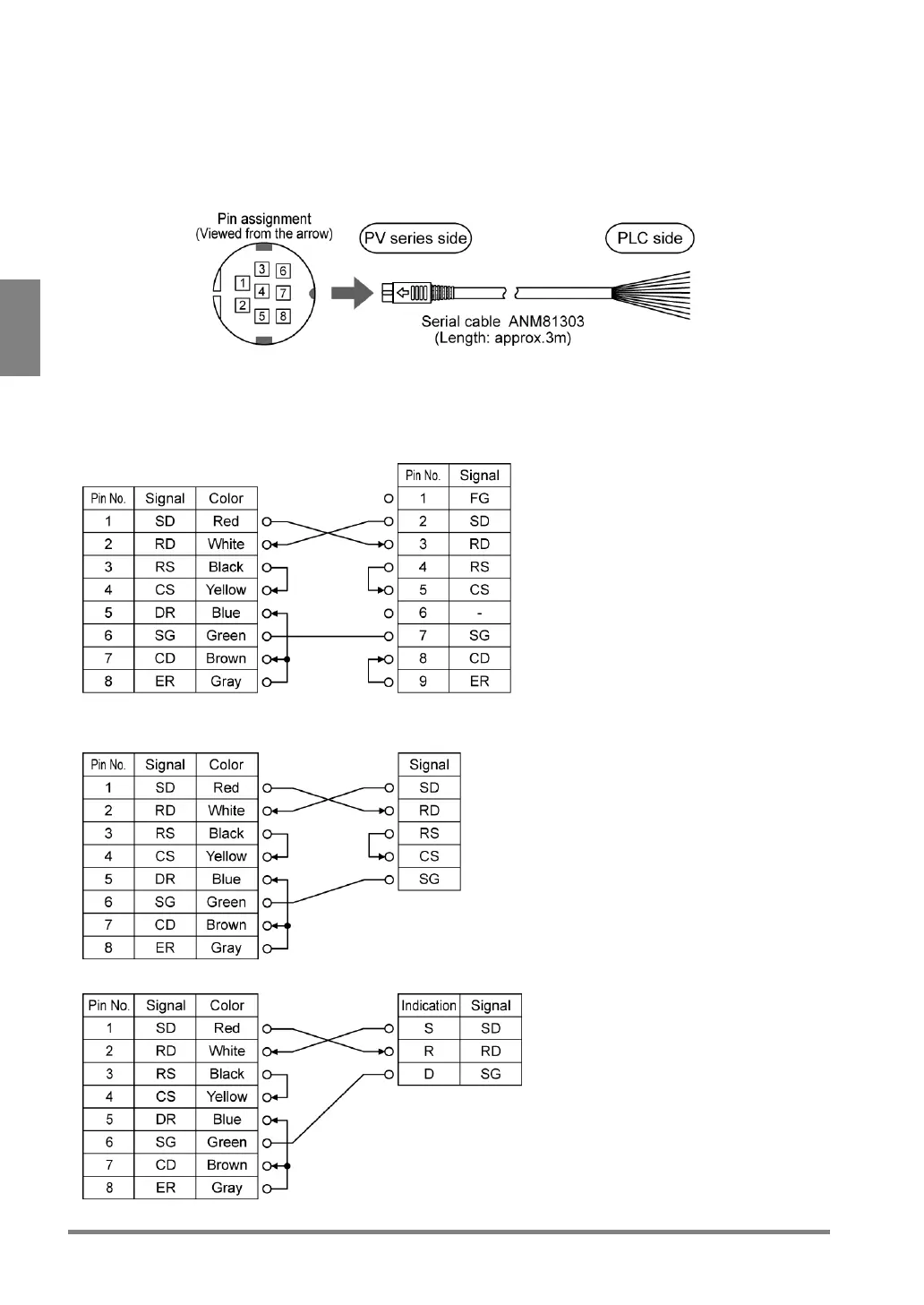
Make the connection with the RS-232C cable (ANM81303) following the wiring example shown below. Since the
PLC side of the RS-232C cable is not terminated, terminate it according to your PLC. In case short-circuiting is
necessary, be sure to check the example of wiring.
ANM81303
Connections with Panasonic FP series
PV310
FP series
Multi communication unit
/Computer communication unit
PV310
FP Σ
(Communication cassette:
RS-232C 1 channel type)
PV310 FP0



 To Next Page