R&S
®
ZVA / R&S
®
ZVB / R&S
®
ZVT GUI Reference
Channel Menu
Operating Manual 1145.1084.12 – 30 355
[SENSe<Ch>:]FREQuency:IMODulation:UTONe
[SENSe<Ch>:]FREQuency:IMODulation:TTOutput
[SENSe<Ch>:]FREQuency:IMODulation:TDIStance
[SENSe<Ch>:]FREQuency:IMODulation:RECeiver
[SENSe<Ch>:]BANDwidth|BWIDth[:RESolution]
[SENSe<Ch>:]BANDwidth|BWIDth[:RESolution]:SELect
[SENSe<Ch>:]FREQuency:IMODulation:ORDer<Im>:STATe
[SENSe<Ch>:]FREQuency:IMODulation:PEWCorr[:STATe]
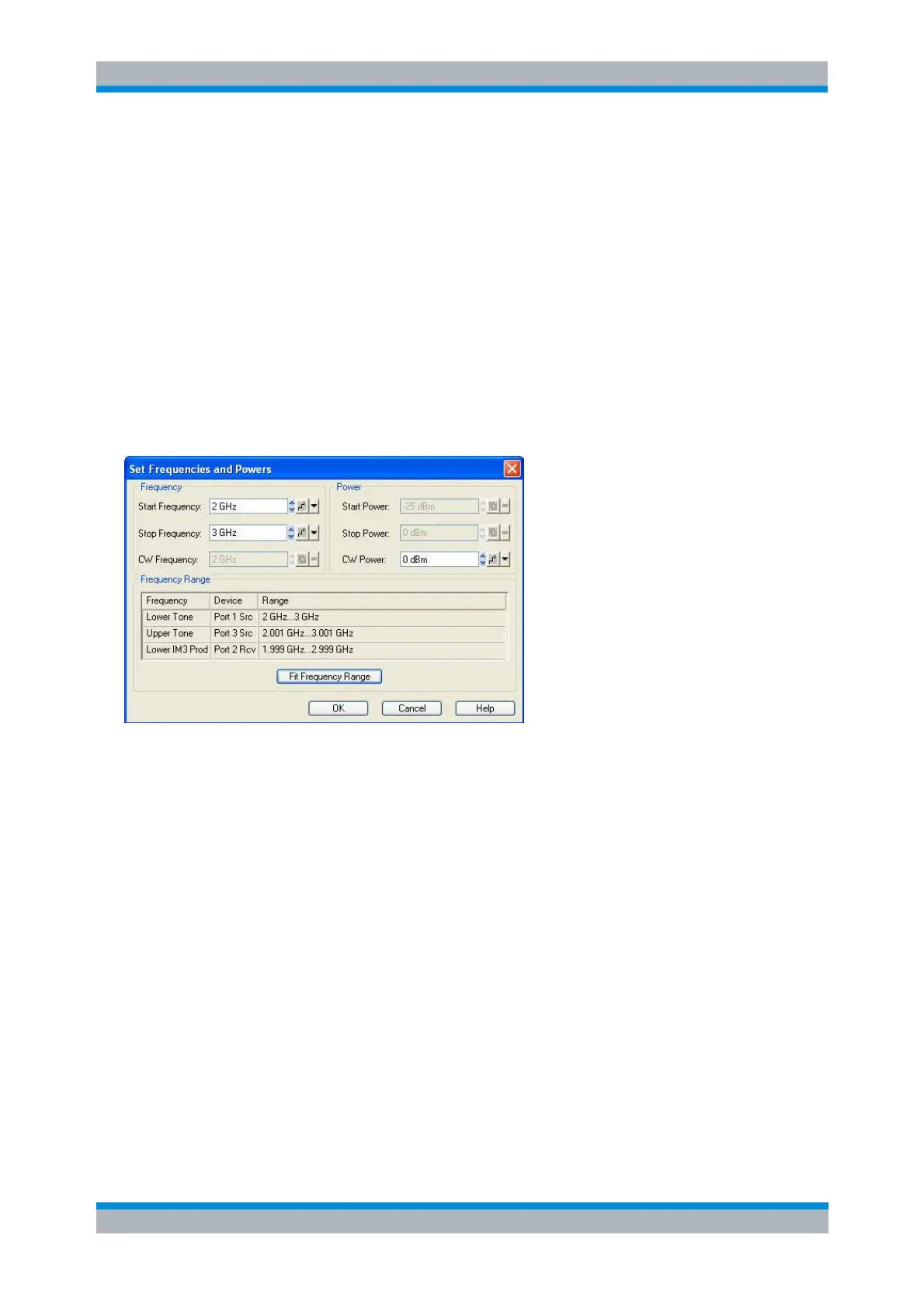
Set Frequencies and Powers
The Set Frequencies and Powers dialog defines the (frequency or power) sweep ranges for the lower
tone. The frequency of the upper tone is equal to the lower tone frequency plus the Tone Distance defined
in the Define Intermodulation Distortion Measurement dialog. Its power is equal to the lower tone power.
The sweep range settings depend on the active sweep type (frequency or power sweep). The frequency
and power settings for the lower tone are identical with the Channel – Stimulus settings.
The Frequency Range table shows the frequency ranges for the lower and upper tone and for the
highest-order IM product which is selected to be prepared for measurement, depending on the
current frequency settings. E.g. the lower IM3 product is measured at the lower tone frequency
minus the tone difference. An orange background in the Range column indicates that the
frequency range exceeds the upper or lower frequency limit of the analyzer.
If one of the ranges exceeds the analyzer limits, the Fit Frequency Range button restricts the
lower tone sweep range so that the analyzer can measure all selected IM products.
[SENSe<Ch>:]FREQuency:STARt
[SENSe<Ch>:]FREQuency:STOP
[SENSe<Ch>:]FREQuency:CW|FIXed
SOURce<Ch>:POWer<Pt>:STARt
SOURce<Ch>:POWer<Pt>:STOP
SOURce<Ch>:POWer<Pt>[:LEVel][:IMMediate][:AMPLitude]



 To Next Page