R&S
®
ZVA / R&S
®
ZVB / R&S
®
ZVT GUI Reference
Channel Menu
Operating Manual 1145.1084.12 – 30 405
specification.
When a Constant High or Constant Low signal is selected, the pulse type of the sync signal is set
to Constant High or Constant Low, too. The previous pulse type of the sync signal is restored
when the pulse generator signal is reset to Single Pulse or Pulse Train.
The controls in the Pulse Parameters section specify the properties of Single Pulse signals and
Pulse Train signals (Gen 1). It is possible to invert the polarity of the pulse generator signal, i.e. to
exchange the high signal and low signal periods. The three buttons in the panel open
configuration dialogs for the Pulse Train, the Sync Generator (Gen 2), and the chopped pulse
profile mode.
The section Settings valid for defines the scope of the pulse generator settings. By default, all
settings are valid for the Active Channel. If All Channels (Continuous Mode) is selected, the pulse
generator settings of the active channel are applied to all channels. This ensures continuous pulse
generator signals at the CASCADE output of the network analyzer when another channel is
selected. Use All Channels (Continuous Mode) mode for measurement on DUTs which could be
damaged by variable pulse generator settings.
[SENSe<Ch>:]PULSe:GENerator1:TYPE
[SENSe<Ch>:]PULSe:GENerator1:WIDTh
[SENSe<Ch>:]PULSe:GENerator1:PERiod
[SENSe<Ch>:]PULSe:GENerator1:TRAin:PERiod
[SENSe<Ch>:]PULSe:GENerator1:POLarity
[SENSe<Ch>:]PULSe:GENerator1:MODE
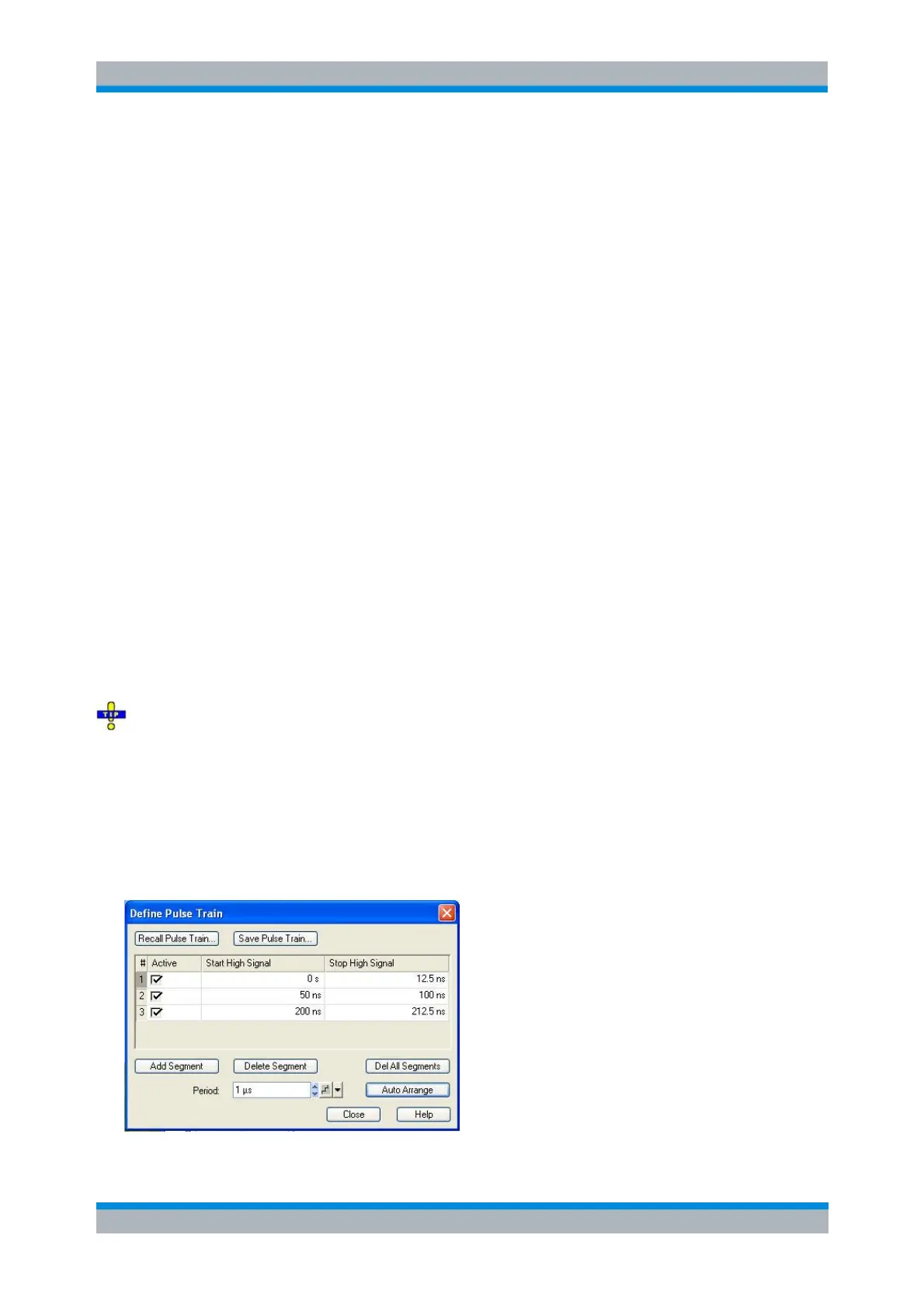
Define Pulse Train
Defines a pulse train for the pulse modulator (Gen 1) signal on a segment-by-segment basis. This dialog
is called from the Define Pulse Generator dialog.
Defining pulse trains with minimum effort
Choose one of the following methods to efficiently create and handle pulse train segments:
To configure a pulse train with only a few segments, use Add Segment and edit each range in the
table individually.
Use the Auto Arrange button to sort the segments in ascending order of the Start High Signal.
Save your pulse train definition to a file so you can re-use or modify it in later sessions (Save
Pulse Train..., Recall Pulse Train...).



 To Next Page