214
Basic Procedure for Wipe Settings
Chapter 5 Wipes
• When turning [Angle] on in the <Rotation> group and slanting the
pattern
a) See page 216.
• When turning [Speed] on in the <Rotation> group and rotating the
pattern at a constant rate
a) See page 216.
6
To adjust color 1, set [Color 1] on, and to adjust color 2 set [Color 2] on,
then adjust the parameters.
7
To interchange color 1 and color 2, press the [Color Invert] button, turning
it on.
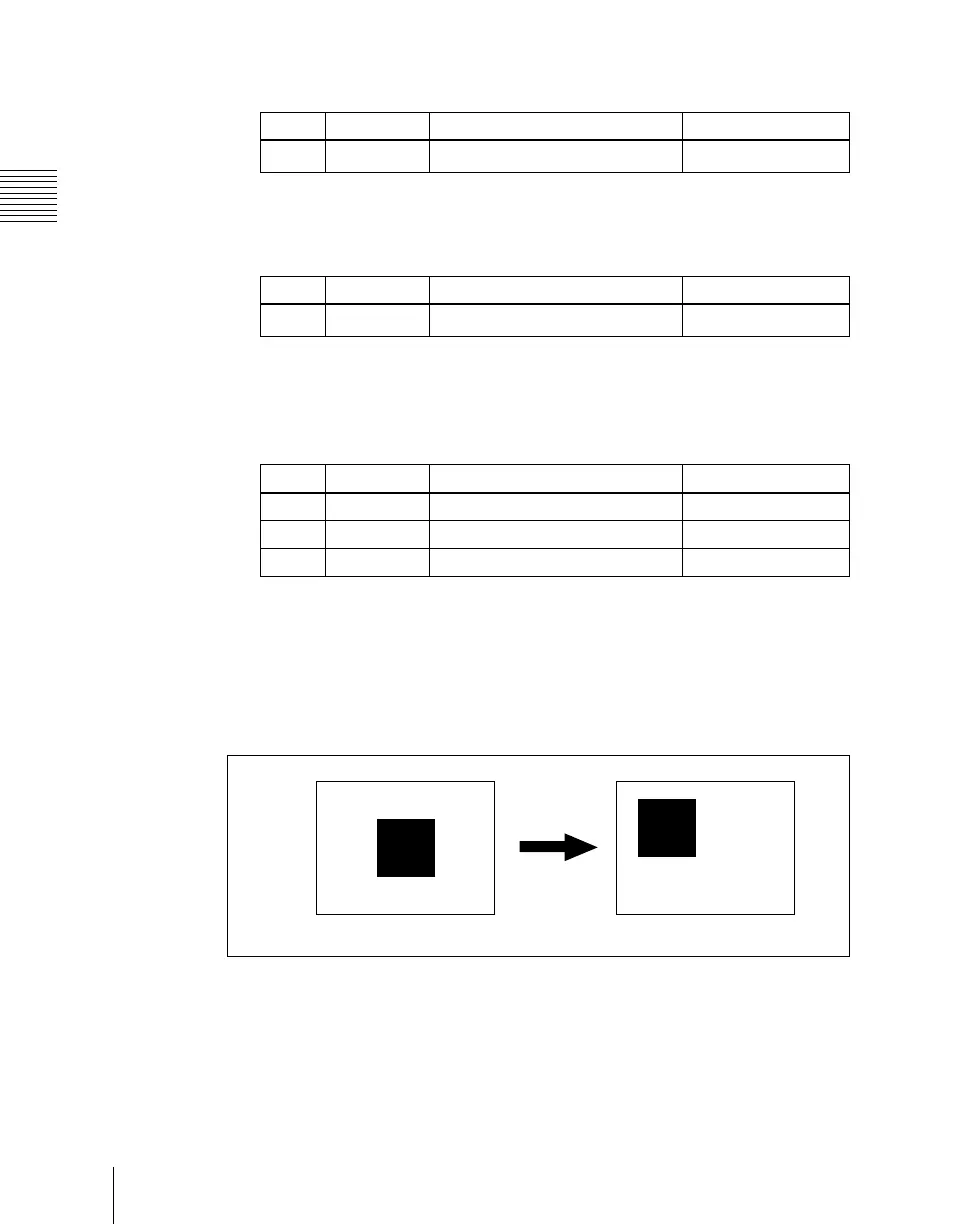
Setting the wipe position (Positioner)
When you turn on this function, you can move the wipe pattern to any position.
• The parameter H Position controls the horizontal position of the pattern.
A negative value moves the pattern to the left, and a positive value moves the
pattern to the right.
• The parameter V Position controls the vertical position of the pattern.
A negative value moves the pattern down, and a positive value moves the
pattern up.
Knob Parameter Adjustment Setting values
1 Angle Angle of pattern rotation
–100.00 to +100.00
a)
Knob Parameter Adjustment Setting values
1 Speed Rotation rate of pattern
–100.00 to +100.00
a)
Knob Parameter Adjustment Setting values
1 Luminance Luminance 0.00 to 100.00
2 Saturation Saturation 0.00 to 100.00
3 Hue Hue 359.99 to 0.00
Positioner onPositioner off





 To Next Page