Chapter 6 — Configuring and Managing Partitions Creating a Storage Partition
November 2016 User Guide—Spectra T950 Library
200
UsethefollowingstepstoconfigurethePreScanandPostScanfeatures
usedinthepartition.
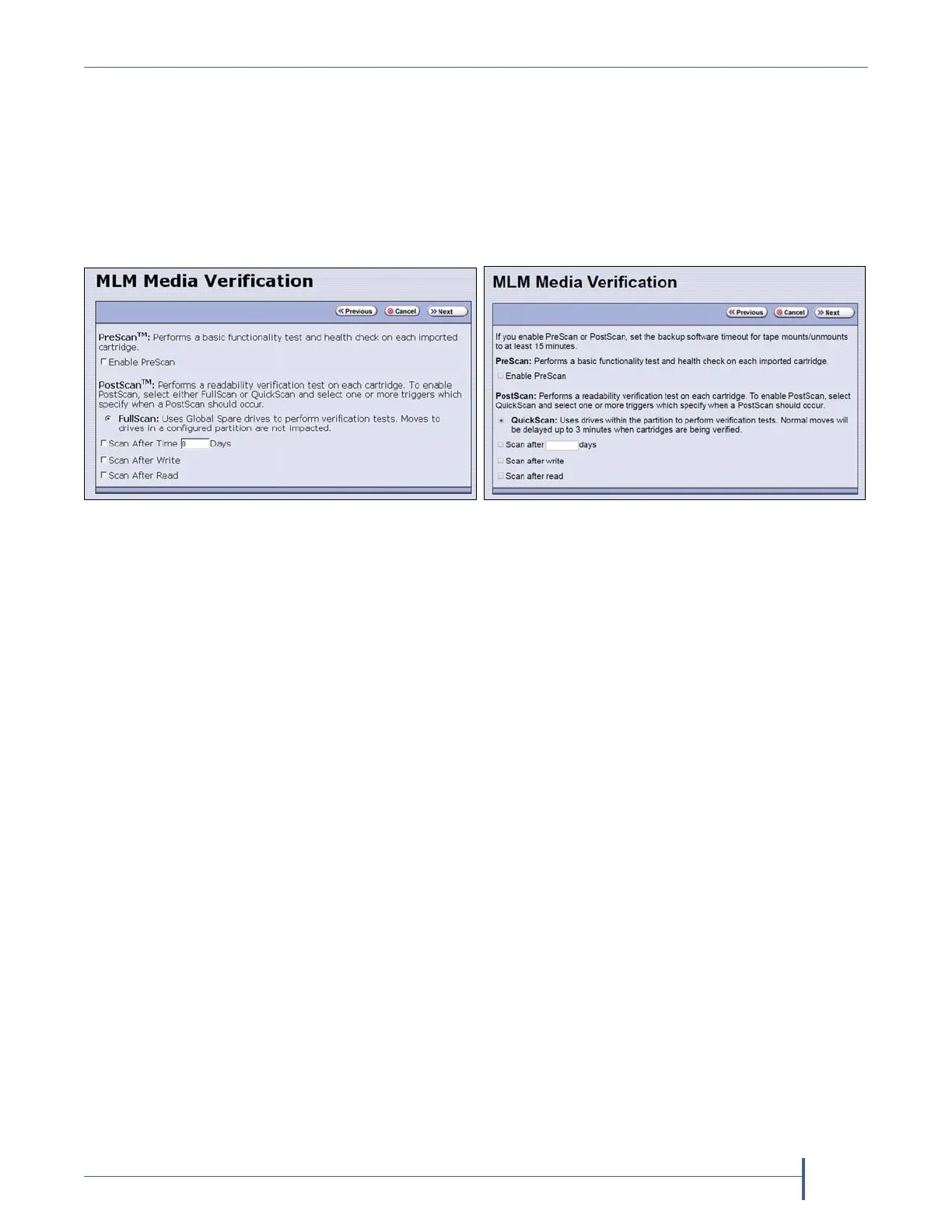
1. FromtheChambersandDrivesscreen,clickNext.TheMLMMedia
Verificationscreendisplays.
Note: IfyoudonotwanttousethePreScanandPostScanfeatures,
clickNextagainandskiptoSelecttheEncryptionModeon
page202.
2. EnableandconfigurethePreScanandPostScanoptionsforthe
partition.
Notes: SelectinganyofthePostScantriggersautomaticallyenables
theselectedPostScanoptionforthepartition.
IfyouenablePostScan,theoptionforSKLMEncryptionis
notavailablewhenyougettotheEncryptionscreen.
TheautomaticPostScanoperationconfiguredonthisscreen
onlyverifiesMLM‐enabledcartridges.Ifyourpartitionuses
cartridgesthatarenotMLM‐enabled,youmustaddthemto
thePostScanqueuemanually(seeRequestaManual
PostScanonpage305).
Figure 125 The Media Verification screen when
the partition uses LTO-4 drives.
Figure 126 The Media Verification screen when
the partition uses LTO-5 and later generation
drives.



 To Next Page