Chapter 10 — Using Drive Lifecycle Management Monitoring Drive Health Using DLM
November 2016 User Guide—Spectra T950 Library
326
Viewing and Saving a Detailed Drive Health Report
1. Logintothelibraryasauserwithsuperuseroradministrator
privileges.
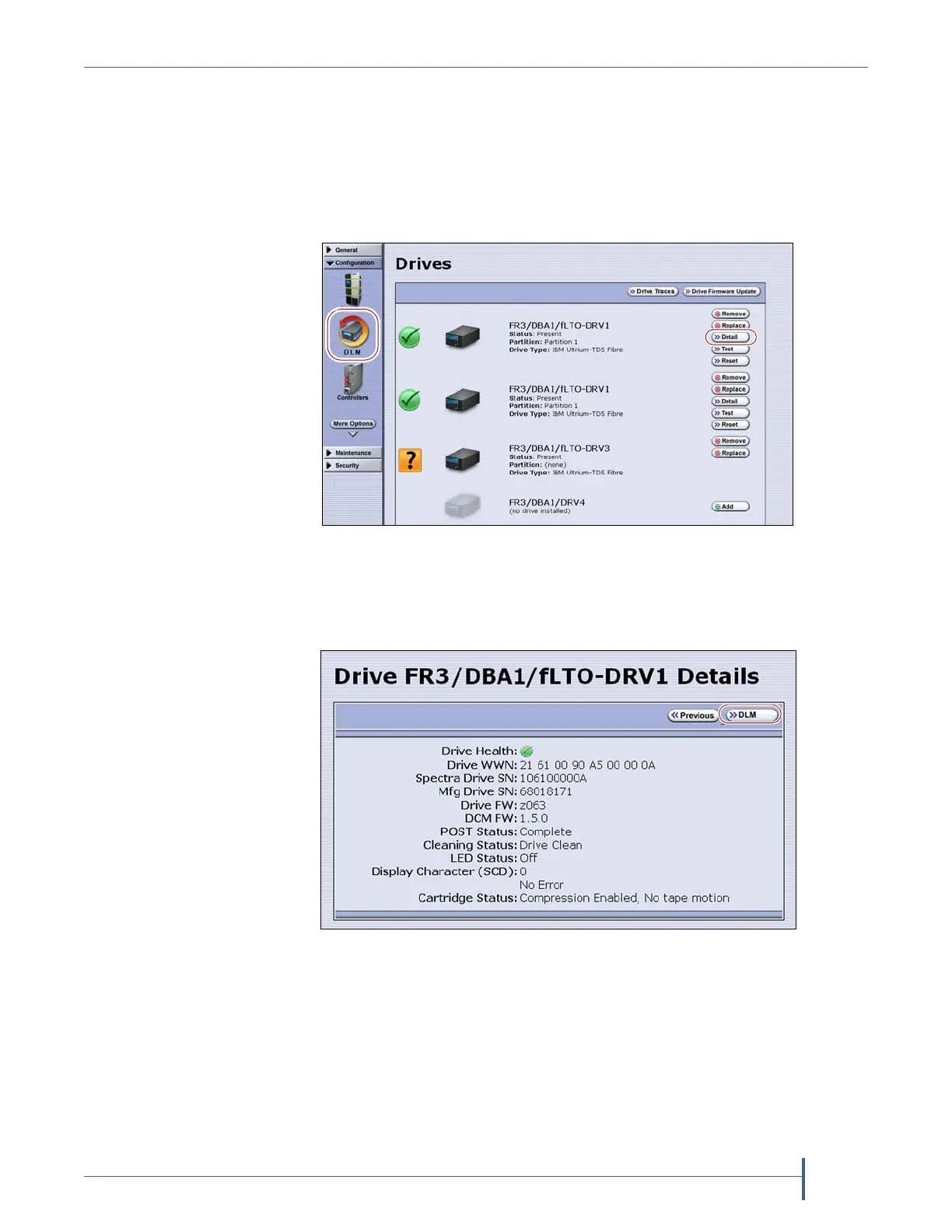
2. Fromthetoolbarmenu,selectConfiguration > DLM todisplaythe
Drivesscreen.
3. ClickDetailnexttothedriveforwhichyouwanttoviewmore
information.TheDriveDetailsscreendisplays.
Figure 197 Click Detail to view detailed information about
a drive.
Figure 198 The Drive Details screen shows detailed
information about the selected drive.



 To Next Page