Chapter 3 — Introducing the BlueScale User Interface Overview of the BlueScale User Interface
November 2016 User Guide—Spectra T950 Library
84
User Interface Features
Thefollowingsectionsdescribethecommonfeaturesthatappearinall
screensintheuserinterface.
Toolbars
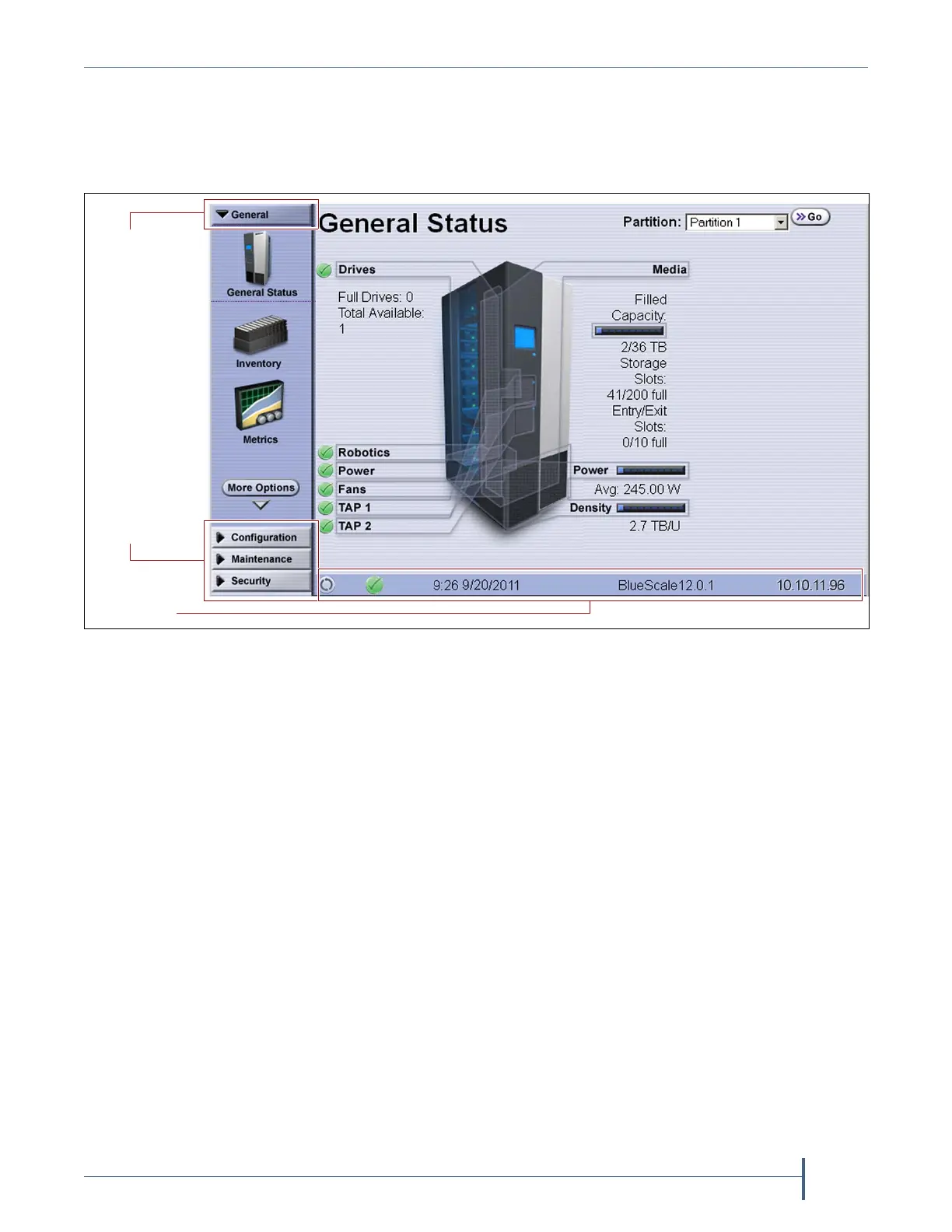
Thetoolbarpanelappearsalongtheleftedgeofeachscreen(seeFigure42)
andletsyounavigatethroughtheavailabletoolbarstoselectoptions.
Clickingonatoolbarexpandsittodisplaytheavailableoptions.The
screenforthepreviouslyselectedoptionremainsdisplayeduntilyouselect
anotheroption,eitherfromthesametoolbaroranotherone.
Figure 42 The BlueScale user interface features.
Additional
Current
toolbars
toolbar
Status bar



 To Next Page