Chapter 12 — Library Troubleshooting Discovering and Setting the BlueScale Vision Camera IP Address
November 2016 User Guide—Spectra T950 Library
373
Lookthroughthelibrarieswindowpaneltodeterminethetypeof
BlueScalevisioncamerayouhave,andusetheappropriatesectionto
downloadsoftwareandconfigurethecamera.
IfyouhavethewhiteBlueScalevisioncamera,useConfigurethe
BlueScaleVisionCamera‐Whiteonpage373.
IfyouhavetheblackBlueScalevisioncamera,useConfigurethe
BlueScaleVisionCamera‐Blackonpage378.
Configure the BlueScale Vision Camera - White
1. DownloadtheBlueScalevisioncamerasoftwarefromthesupport
portalatNetworkCarmera.exe.
2. OpenthefolderandrunNetworkCamera.exe.
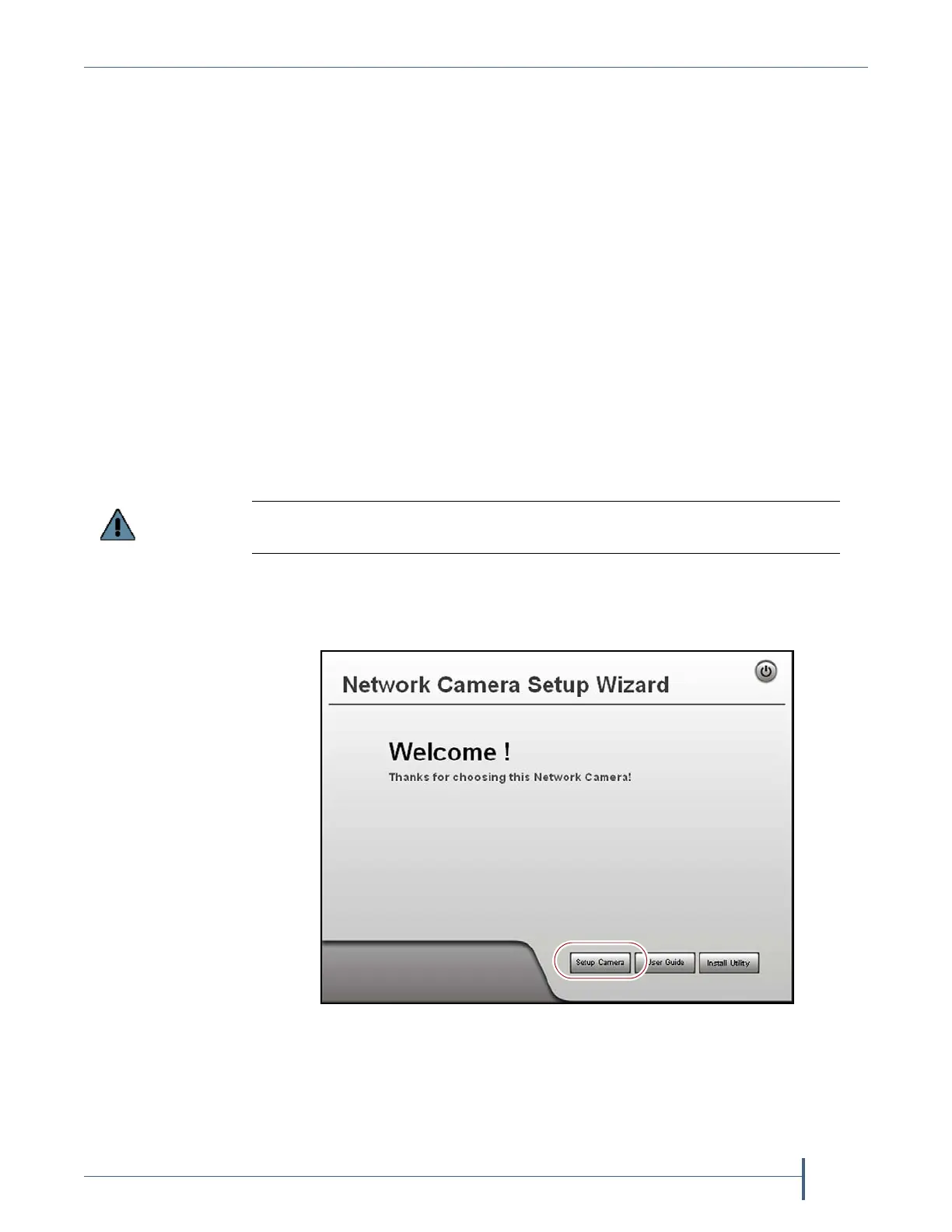
3. Onthewizard’sWelcomescreen,clickSetup Camera.Thewizard
searchesthenetworkandlocatesanycompatiblenetworkcameras
currentlysettouseDHCPtoobtainanIPaddress.
Note: TheNetworkCameraSetupWizardusestheUDPbroadcastto
discoverthecameraonthenetwork.Youmayneedtodisable
yournetwork’sfirewallifitblocksusingUDP.
Do not click Install Utility. This option installs the Viewing/Recording utility. It
cannot be used to configure the camera.
Figure 234 The Network Camera Setup Wizard start page.



 To Next Page