Chapter 9 — Configuring and Using Media Lifecycle Management Using MLM Reporting
November 2016 User Guide—Spectra T950 Library
312
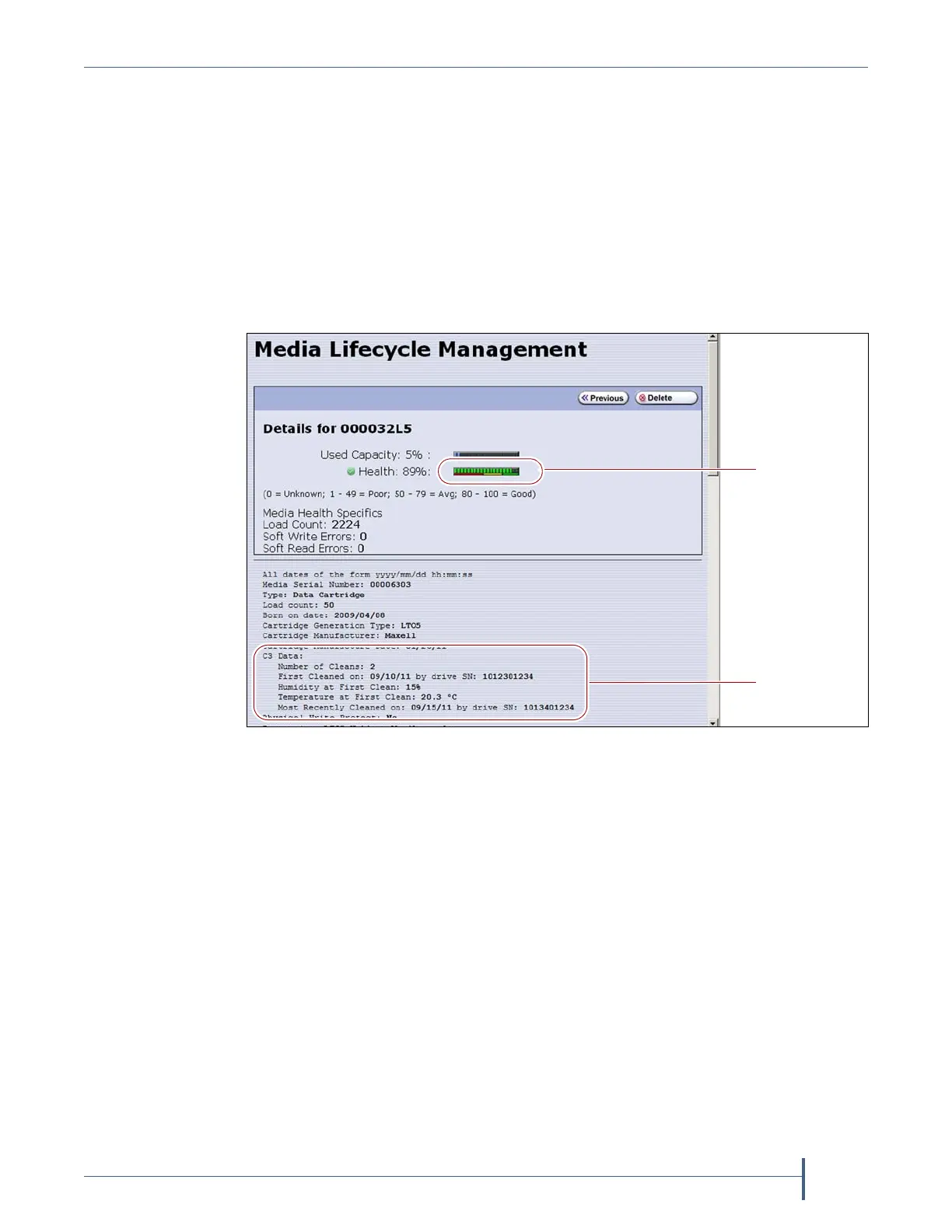
7. ClickthebarcodeintheMediaLifecycleManagementReportscreento
viewdetailedinformationaboutthecartridge.TheDetailsscreenfor
theselectedcartridgedisplays.
MediahealthisbasedontheMLM‐trackedhistoryofthecartridge.The
healthindicatedbytheHealthgraphontheDetailsscreenmay
fluctuateuntilthecartridgeisloadedsixtimes.
WhenusingCarbideCleanmedia,theDetailsscreenincludes
additionalinformationrelatedtotheCarbideCleanprocess.This
informationisnotpresentforMLMmediathatwasnotputthroughthe
CarbideCleanprocess.
8. ClickPrevioustoreturntothemainMediaLifecycleManagement
Reportscreen(
Figure186onpage310).
Save an MLM Report
YoucanchoosetosaveacopyoftheMLMreport,whichisacomma‐
separatedtextfile(*.rpt),toaUSBdevice,mailthesavedreportto
previouslyconfiguredemailrecipient,orboth.Ifdesired,youcanzipthe
filebeforesavingit.
Note: YoucanalsodownloadtheMLMdatabaseasacomma‐
separated‐value(CSV) file(see
DownloadtheMLMDatabasefor
AnalysisandArchivalonpage321).
1. GeneratethedesiredreportasdescribedinGenerateMLMReportson
page308.
Figure 187 The detailed MLM report for the selected media.
Health graph
CarbideClean
data



 To Next Page