Chapter 5 — Operating the Library Monitoring Your Library
November 2016 User Guide—Spectra T950 Library
173
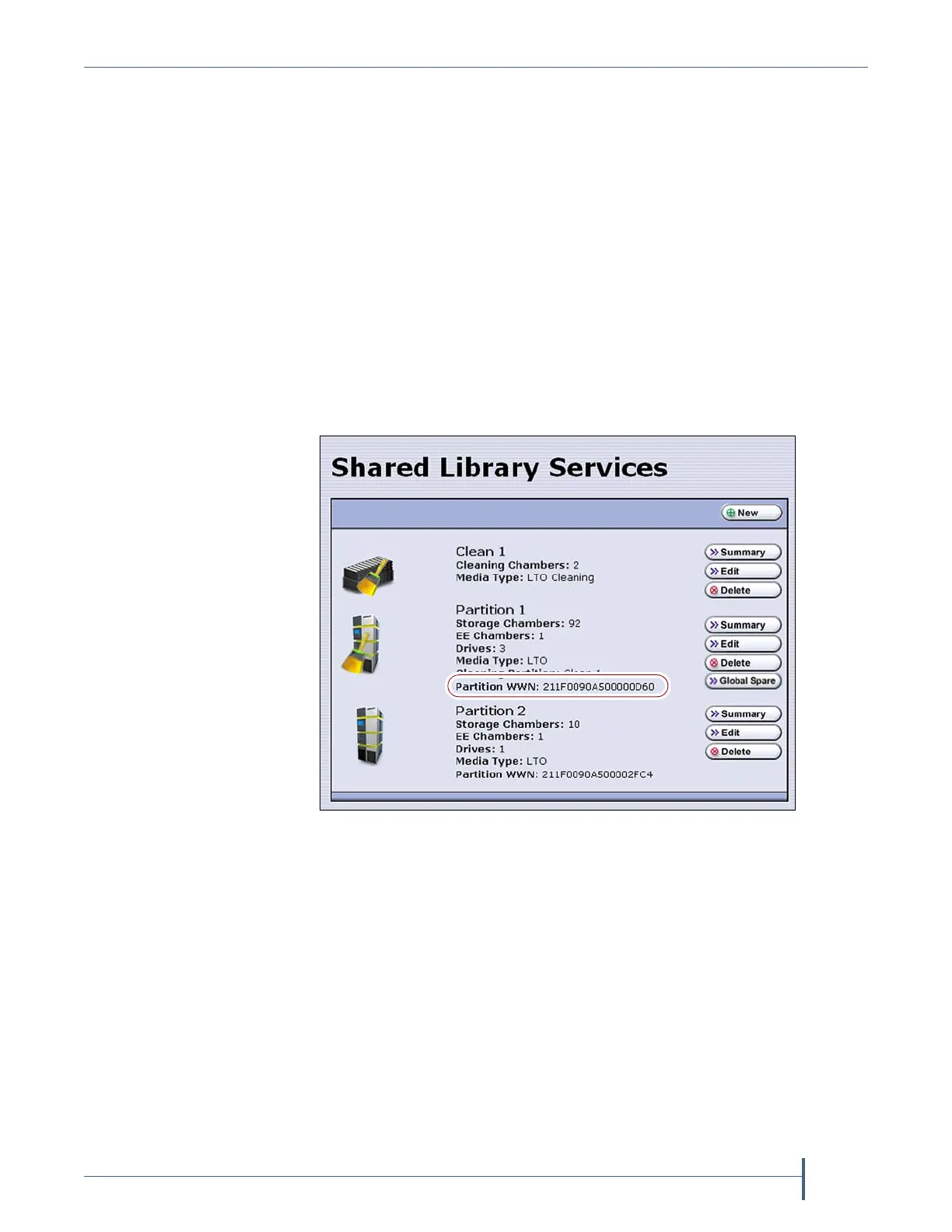
View a Partition’s World Wide Name
WhenmonitoringconnectionstomultiplelibrariesthroughaFibre
Channelswitch,knowingtheWorldWideName(WWN)forastorage
partitionisusefulforidentifyingaparticularlibrary.
Note: FromtheFibreChannelswitch,eachstoragepartitiondefinedin
thelibraryappearsasanindependentlibraryconnectedtothe
FibreChannelarbitratedlooporfabric.
ToviewtheWWNforeachstoragepartitionconfiguredinthelibrary,select
Configuration > Partitions.TheSharedLibraryServicesscreendisplays.
Note: Ifmultipledrivesareconfiguredasexportingcontrollersina
partitiontherearemultipleWWNsforthepartition.Click
SummarytodisplaythePartitionSettingsscreen,whichlistsall
oftheWWNs.
SeeWorldWideNamesforFibreChannelPartitionsonpage70for
detailedinformationaboutthepartition’sWWN.
Figure 104 The WWN assigned to the partition.



 To Next Page