Chapter 6 — Configuring and Managing Partitions Creating a Storage Partition
November 2016 User Guide—Spectra T950 Library
205
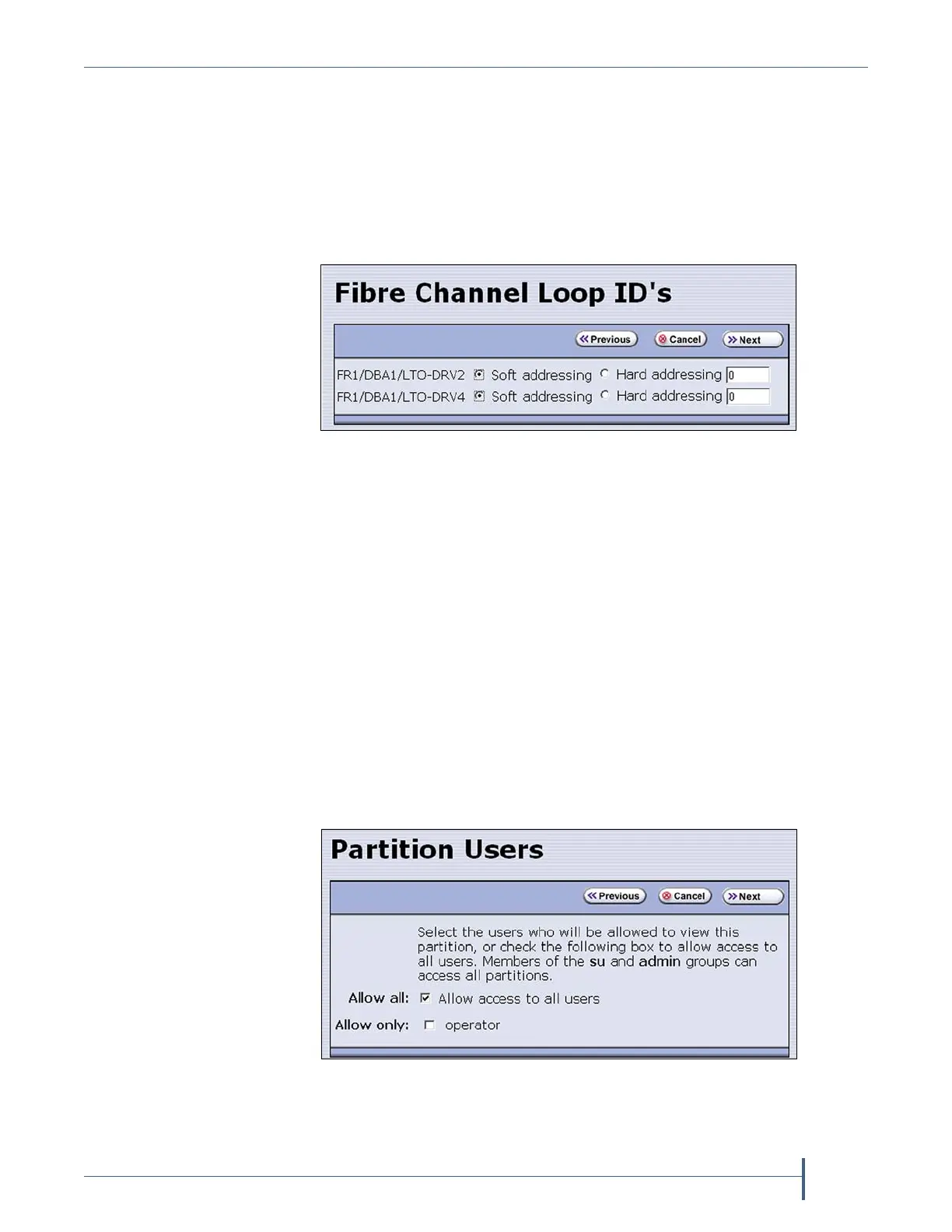
Configure the Drive Fibre Channel Addressing
TheFibreChannelLoopIDscreenconfigurestheFibreChannel
addressingusedbyeachdriveinthepartition.Ingeneral,youwantto
selectthesametypeofaddressingforeverydriveinapartition.
1. FromtheMLMMediaVerificationscreen(ortheEncryptionscreen),
clickNext.TheFibreChannelLoopID’sscreendisplays.
2. SelectSoft AddressingorHard Addressingforeachofthedriv eslisted.
Thedrivesusesoftaddressingbydefault.Adriveisassignedasoft
addresswhenitconnectstotheFibreChannelarbitratedloopor
fabric.
IfyouselectHard Addressing,enteravaluebetween0and125inthe
textfield.ThisvalueistheLoopIDusedbythedrivewhenit
connectstotheFibreChannelarbitratedlooporfabric.TheIDyou
entermustbeuniqueforeverydeviceinthelooporfabric.
Specify the Partition Users
1. FromtheFibreChannelLoopID’sscreen,clickNext.ThePartition
Usersscreendisplays.
Figure 128 Select the type of addressing to be used by the
Fibre Channel drives.
Figure 129 Select which users can access the partition.



 To Next Page