Chapter 13 — Drive Troubleshooting Using a Global Spare Drive
November 2016 User Guide—Spectra T950 Library
397
Storage Management Software Guidelines Keepinmindthefollowing
storagemanagementsoftwareguidelineswhenusingaGlobalSpare.
BackupExec™softwarerunningonaWindowsserver—After
sparingorunsparingadrive,youmustrestarttheBackupExecDevice
andMediaServiceforthesoftwaretofunctionproperlywiththespared
drive.
Generalguidelines—Inafewrarecases,yourbackupmayfailifa
cartridgeisloadedintoanyoftheotherdrivesinthepartitionatthe
sametimethatthelibraryisintheprocessofactivatingaGlobalSpare
driveforuse(asdescribedinthissection).Mostapplicationsretrythe
backupoperation,butsomefailit.Ifyourbackup operationfails,wait
forthelibrarytocompletetheGlobalSpareactivationandretrythe
backup.
User Privilege Requirements Onlyauserwithsuperuseroradministrator
privilegescanactivateorreclaimaGlobalSparedrive.
Use the Global Spare Drive
FollowthesestepstouseaGlobalSparedriveasatemporaryreplacement
forafaileddrive.
1. Ifnecessary,useyourstoragemanagementsoftwaretostopany
attemptstoreadfromorwritetothefaileddrive.Refertoyourstorage
managementsoftwaredocumentationforinstructions.
2. Logintothe libraryasauserwithsuperuse roradministratorprivileges.
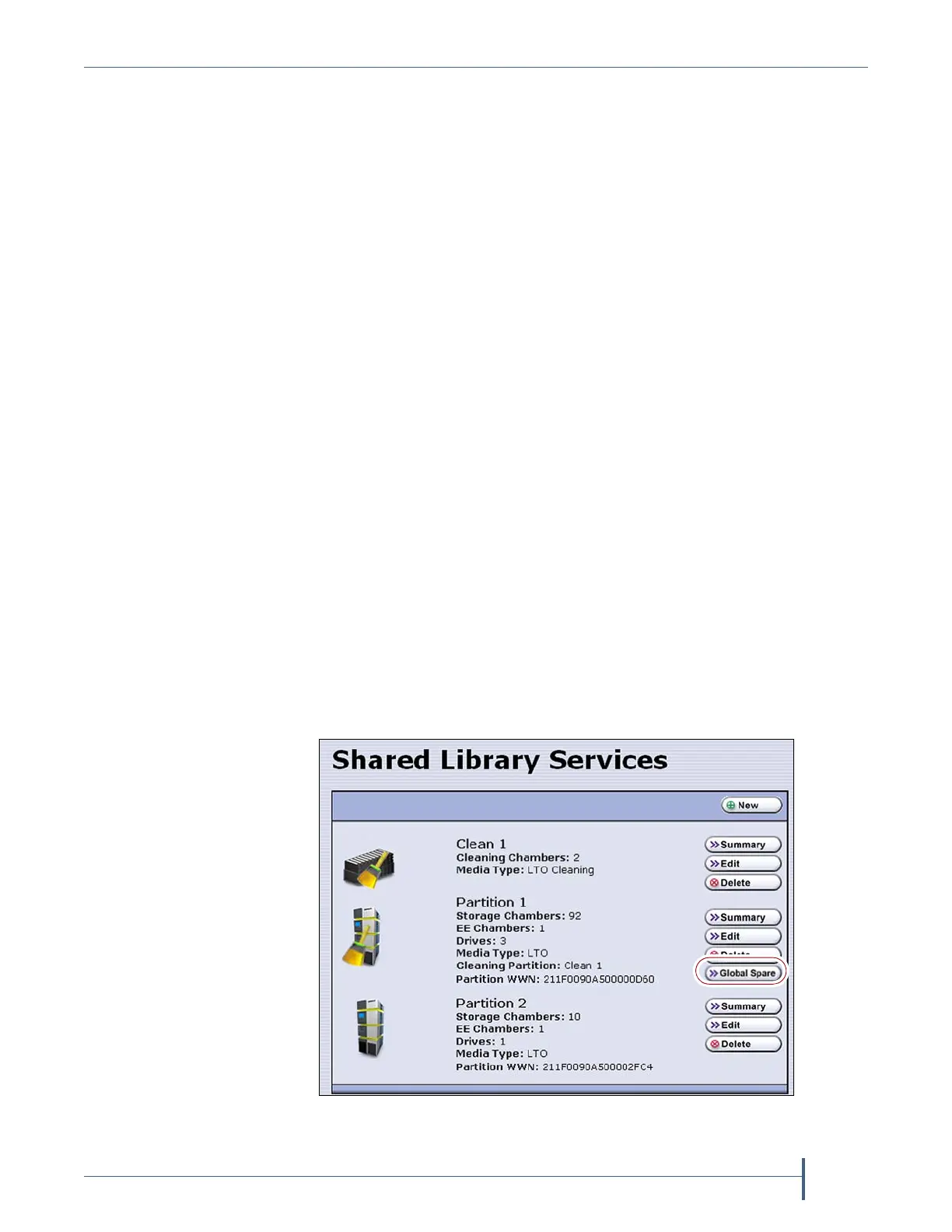
3. Fromthetoolbarmenu,selectConfiguration > Partitionstodisplaythe
SharedLibraryServicesscreen.
Figure 255 Click Global Spare to begin the process of
replacing a partition drive with a Global Spare drive.



 To Next Page