Chapter 1 — Library Overview Library Features
November 2016 User Guide—Spectra T950 Library
34
LCM and RCM Dedicatedon‐boardlibrarycontrolmodulesruntheBlueScalesoftwarethat
controlsallaspectsoflibraryoperation.Dependingonwherethemoduleis
installed,itfunctionsastheLibraryControlModule(LCM)ortheRobotics
ControlModule(RCM).Tolearnmore,seeSpectraLibraryControlModules
(LCMandRCM)onpage
42.
Note: DriveexpansionframesonlyhaveanRCM,theydonotincludean
LCM.Acoverovertheopeningmaintainsproperaircirculationthroughoutthe
frame.Mediaframesdonothaveeithermodule.
24 VDC Robotics
Power Supply
Modules
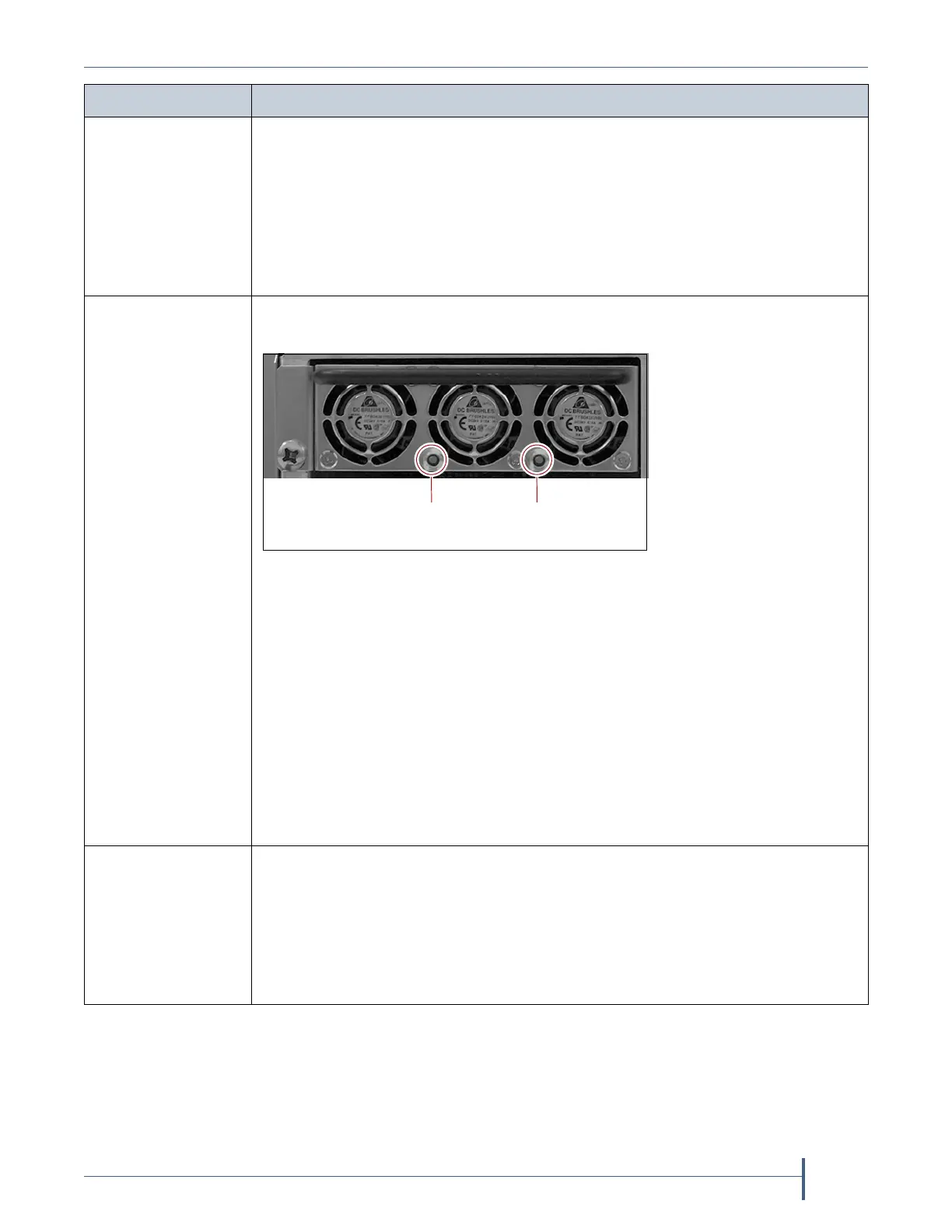
Two24VDCpowersupplymodulesinthemainframeprovideredundantpower
fortheli br ar yroboticsandmotors,thefans,and theinteri orLEDlightbars.
Each24VDCpowersupplymodulehastwoindicatorLEDs,oneforDCpower
statusandoneforACpowerstatus.ThecoloroftheLEDindicatesthepower
supplystatus:
Green—Thepowerisonandfunctioningnormally.
Orange—Thepowersupplyhasafaultcondition.
Off—Thepowerisnotonorthepowersupplymoduleisnotfunctioning
normally.
Notes:
Driveexpansionframesdonotinclude24VDCpowersupplymodules.
Ifthesecond24VDCpowersupplymoduleisnotinstalled,acoveroverthe
openingmaintainsproperaircirculationthroughouttheframe.
F-QIP or RIM OneF‐QIPorRIMcanbeinstalledineachoftheverticalcontrollerbaystothe
rightofthedrivesinaDBA(seeFigure4onpage32).ARIM,F‐QIP,oroneor
moreLTO‐5orlatergenerationtapedrivescanbeusedtoprovide
therobotic
controlpathforthelibrary.Tolearnmore,seeExportingControllerson
page46.
Note: Unlessotherwisespecified,thefeaturesofbothRIMandRIM2arethe
sameand“RIM”isusedtorefertoboth.
Component Description
DC power AC power
status status
Figure 5 The 24 VDC power supply LEDs.



 To Next Page