Chapter 1 — Library Overview Library Features
November 2016 User Guide—Spectra T950 Library
48
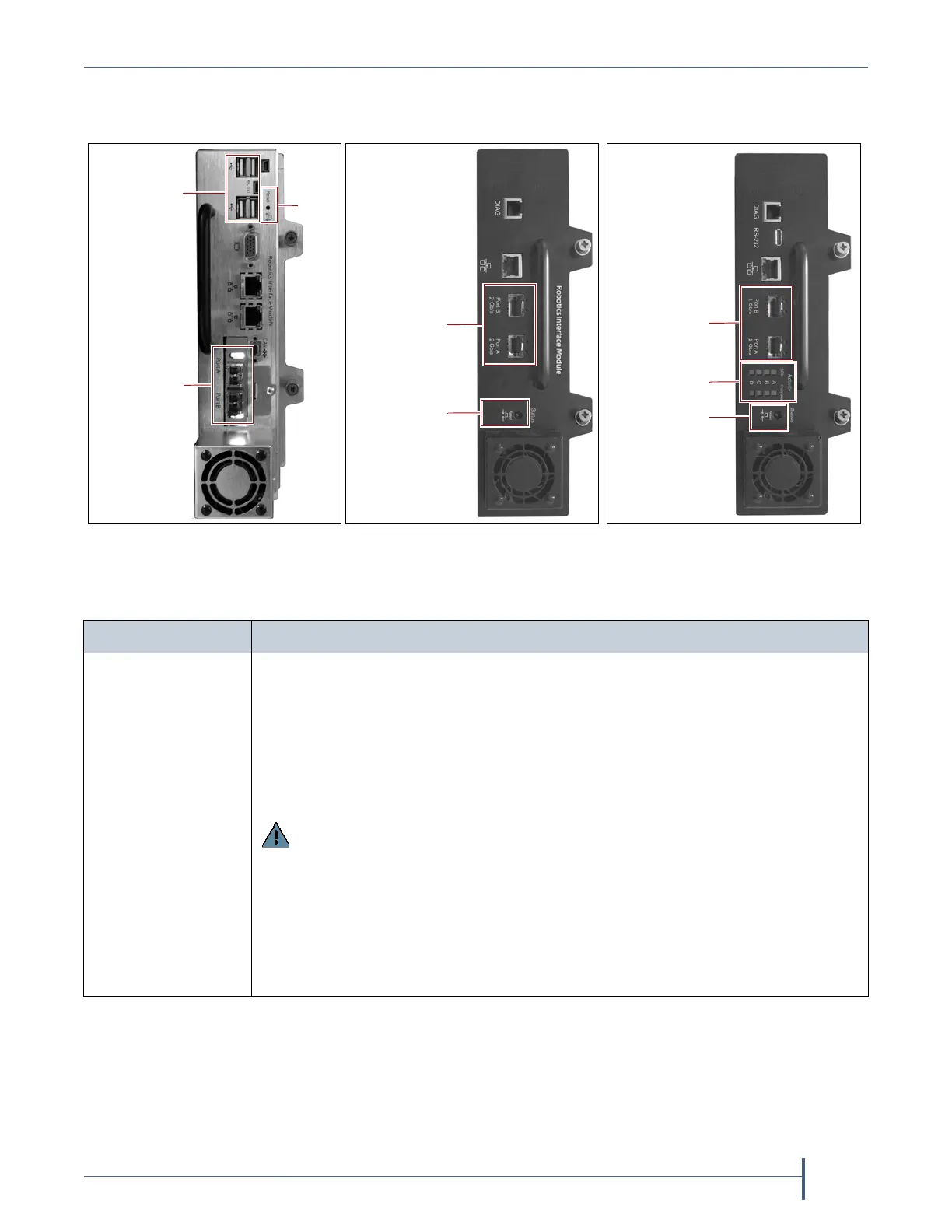
RIMsandF‐QIPsaremountedintheverticalcontrollerbaylocatedalong
therightsideofeachDBA(seeFigure4onpage32).
Thefollowingtabledescribesthecontrollerssupportedbythelibrary.
Figure 18 The Robotics
Interface Module 2 (RIM2).
Figure 19 The Robotics
Interface Module (RIM).
Figure 20
The Fibre Channel
F-QIP.
Reset
Fibre Channel
ports
USB ports
Reset
Activity LEDs
Fibre Channel
ports
Controller Description
RIM2 TheRIM2hastwodual‐channelFibreChannelports (Port AandPortB),which
canbeusedtoprovideconnectionstotwoseparateFibreChannelarbitrated
loopsorfabrics.Thetwoportscanalsobeusedtoprovideredundantcontrol
pathstotheroboticsfromasingleFibreChannelarbitrated
looporfabric.
ControllerfailovercanbeconfiguredusingasecondRIM2.
TheUSBports(4)canbeusedtoconnectaUSBdeviceforupdatingtheRIM2
duringalibrarypackageupdate.
Important: Only direct-attached Fibre Channel drives can be used when a
RIM2 is used to provide the robotic control path. If you have SCSI drives, you
must use an F-QIP or E-QIP to provide the robotic control path as well as
connectivity for the drives.
Notes:
TheEthernetportsontheRIM2arereservedforfutureuse.
TheCANport,RS‐232port,andmonitorportontheRIM2arefor
troubleshootingonly.



 To Next Page