Appendix A — Best Practices Back Up and Protect the Library Metadata
November 2016 User Guide—Spectra T950 Library
509
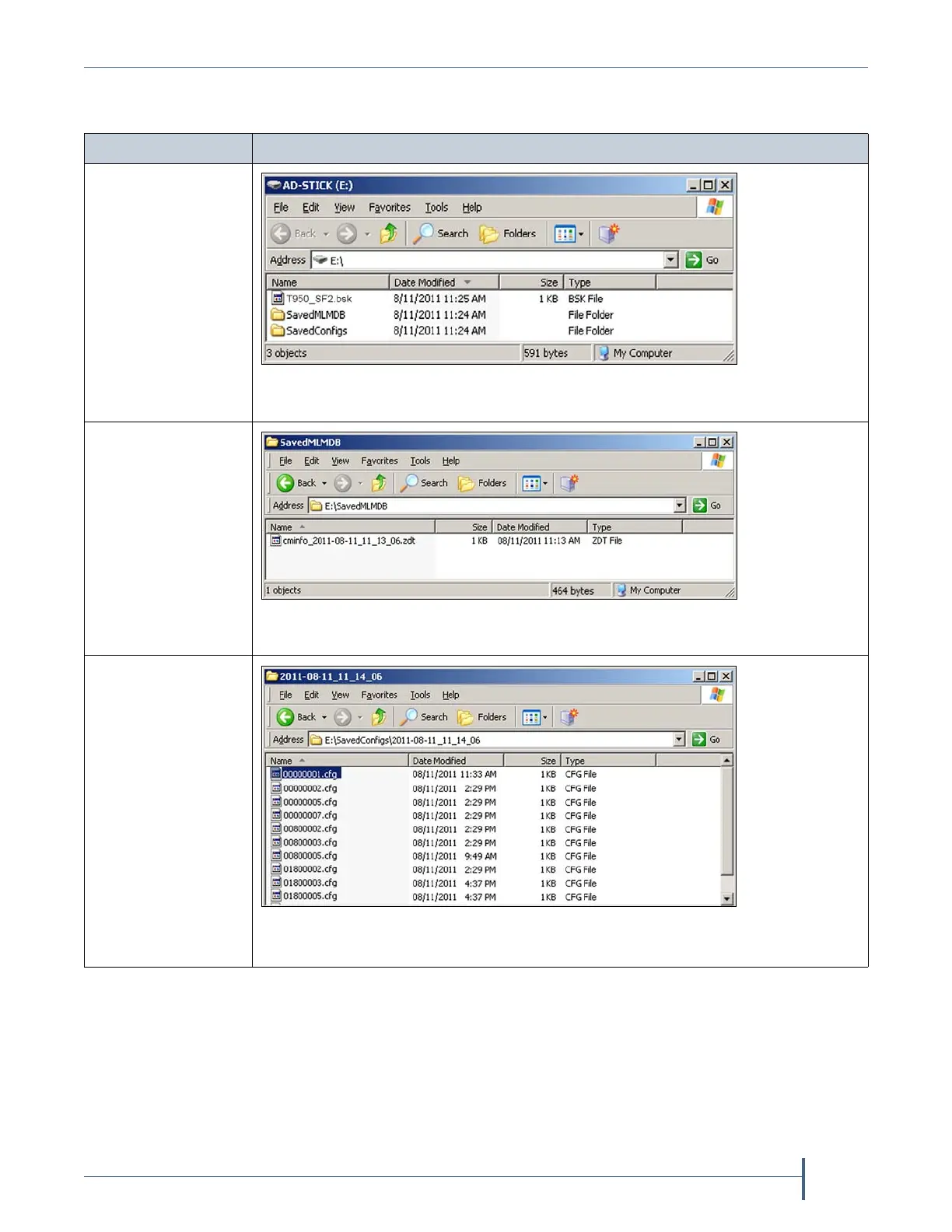
Thefollowingfiguresshowexamplesofthefilesyouseewhenyou
checkyourUSBdeviceortheemailattachment.
2. StoreatleastoneUSBdevicecontainingthebackupfilesoff‐site.Afteryou
haveseveralweeksofbackupsstoredoff‐site,rotatebackthroughthem.
3. Whenyourunthroughdisasterrecoveryexercises,testrestoringthe
libraryusingthebackupfilesfrombothyourUSBdevicesandyour
savedemailattachments.See
RestoringtheLibraryConfigurationon
page384forinstructions.
Saved Data Details
Encryptionkey
(
T950_SF2.bsk)
Note: ThescreenshownherealsoincludestheSavedMLMDBand
SavedConfigsfolders.
MLMandDLM
data
Note: Inthisexamplethefilehasa.zdtextensionbecauseyouchosetozipthe
filewhenyoucreatedit.
Configurationdata
Note: Thefilesarelocatedinthe\SavedConfigs\<date‐time>folder,where
<date‐time>inthisexampleis2011‐08‐1111_14_06.



 To Next Page