Operation 5
Workingwithattachments
6210_003-078
1
2
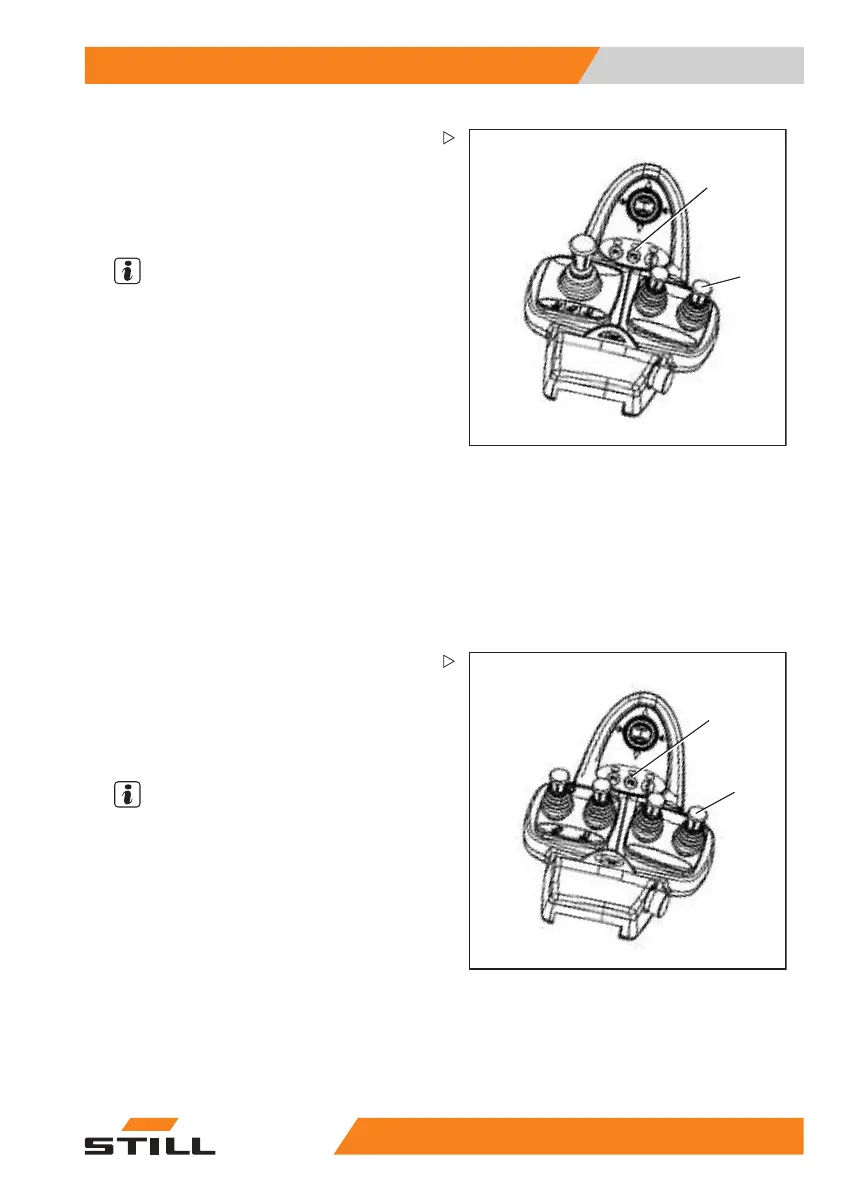
Triple mini-lever
– To release the clamp locking mechanism,
push the operating lever (1) forwards.
TheLEDforbuttonF2(2)lights
up as long as
the clamp locking mechanism is
released.
NOTE
The hydraulic function for opening the clamp
is available for one second after the clamp
locking mechanism is released. After one
second, the clamp locking mechanism is
automatically reactivated.
– To open the clamp, push th
e control lever
(1) forwards again.
It is not necessary to release the clamp locking
mechanism in order to close the clamp.
– To close the clamp, pull the control lever (1)
back.
– To operate clamping attachments, see the
section entitled "Controlling attachments
using the triple mini-lever and the 5th
function".
6210_003-079
2
1
Quadruple mini-lever
– To release the clamp l
ocking mechanism,
push the operating le
ver (1) forwards.
The LED for button F2 (2) lights up as long as
the clamp locking mechanism is released.
NOTE
The hydraulic fun
ction for opening the clamp
is available for o
ne second after the clamp
locking mechanis
m is released. After one
second, the clam
p locking mechanism is
automatically r
eactivated.
– To open the clamp, push the control lever
(1) forwards again.
It is not necessary to release the clamp locking
mechanism in order to close the clamp.
– To close the clamp, pull the control lever (1)
back.
55
048011501 EN - 12/2015 193



 To Next Page