1
WEILER E2850 REMIXING TRANSFER VEHICLE
5-16
Maintenance
5
Maintenance Procedures
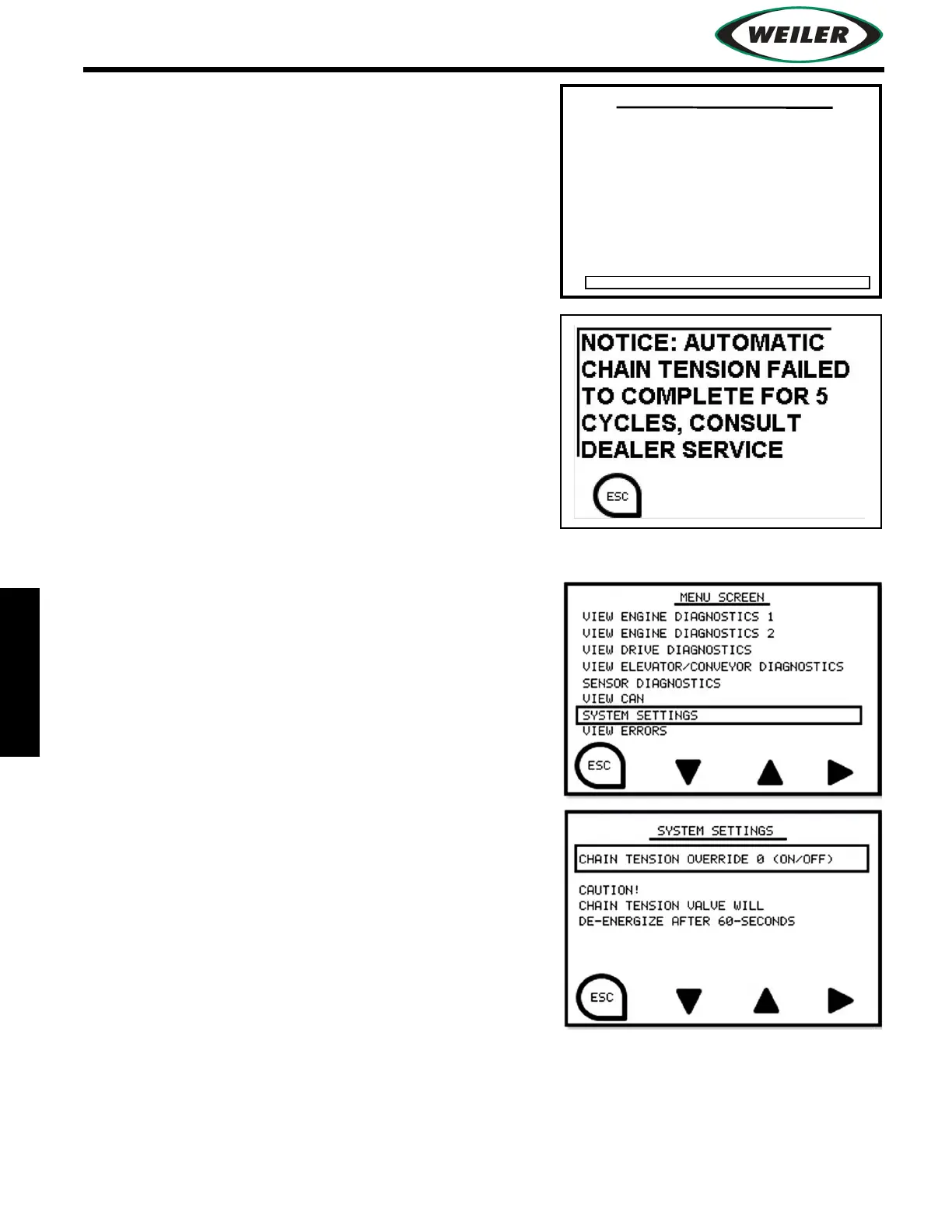
Chain tension diagnostics are displayed on the “View
Elevator/Storage Diagnostics” screen. Data includes auto
tension valve state (on/off) and the number of successful
automatic cycles (override cycles are not included).
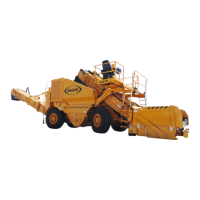
If the auto-cycle is unable to complete successfully after 5
failed attempts, the following screen displays. Contact your
Weiler dealer for assistance.
Manually Starting an Auto-Adjust Cycle
An auto-adjust cycle can be started by the operator to
tension the discharge conveyor chain.
1. Start engine and run 2-3 minutes.
2. Run discharge conveyor for 2-3 minutes. Hydraulic
pressure must be <1500 psi (103.4 bar).
NOTICE: Do not start auto-adjust cycle while machine is
moving material.
3. On electronic display, select Menu screen.
4. Select System Settings.
5. Select Chain Tension Override.
Auto-adjust cycle will tension the discharge conveyor
chain.
VIEW ELEVATOR DIAGNOSTICS
ELEVATOR KNOB
VOLTAGE 0 (mV)
STORAGE SWITCH 0 (ON/OFF)
DISCHARGE SWITCH 0 (ON/OFF)
WARM-UP 0 (1=COMPLETE)
ELEVATOR LOAD SHUTDOWN 0 (ON/OFF)
DISCHARGE LOAD SHUTDOWN 0 (ON/OFF)
SIGNAL 0 (#)
STORAGE/DISCHARGE KNOB
VOLTAGE 0 (mV)
SIGNAL 0 (#)
ELEVATOR OUTPUT
0 (mA)
0 (mA)
DISCHARGE OUTPUT
0 (mA)
STORAGE OUTPUT
ELEVATOR SWITCH 0 (ON/OFF)
AUTO TENSION 0 (ON/OFF), CYCLES 0


 To Next Page