WEILER E2850 REMIXING TRANSFER VEHICLE
2-33
Machine Controls
2
Machine Controls
Electronic Display Pop-Up Messages
• Center propel handle to start
• Turn park brake on to start
• Turn conveyor switch off to start
• Error Active - reference error screen in menu
• Low fuel
• Conveyor, Remix, or Elevator high pressure
• Wait to start
• Filter restriction
• Stop button pressed
• To propel turn park brake off
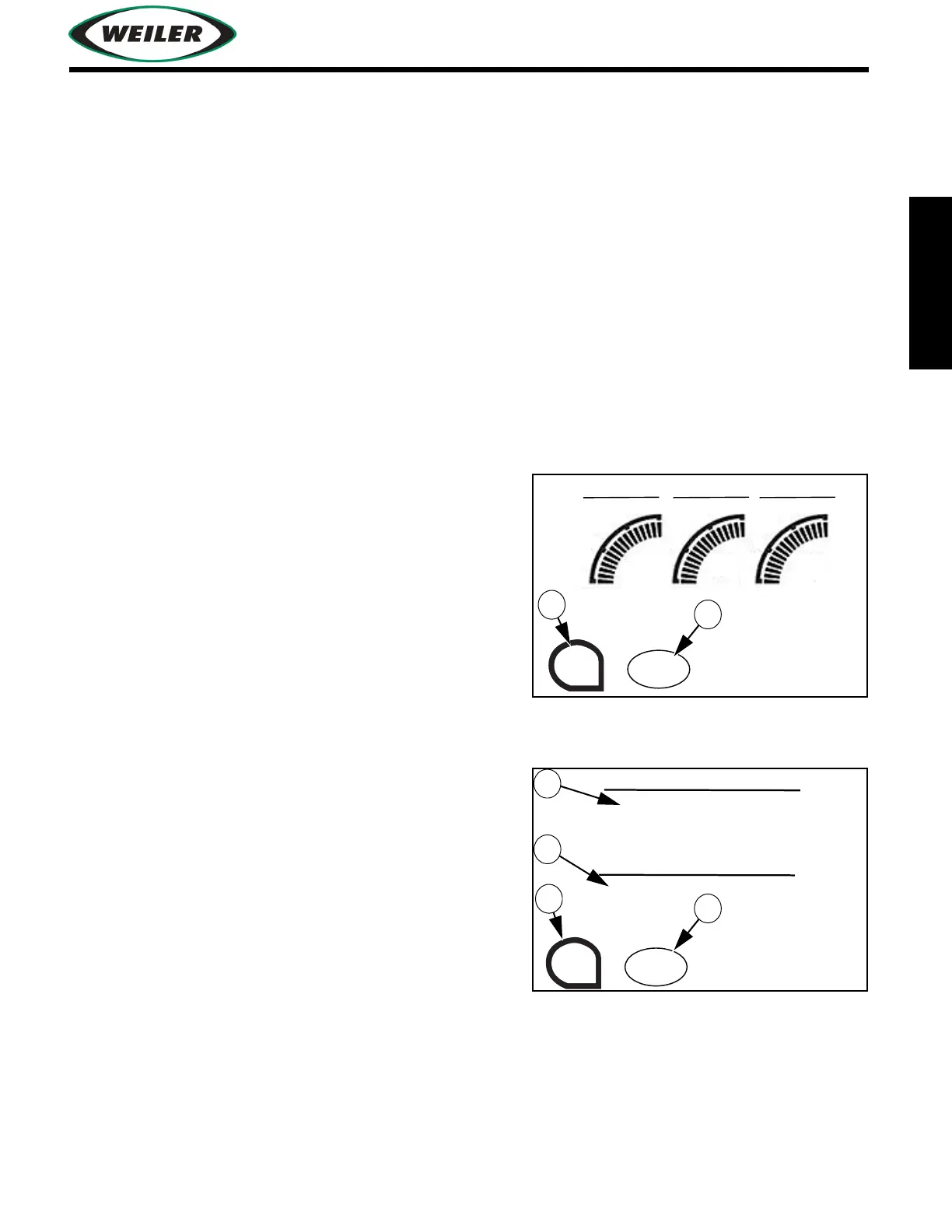
Gauge Screen
Gauges Screen will not appear if Distance From Paver
Control System is installed. Pop-up alert messages
appear in the Main Operating and Gauge screens.
(1) ESC Button
Press to exit to previous screen.
(2) GEN. ON/OFF Button (Optional)
Press to turn generator on/off.
Distance From Paver Control Screen (Optional)
Distance From Paver Control Screen replaces the Gauge
Screen on machines equipped with this option.
(1) ESC Button
Press to exit to previous screen.
(2) GEN. ON/OFF Button (Optional)
Press to turn generator on/off.
(3) Set Distance
Distance setting between transfer vehicle and
asphalt paver. Set when Distance From Paver Control Enable Switch is pressed. Refer to
"Distance From Paver Control System (Optional)", page 2-30.
(4) Actual Distance
Distance reading between the Distance From Paver Control Sensor and the Distance From
Paver Control Target located on the asphalt paver.
ELEVATOR
ESC
ENGINE 0 RPM
SPEED 0 FPM
FUEL 0 PERCENT
GEN.
ON
STORAGE CONVEYOR
0 PSI
0 PSI 0 PSI
X 1000
PSI
X 1000
PSI
X 1000
PSI
0
2
4
6
0
2
4
6
0
2
4
6
SET DISTANCE
0.0 FEET
ESC
ENGINE 0 RPM
SPEED 0 FPM
FUEL 0 PERCENT
GEN.
ON
ACTUAL DISTANCE
0.0 FEET


 To Next Page