28 Oct
1997 21:57
CELL-DYN
®
3/35 Sample Loader TS Guide 9140234B-June 1997
VERIFICATION PROCEDURES
VP - 4.1 Rack Sensor Check
3 - 60
3
Search
Book TOC
Go Back
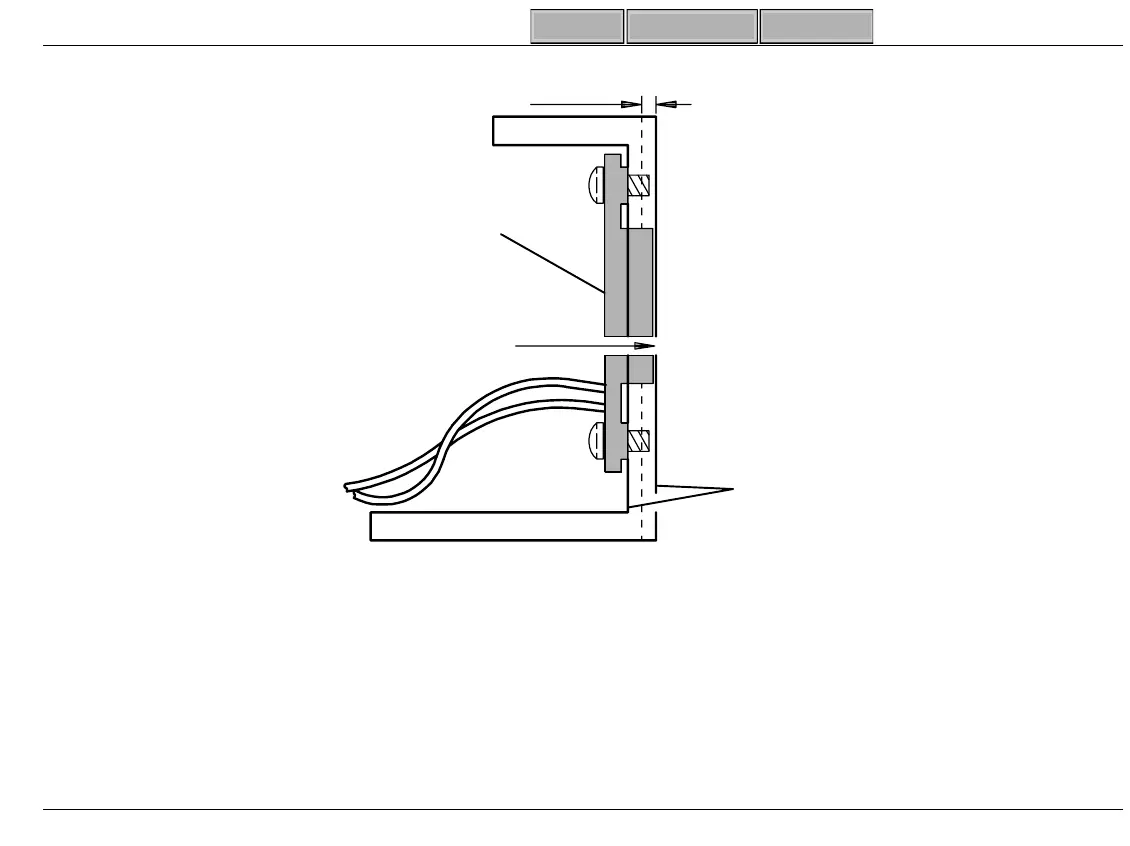
Figure 3-27 Rack Sensor Side View
6. Check Rack Sensors.
a. Ensure Platen is clear of loose items and all ALARM LEDs are
OFF
.
b. Put a 0.100" (2.5mm) shim and Normal Rack (not End Rack) at positions shown Fi
ure 3-28.
c. Push rack ti
ht a
ainst shim.
d. Verify ALARM LED is
ON
for each position (See Table 3-5 (pa
e 5-64)).
Platen
Wall
1/2 Thickness
Of Wall
Sensor
Must NOT
Protrude Beyond
Platen Wall
SL-156A



 To Next Page