To configure a server to be a SecondarySystem Configuration
............................................................................................................................................................................................................................................................
8AL90208USAD ed01
November 20, 2008
2-83
............................................................................................................................................................................................................................................................
........................................................................................................................................................................................................................
5 Click Save.
........................................................................................................................................................
E ND OF STEPS
To configure a server to be a Secondary
........................................................................................................................................................................................................................
1 Click the Configuration tab.
........................................................................................................................................................................................................................
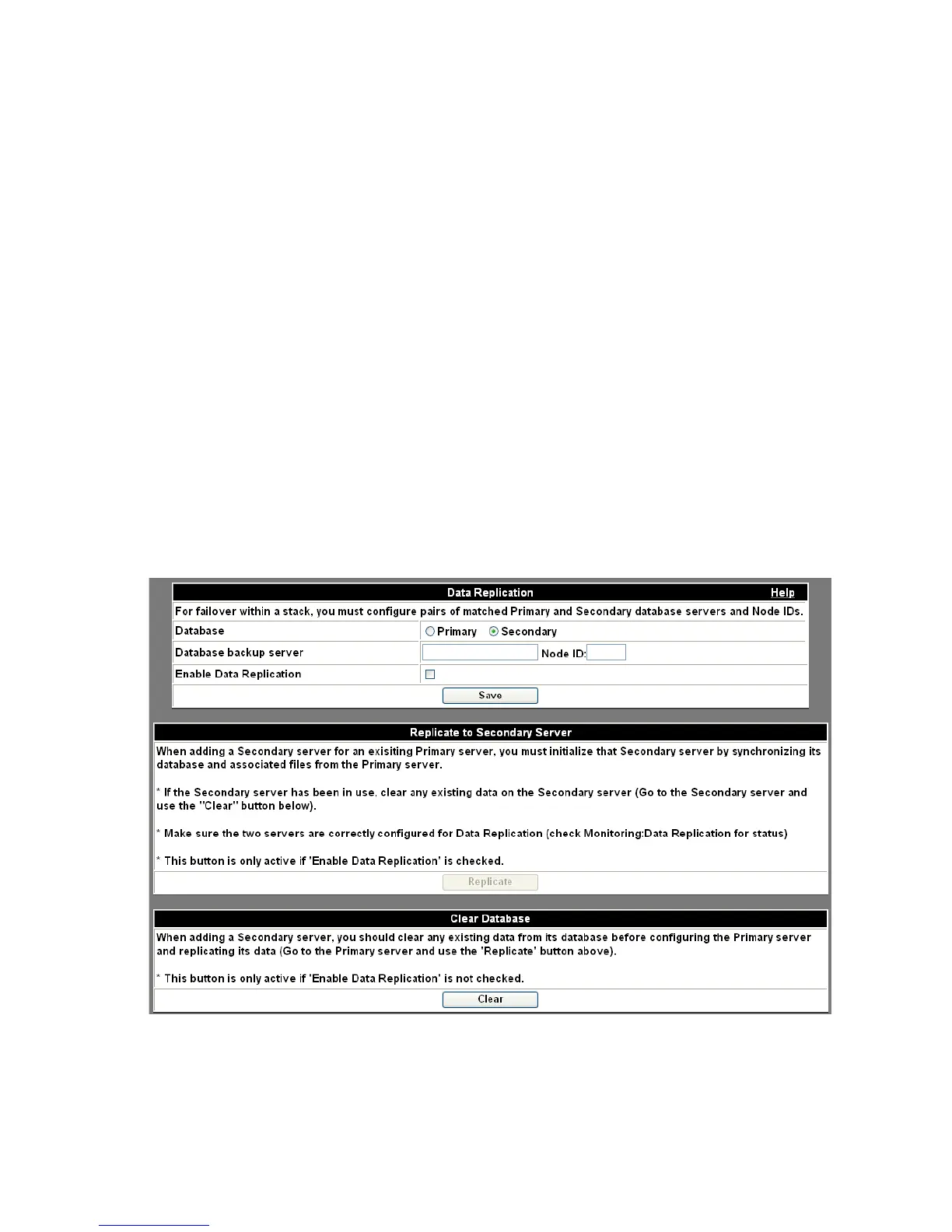
2 Click the Data Replication item.
The Data Replication screen appears.
Figure 2-44 Data Replication – Secondary
........................................................................................................................................................................................................................
3 Select the Secondary radio button.












 To Next Page