............................................................................................................................................................................................................................................................
SIP logsMonitoring
5-20
8AL90208USAD ed01
November 20, 2008
............................................................................................................................................................................................................................................................
SIP logs
The SIP logs contain information related to your SIP configuration to be used by your
System Administrator or support representative for troubleshooting.
Note: SIP configuration details are located in /usr/eiab/eiab.conf.
SIP message exchanges for each call (incoming and outgoing) are located in
/var/log/tnslog-tp240dvr.log.
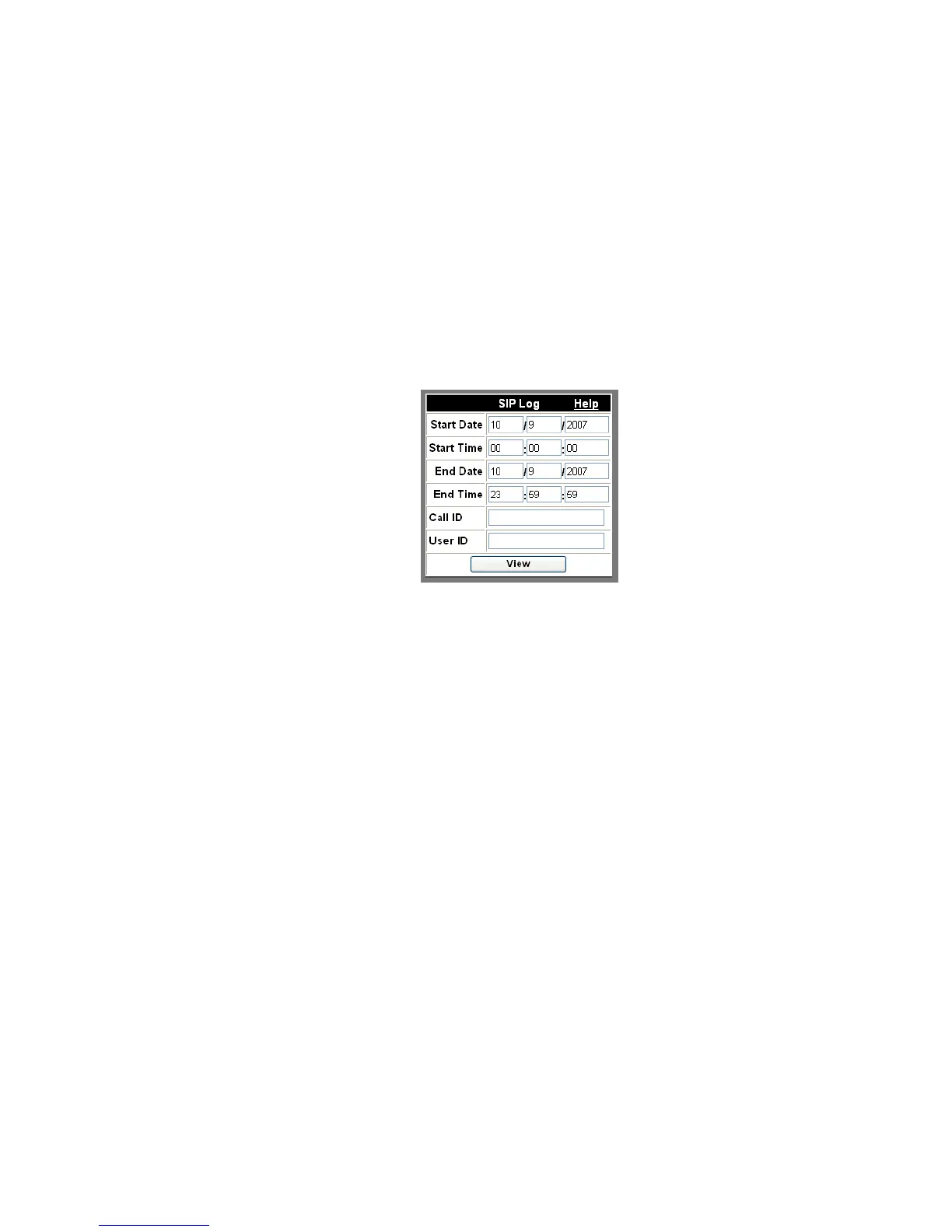
Figure 5-16 SIP Log
To generate a SIP log
........................................................................................................................................................................................................................
1 In Start Date, enter the date you want the log to start with in MM/DD/YYYY format.
........................................................................................................................................................................................................................
2 In Start Time, enter the time you want the log to start with in HH:MM:SS format.
........................................................................................................................................................................................................................
3 In End Date, enter the date you want the log to end with in MM/DD/YYYY format.
........................................................................................................................................................................................................................
4 In End Time, enter the time you want the log to end with in HH:MM:SS format.
........................................................................................................................................................................................................................
5 If you are generating a log for a specific call, enter the internal, unique ID for that call in
Call ID.












 To Next Page