............................................................................................................................................................................................................................................................
VoIP settingsSystem Configuration
2-12
8AL90208USAD ed01
November 20, 2008
............................................................................................................................................................................................................................................................
Note: These changes take effect immediately.
The PSTN sub-system will restart.
........................................................................................................................................................
E ND OF STEPS
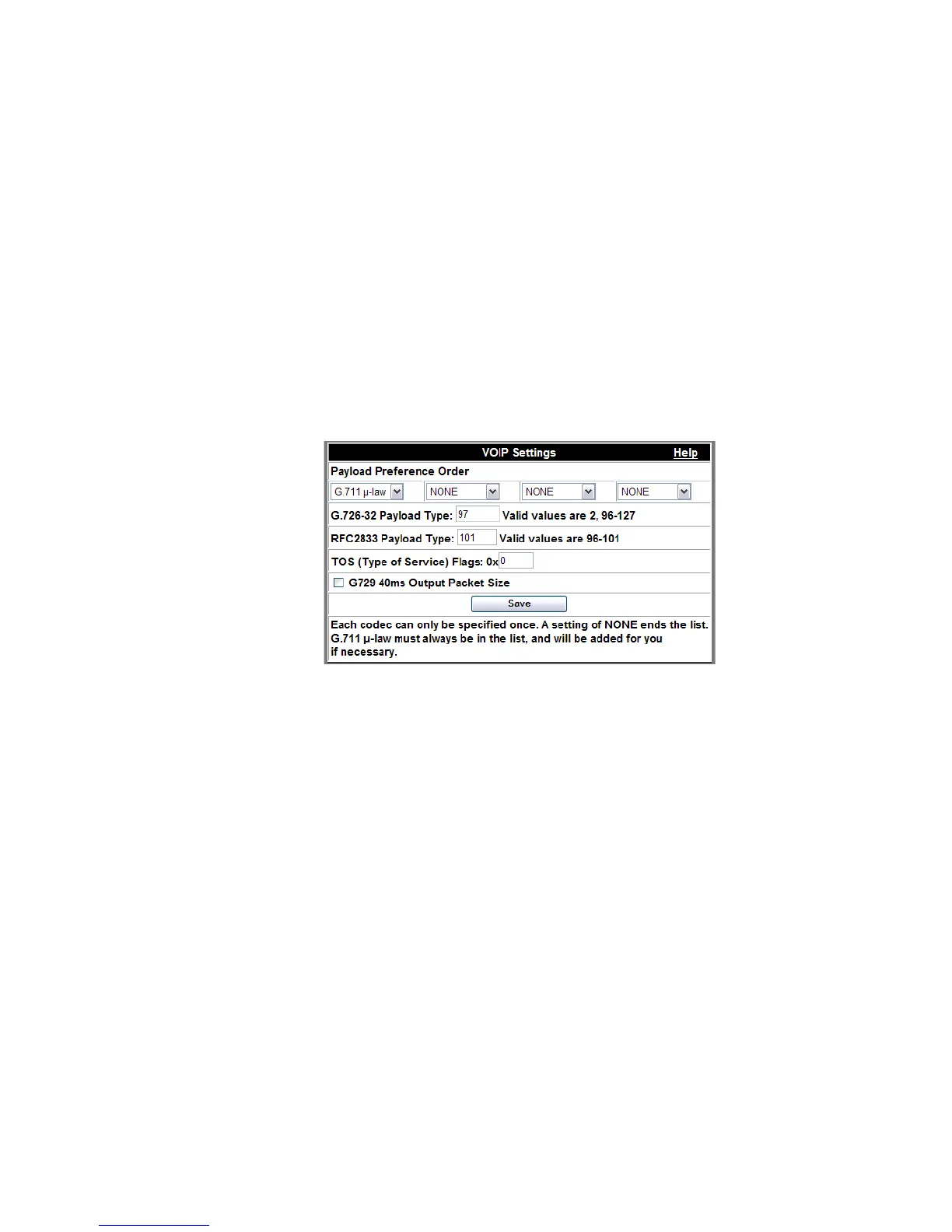
VoIP settings
You can configure various SIP and RTP settings associated with the voice interface to IP
end points in this screen.
Figure 2-6 VoIP Settings
You can control the audio codec negotiation between the server and SIP end points using
selected codecs in the Payload Preference Order drop-down lists. Your selections show the
MCU’s preferred codecs, in decreasing order of preference. The number of selections is
equal to the number of supported codecs. For example, if the server supports G711 mu-
law, G711 A-law, G726-32 (ADPCM at 32 kBps) and G729 (which requires a separate
license), then four entries will be visible. Each value can be modified by selecting a
different codec from the drop-down lists. Each CODEC can only be selected once.
Selecting NONE allows exclusion of a particular codec. The G711 mu-law codec must be
one of the selections because it will be used if the preferred codec is unavailable for use.
Note: If you are accessing OmniTouch My Teamwork audio and video conferencing
features through the Microsoft Office Communicator
®
interface, you must select G711
as the preferred codec.
Conferencing through Microsoft Office Communicator is not available in My
Teamwork Office Edition.












 To Next Page