To block the Radvision IVR from announcing you are in
a conference
System Configuration
............................................................................................................................................................................................................................................................
8AL90208USAD ed01
November 20, 2008
2-17
............................................................................................................................................................................................................................................................
Note: You can configure a Radvision MCU with conference types that are unusable
on the system because they include references to hardware features that are not
automatically included in all Radvision systems. If a user selects one of these
conference types, they can schedule the conference, but the following error message
appears when trying to start the video portion of the conference:
Resources not available
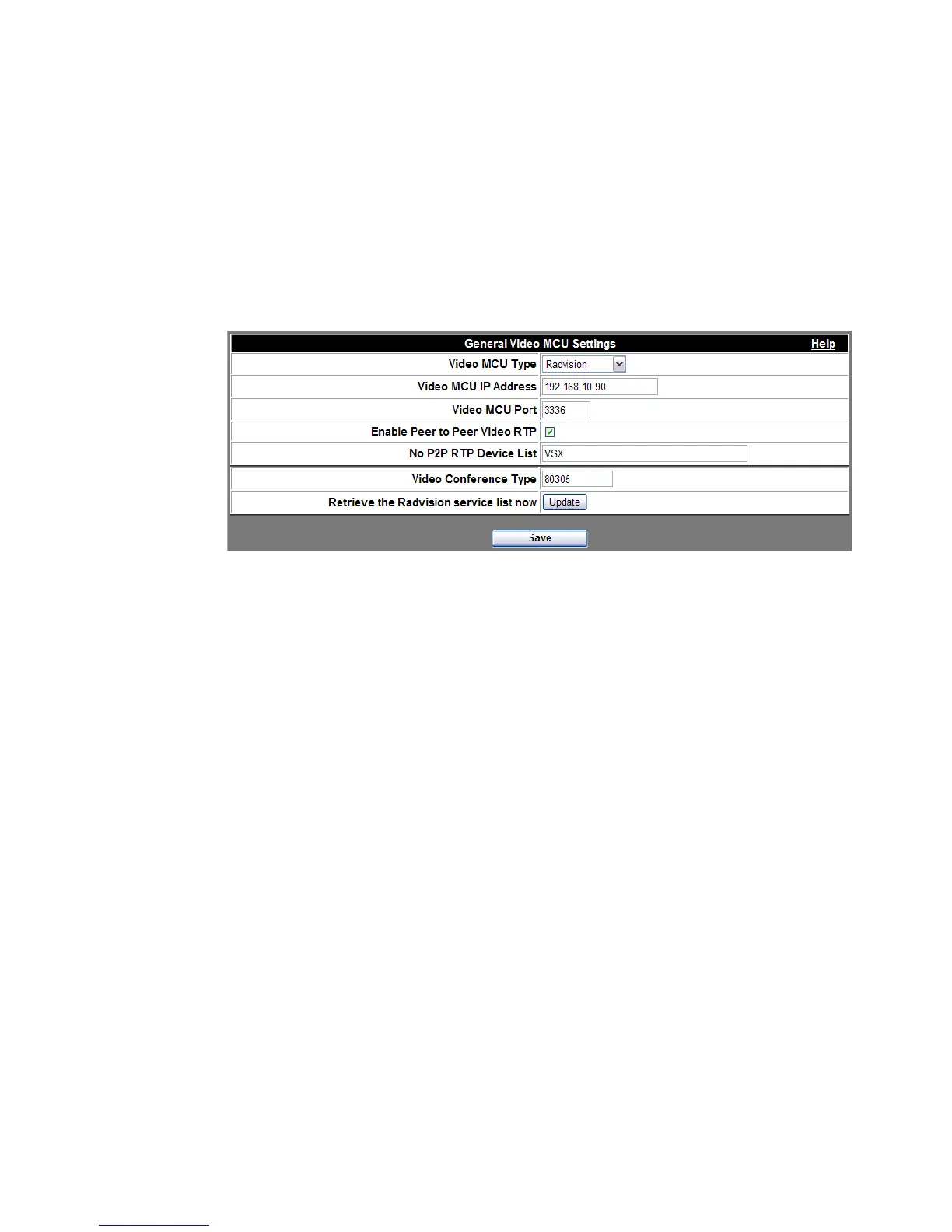
Figure 2-8 Typical Settings for Radvision MCU Integration with ACS
........................................................................................................................................................................................................................
4 Click the Save button when finished.
........................................................................................................................................................
E ND OF STEPS
To block the Radvision IVR from announcing you are in a
conference
This procedure will prevent the Radvision IVR from playing while the My Teamwork IVR
is playing.
........................................................................................................................................................................................................................
1 On the Radvision (Scopia), go to Services.
........................................................................................................................................................................................................................
2 Edit a service that is in use – typically, service prefix 82 which represents a 1B video call.












 To Next Page