Advanced upgrade optionsManagement Actions
............................................................................................................................................................................................................................................................
8AL90208USAD ed01
November 20, 2008
3-27
............................................................................................................................................................................................................................................................
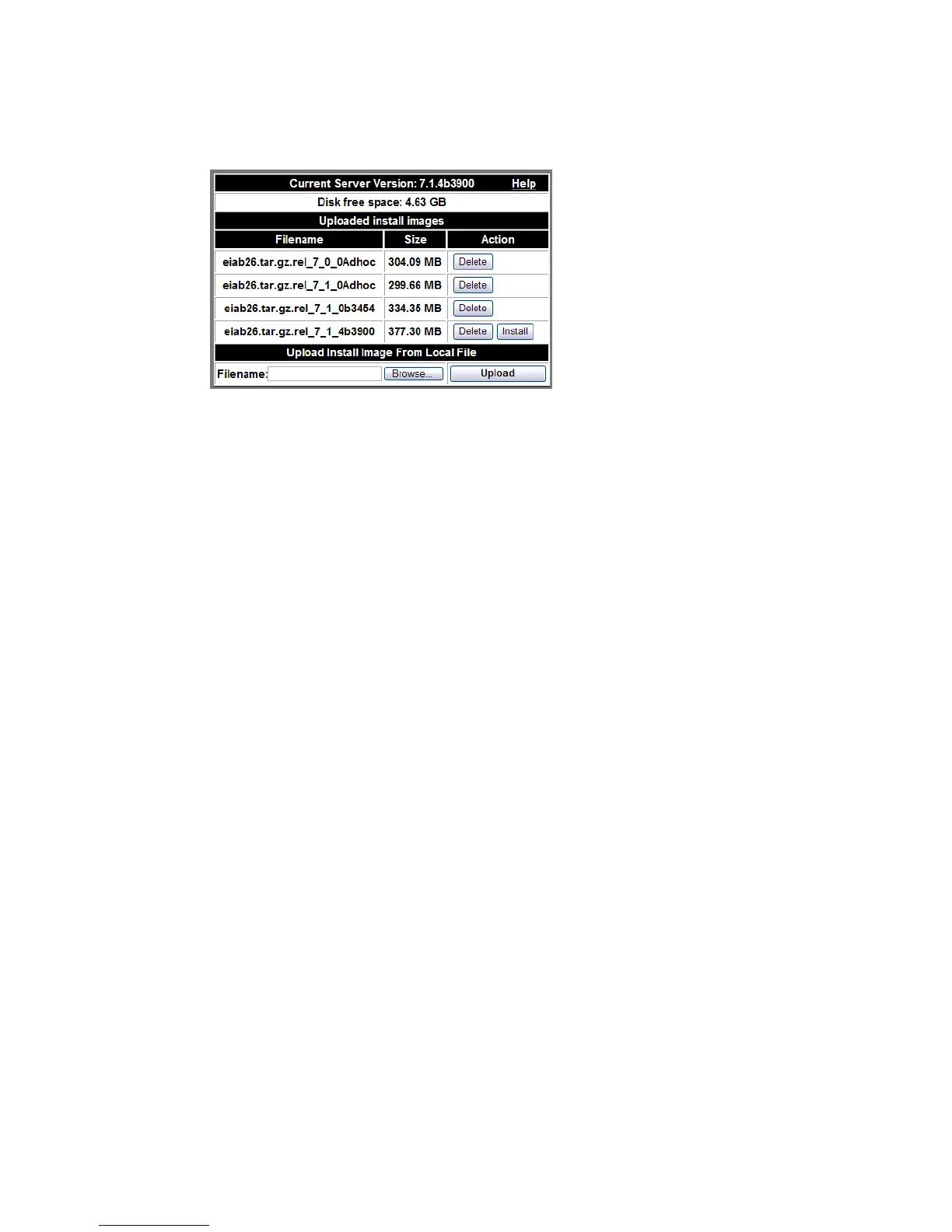
Figure 3-18 Upgrade Server Software
Note:
If an Install button appears under the Action column, the associated upgrade
file has yet to be installed.
For a local upgrade:
........................................................................................................................................................................................................................
1 Click the Browse button in the Upload Install Image From Local File box.
........................................................................................................................................................................................................................
2 Select the upgrade file you want to apply to your system.
........................................................................................................................................................................................................................
3 Click the Upload button.
Once the upgrade process has started (including the upload of the upgrade file), do not
perform any other functions with your browser (or close your browser window) until the
upgrade is complete. Your browser window will reflect the state of the upgrade process,
letting you know when it is complete.
........................................................................................................................................................
E ND OF STEPS
Advanced upgrade options
You can upgrade from a CD or a DVD. Auxiliary components provided by third-party
Alcatel-Lucent partners may also be updated from a CD ISO image file.
Advanced upgrades can be done by uploading and installing the upgrade ISO file, or
installing from the CD or DVD.












 To Next Page