............................................................................................................................................................................................................................................................
To enable automatic server backupSystem Configuration
2-70
8AL90208USAD ed01
November 20, 2008
............................................................................................................................................................................................................................................................
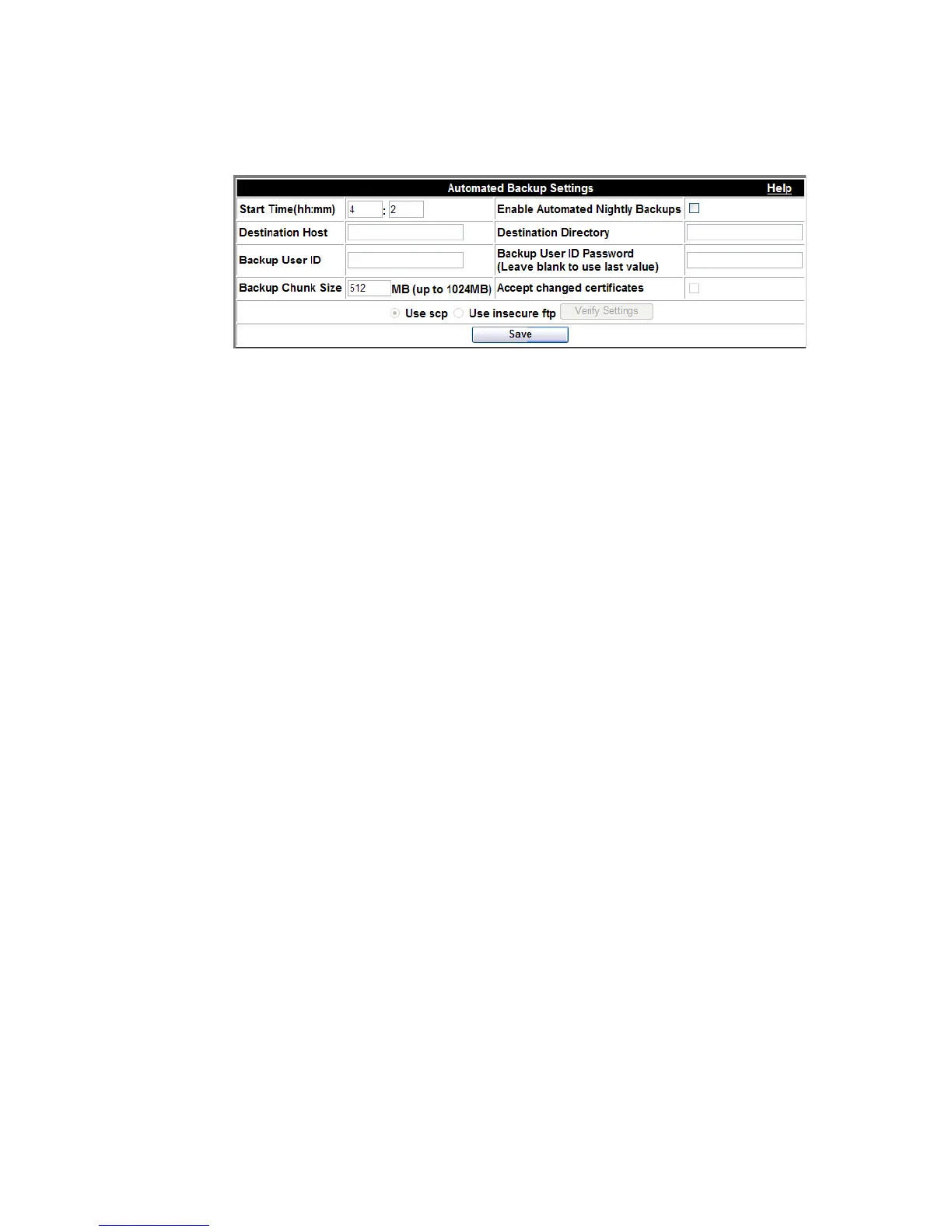
Figure 2-36 Nightly Backup Settings
........................................................................................................................................................................................................................
3 Enter the Start Time in hour(s) and minutes (hh:mm) based on a 24-hour period.
........................................................................................................................................................................................................................
4 Select the check box for Enable Automated Nightly Backups.
........................................................................................................................................................................................................................
5 Enter Destination Host name and Destination Directory.
........................................................................................................................................................................................................................
6 Enter User information (Backup User ID and Backup User ID Password).
........................................................................................................................................................................................................................
7 Break up large files into smaller sizes by using the Backup Chunk Size item. (The
recommended range is 128 MB to 1024 MB.)
Note: Alcatel-Lucent recommends using the largest chunks permitted for backup.
........................................................................................................................................................................................................................
8 If the Accept changed certificates checkbox is selected, all current and changed, or new
certificates will be accepted and backed up.
........................................................................................................................................................................................................................
9 Choose backup method (SCP or FTP).
........................................................................................................................................................................................................................
10 To v e r i f y y o u r s e t t i n g s are correct, click the Verify Settings button.
A panel listing the verification progress and results appears.












 To Next Page