To view a user’s scheduled conferencesProvisioning and Account Management
............................................................................................................................................................................................................................................................
8AL90208USAD ed01
November 20, 2008
4-41
............................................................................................................................................................................................................................................................
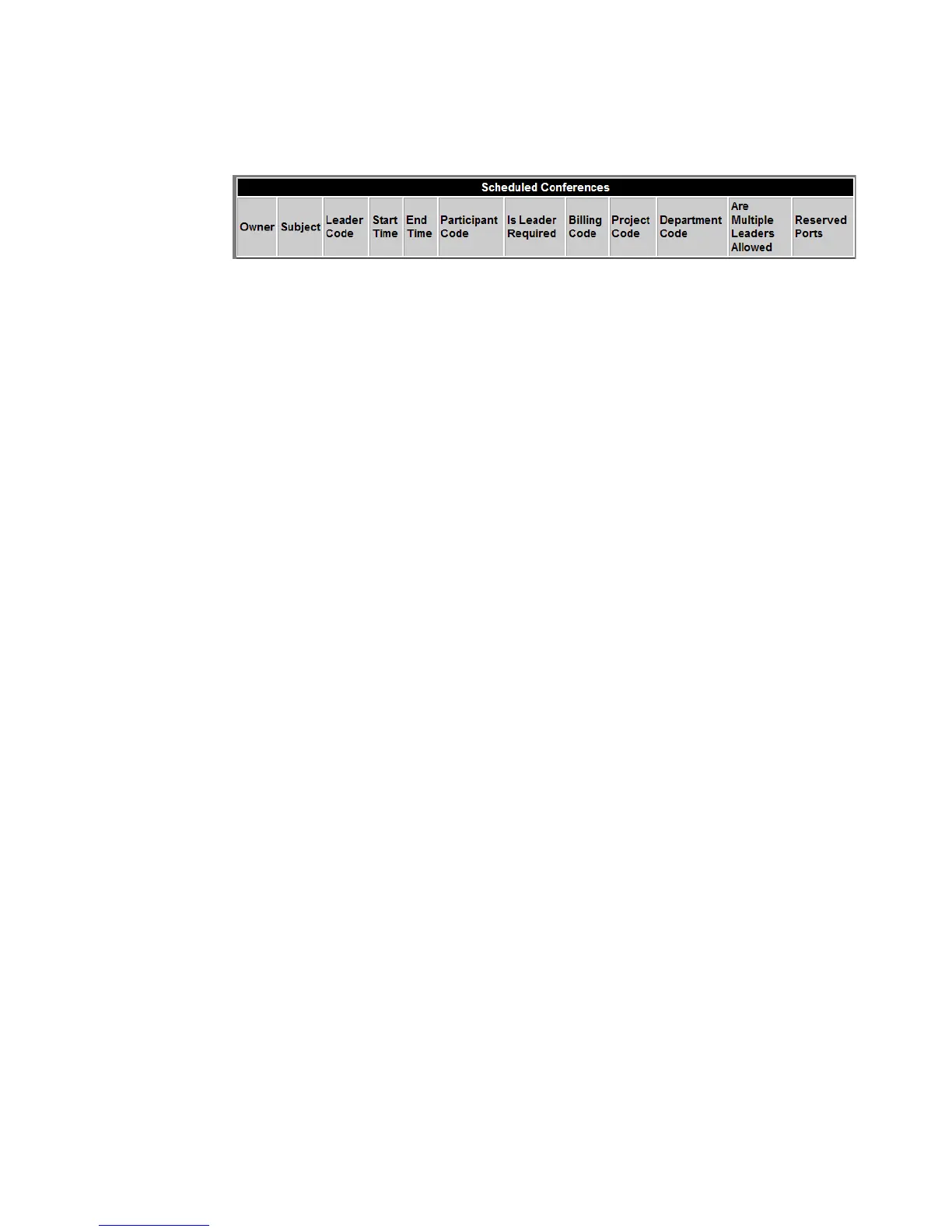
Figure 4-20 Scheduled Conference Report Fields
Table 4-9 Scheduled Conference Report
Owner System user ID of the person who created the
conference.
Subject Conference Name/Description.
Leader Code Access Code used by the conference Leader to
join the conference.
Start Time Date and time when the conference leg was
joined. (MM/DD/YYYY; HH:MM:SS)
End Time Date and time when there was no longer anyone
joined to the conference leg.
Participant Code Access Code used by the conference Participant
to join the conference.
Is Leader Required Yes (Y) or No (N).
Billing Code A text string that may be needed for billing
purposes for a scheduled conference. (This may
be a Department Code or a Project Code. It may
also be a PBX extension that is used when
placing calls through an Alcatel-Lucent OXE
SIP gateway.)
Department Code A text string needed to schedule a conference.
(may be used for billing purposes)
Project Code A text string needed to schedule a conference.
(may be used for billing purposes)
Are Multiple Leaders Allowed Yes (Y) or No (N).
Reserved Ports
This is the number of ports specified for the
conference.












 To Next Page