............................................................................................................................................................................................................................................................
To correct Ethernet mappingManagement Actions
3-6
8AL90208USAD ed01
November 20, 2008
............................................................................................................................................................................................................................................................
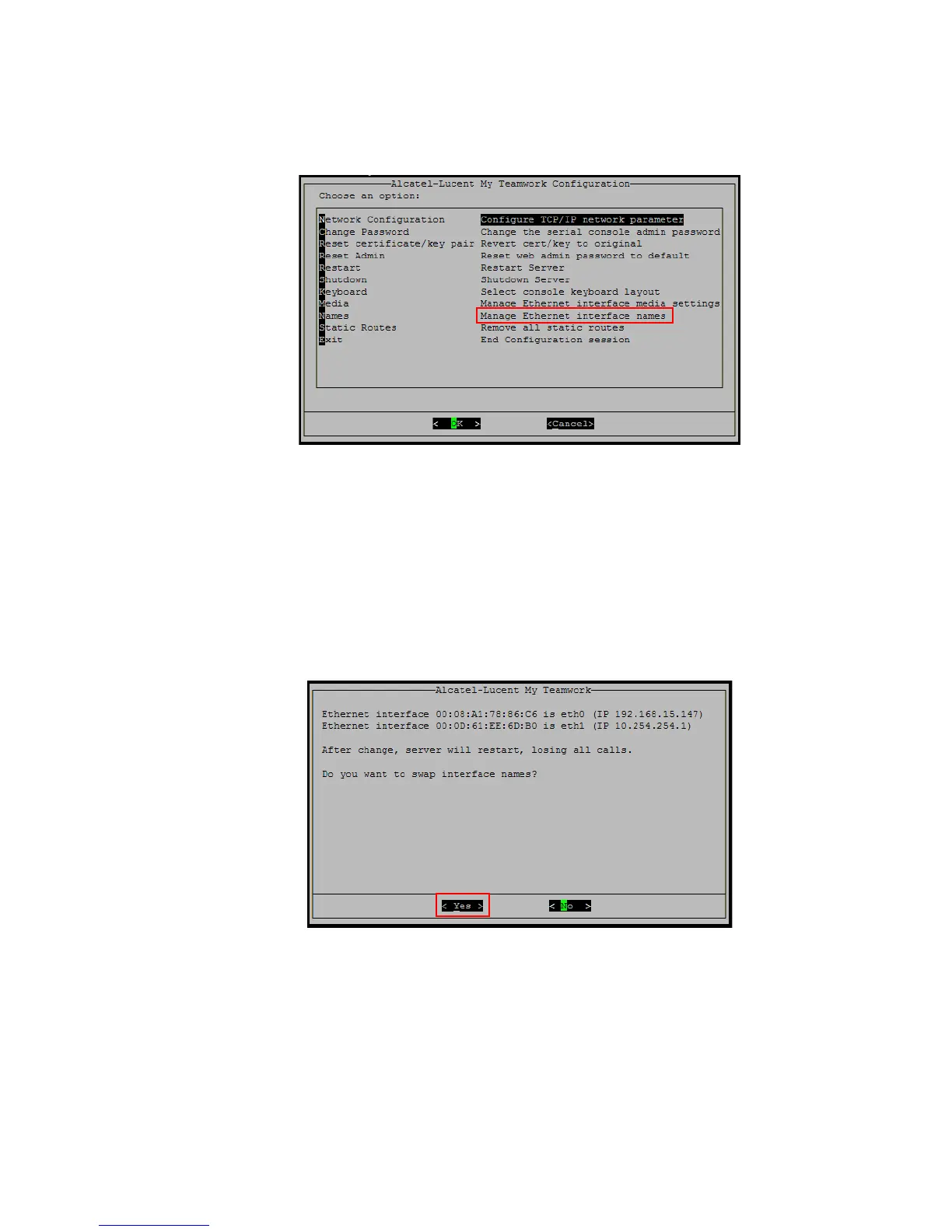
Figure 3-3 Manage Ethernet Interface Name
........................................................................................................................................................................................................................
2 Select Ethernet–>Manage Ethernet interface names.
........................................................................................................................................................................................................................
3 Select OK. The Swap Ethernet Interface screen appears.
Figure 3-4 Ethernet Name Swap
........................................................................................................................................................................................................................
4 Select Yes.
The swap does not take place until the server is restarted.
You will receive a warning message:
Changes will not take effect until restarted.












 To Next Page