Schedule a reservationless conferenceProvisioning and Account Management
............................................................................................................................................................................................................................................................
8AL90208USAD ed01
November 20, 2008
4-47
............................................................................................................................................................................................................................................................
Schedule a reservationless conference
You may establish reservationless conferences for users of your system. This will enable
them to hold conferences at any time, without having to schedule them in advance, and
without having to use the end-user web interface.
You have the option of pre-defining the user’s leader and participant access codes. This
access code, which is given to participants dialing into the conference, must be 7 digits
long and start with ## where ## is the two digit Node ID. If the Node ID is a single digit,
then the number should begin with a zero (0).
To schedule a user’s reservationless conference
........................................................................................................................................................................................................................
1 Click the Schedule a Reservationless Conference item. (Figure 4-15)
........................................................................................................................................................................................................................
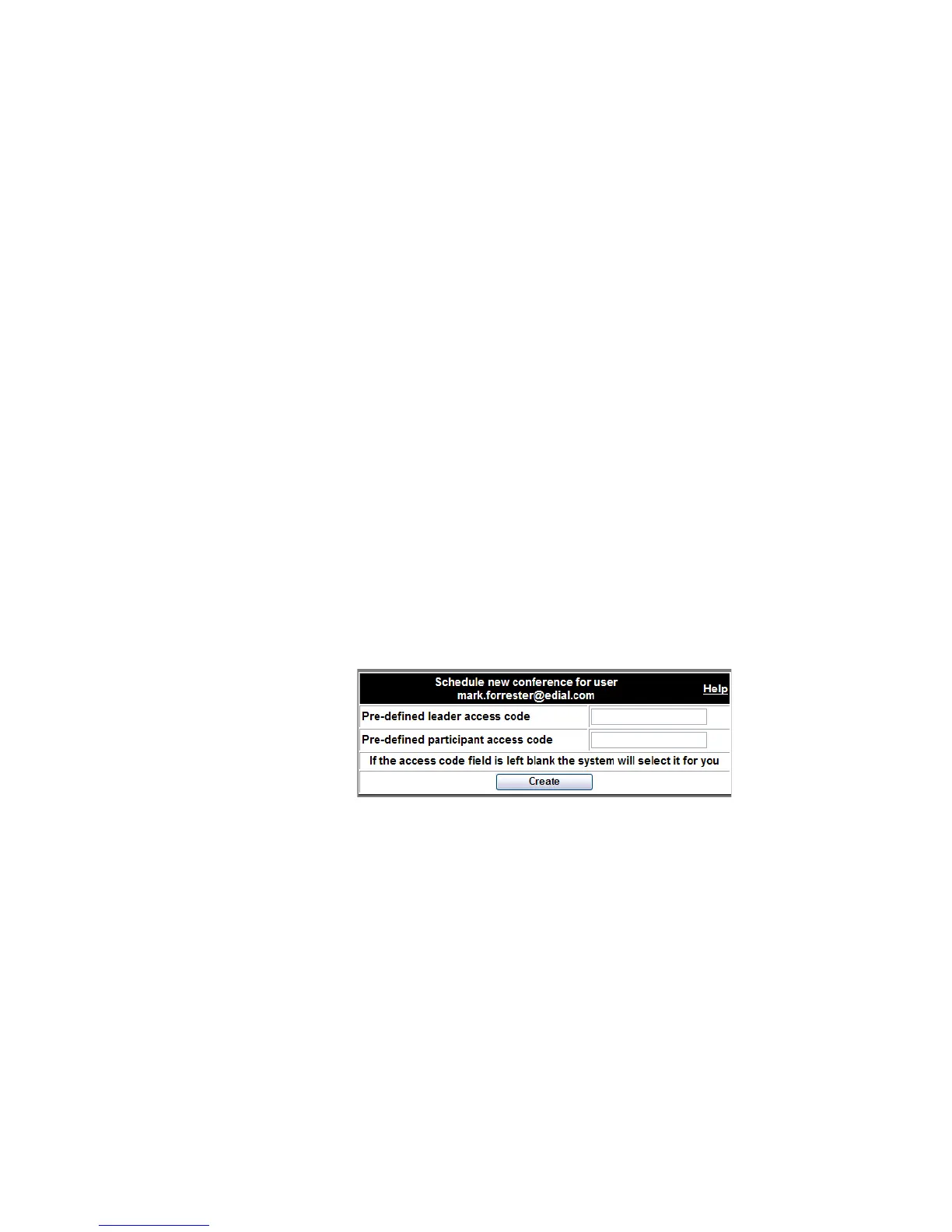
2 Optionally, enter 7 digit leader, and/or participant access codes in the access code fields.
Figure 4-23 Scheduling a User’s Reservationless Conference
........................................................................................................................................................................................................................
3 Click the Create button.
........................................................................................................................................................................................................................
4 Record the resulting participant and leader access codes and inform the user.
If either access code you requested is already in use on the system, you will get an error
message that “the access code is not available.” In that case, try a different
code.
........................................................................................................................................................
E ND OF STEPS












 To Next Page