Default user settings for organizationsProvisioning and Account Management
............................................................................................................................................................................................................................................................
8AL90208USAD ed01
November 20, 2008
4-13
............................................................................................................................................................................................................................................................
Default user settings for organizations
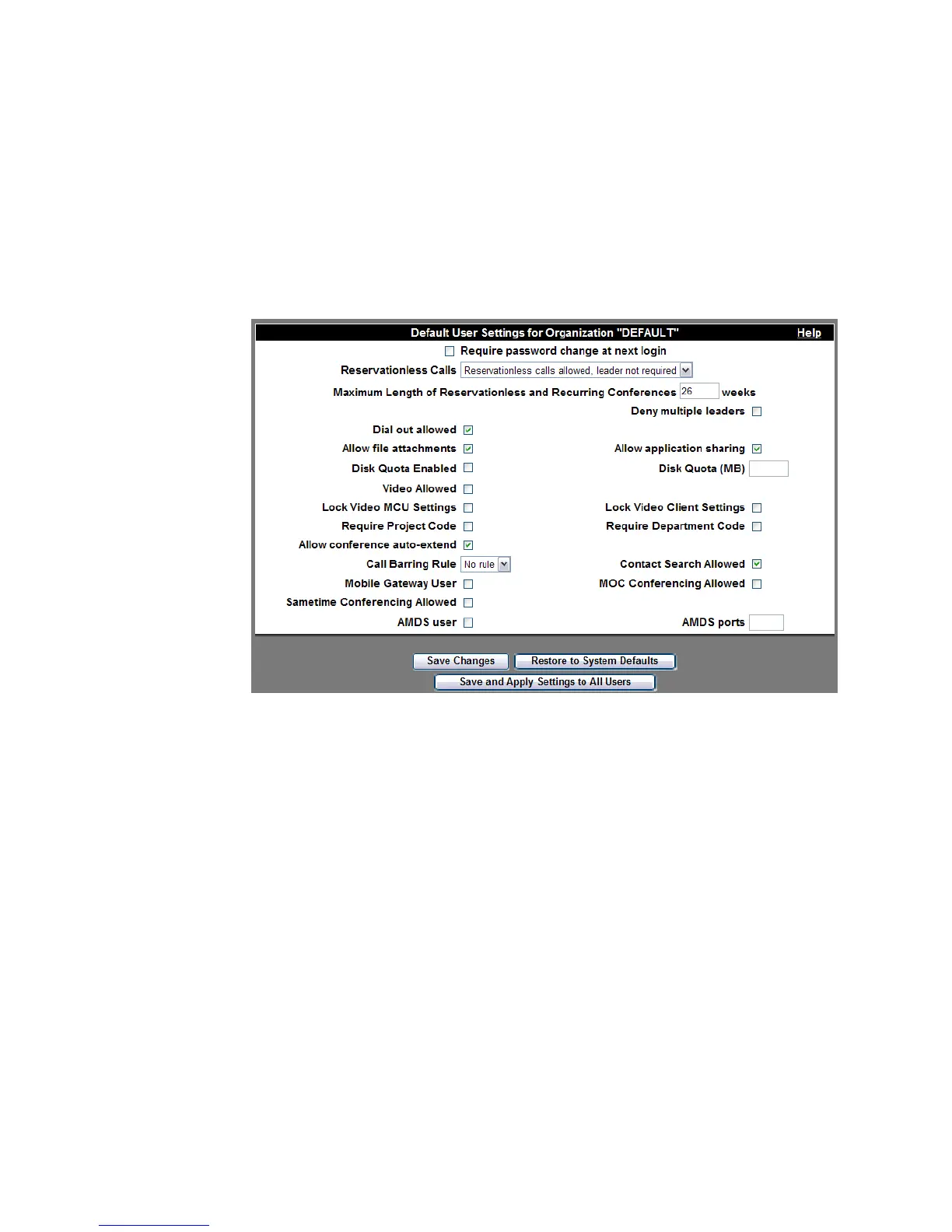
When initially provisioned, all users are given the same set of user settings and privileges
(Default Organization Settings). The system administrator can set the defaults applied
to all users who are subsequently provisioned within an organization.
Figure 4-6 Default User Settings for Organzation
If the defaults are changed, click the Save Changes button. Users who were provisioned
before the change do not have their settings changed. To restore all users to the new
system defaults, click the
Save and Apply Settings to All Users button. Any individual
settings that differ from the defaults will need to be reapplied.
Note: If at any time, you need to restore the original system defaults, click the
Restore to System Defaults button.












 To Next Page