............................................................................................................................................................................................................................................................
List AdministratorsProvisioning and Account Management
4-74
8AL90208USAD ed01
November 20, 2008
............................................................................................................................................................................................................................................................
........................................................................................................................................................................................................................
6 Click Create Admin.
........................................................................................................................................................
E ND OF STEPS
List Administrators
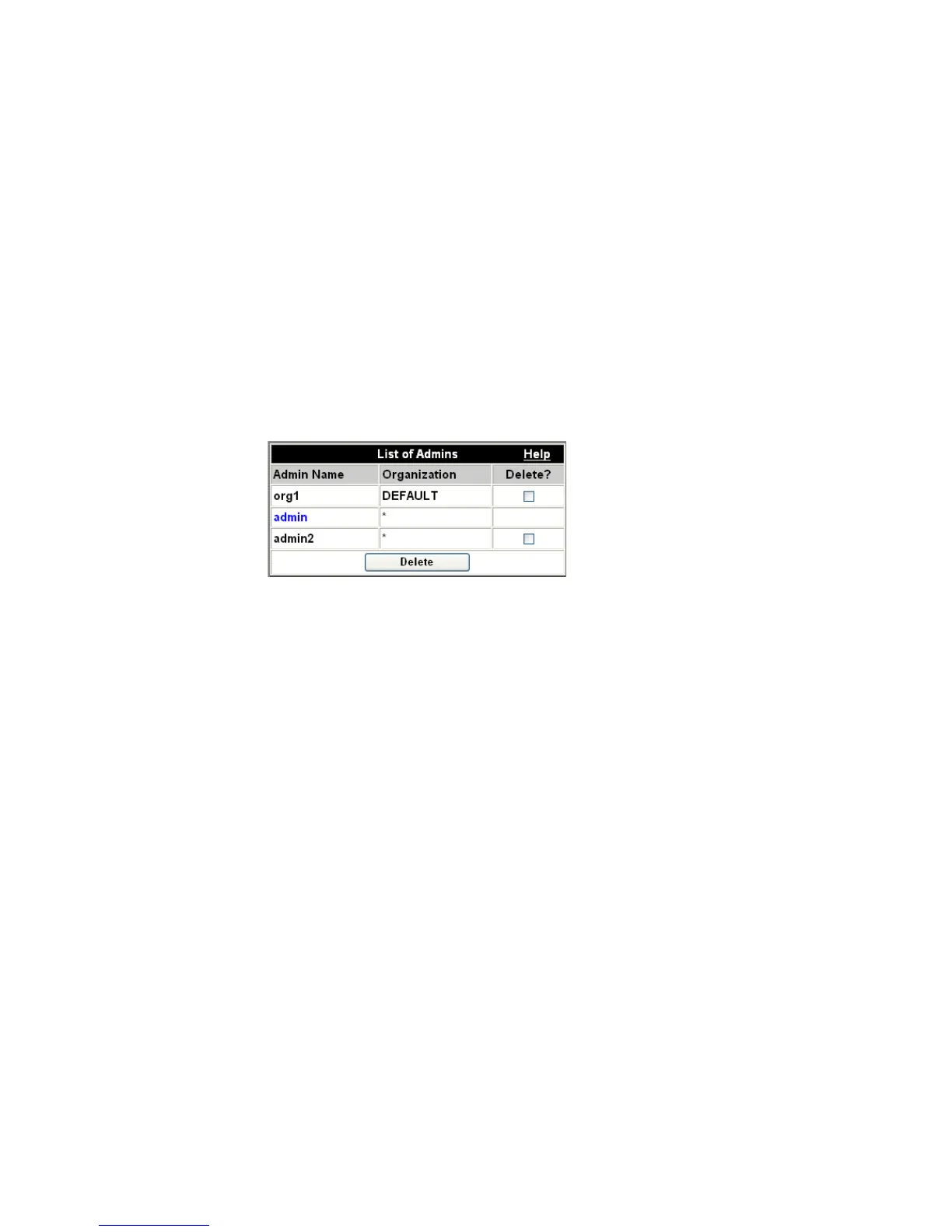
This screen allows you to view what users have system administration rights.
Figure 4-36 List of System Administrators
To see what users have system administration rights
........................................................................................................................................................................................................................
1 Click the Provisioning tab.
........................................................................................................................................................................................................................
2 Click the List Admins item.
........................................................................................................................................................................................................................
3 From the resulting screen, you can select Administrators to delete by checking the box in
the Delete column next to the administrator and clicking the Delete button.
You can delete any administrator except the one that is currently logged in. In the screen
below, the system administrator is logged in with the “admin” user account.
........................................................................................................................................................
E ND OF STEPS












 To Next Page