To add remote sitesSystem Configuration
............................................................................................................................................................................................................................................................
8AL90208USAD ed01
November 20, 2008
2-73
............................................................................................................................................................................................................................................................
To set up a federation of servers, each server must be “made aware” of the other servers.
You do this by adding remote sites for each server.
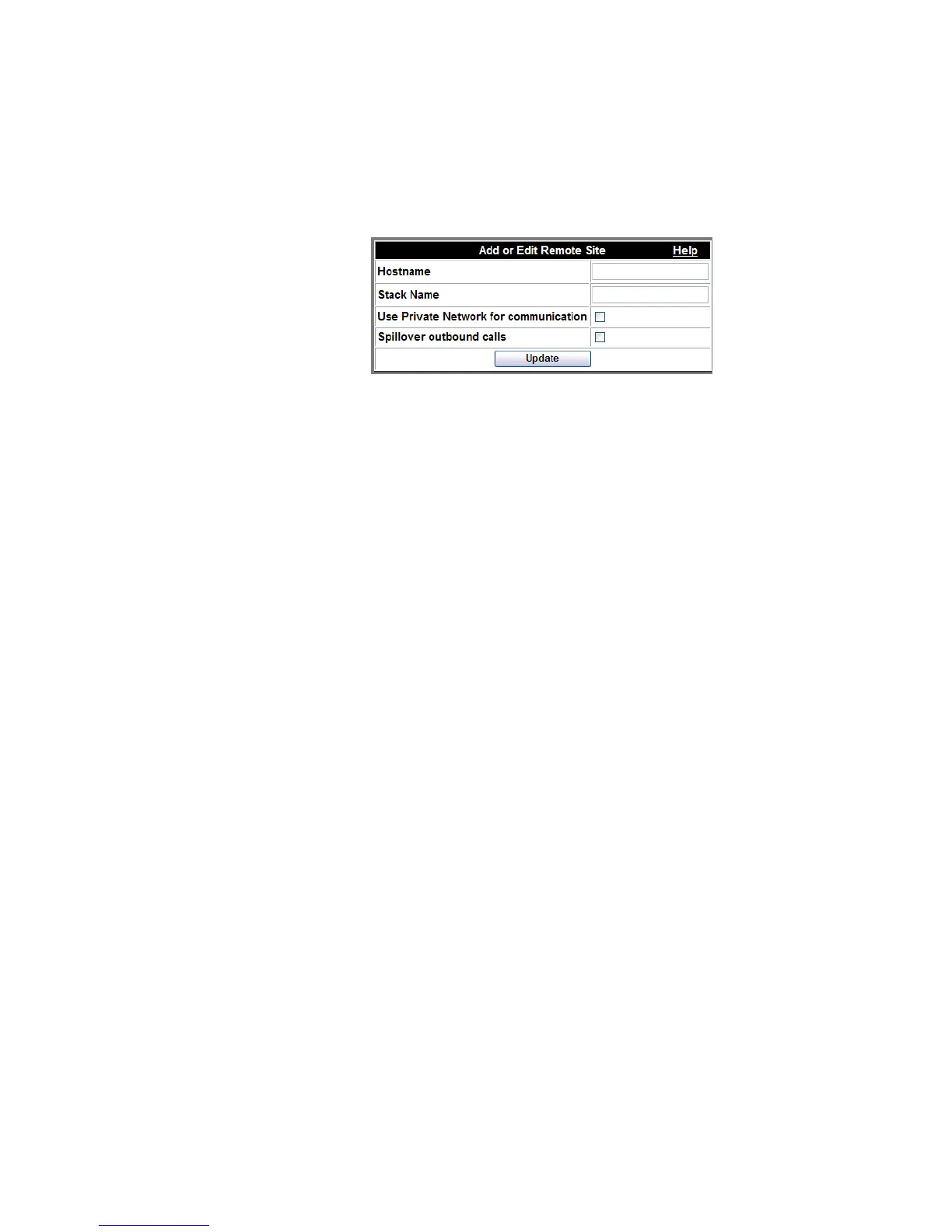
Figure 2-38 Add or Edit a Remote Site
To add remote sites
........................................................................................................................................................................................................................
1 Click the Configuration tab.
........................................................................................................................................................................................................................
2 Click the Remote Sites item.
........................................................................................................................................................................................................................
3 For each remote server, enter the fully qualified domain name of that remote server in the
Hostname field.
........................................................................................................................................................................................................................
4 Enter the name of the remote stack that the remote server is associated with in the Stack
Name
field.
Note: The Stack Name must be defined on the “Stack Parameters” page
(Configuration–>Stacking).
........................................................................................................................................................................................................................
5 You can check the following:
Use Private Network for communication This is checked to initiate preferred use of
servers within your local private network (stack)
for calls. Calls that stay within the private
network go out through eth1.












 To Next Page