............................................................................................................................................................................................................................................................
SIP proxies (VoIP configuration)System Configuration
2-30
8AL90208USAD ed01
November 20, 2008
............................................................................................................................................................................................................................................................
SIP proxies (VoIP configuration)
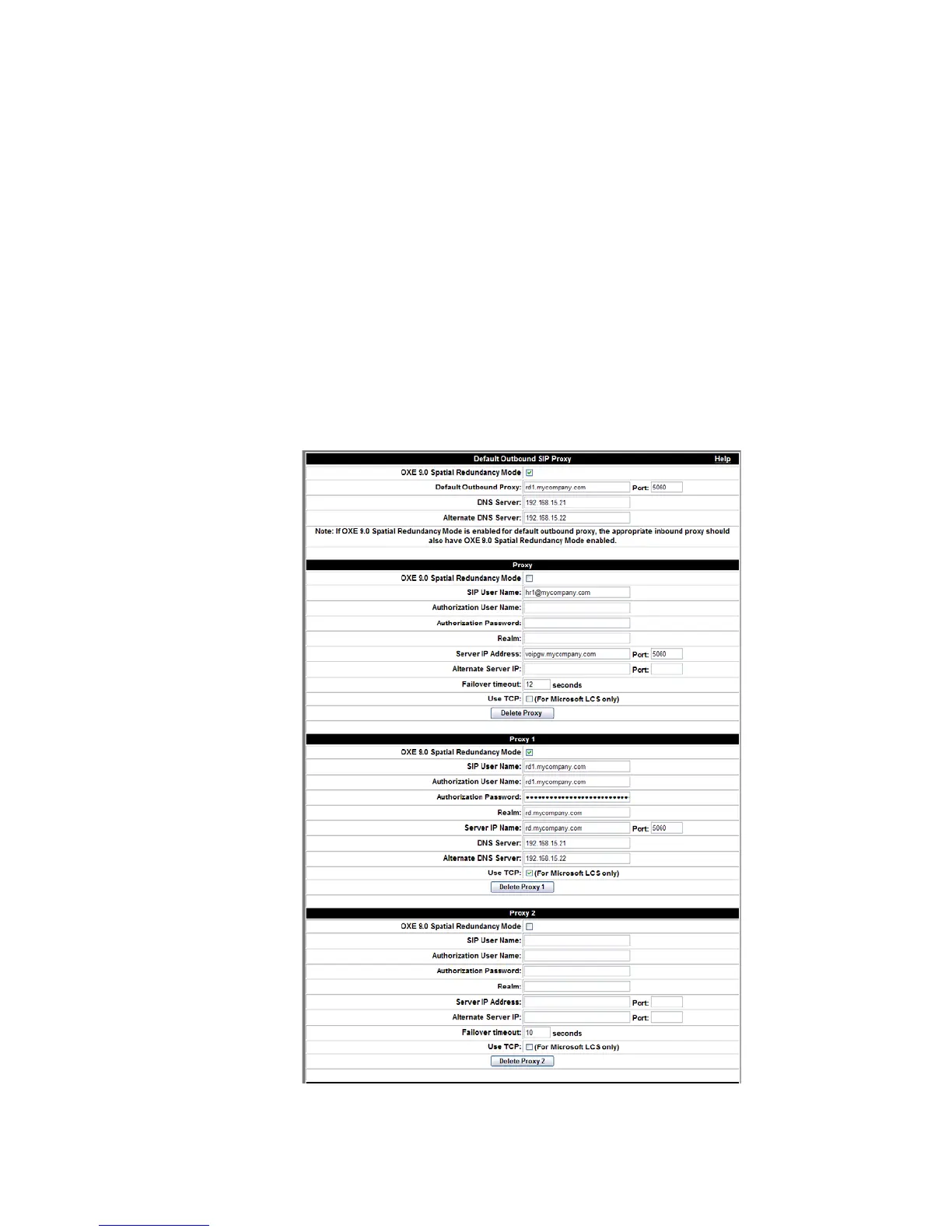
You use these fields to set up UDP proxies for installations using VoIP connections to
OmniTouch ACS. UDP proxies are needed when OmniTouch ACS needs to interface
with a SIP gateway, PBX, or SIP proxy server external to OmniTouch ACS. For example,
if a SIP PBX requires OmniTouch ACS to register before it will accept traffic to or from
OmniTouch ACS, a proxy needs to be configured that specifies the gateway’s registration
information: SIP User Name, Authorization User Name, Authorization Password,
Realm (domain name)
, Server IP Address, and Server Port. (For SIP, the default is
5060. However, another port may be designated.) Lists of telephone numbers (EXTs) to be
proxied to OmniTouch ACS can also be specified.
Figure 2-12 SIP (UDP) Proxies Form












 To Next Page