............................................................................................................................................................................................................................................................
Phone formatting rulesSystem Configuration
2-88
8AL90208USAD ed01
November 20, 2008
............................................................................................................................................................................................................................................................
Phone formatting rules
These settings are intended to allow extension dialing and customize the formatting of
phone numbers.
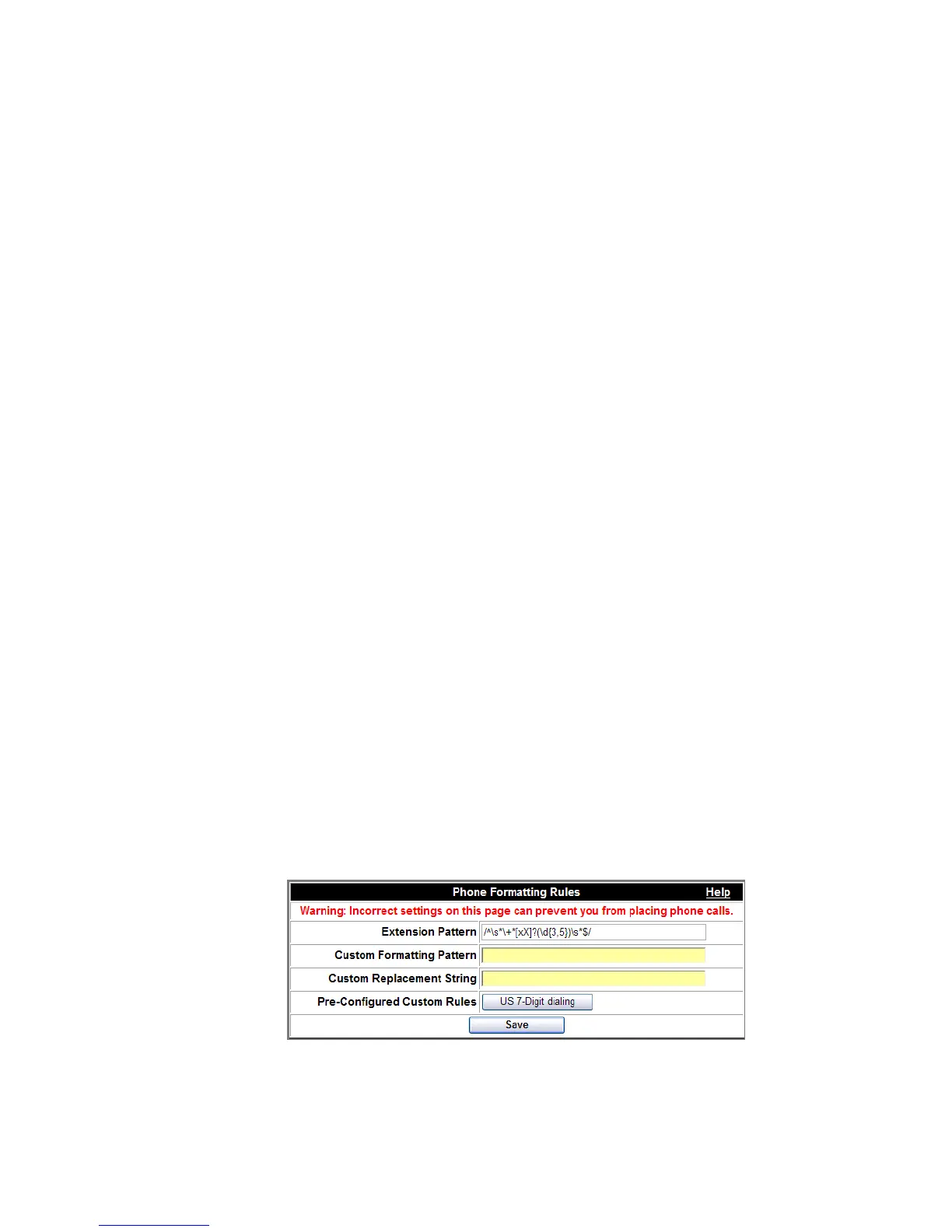
OmniTouch ACS allows extension dialing by preceding the dialed digit string with the
letter “x”. By entering the regular expression that defines the numbers to be considered
extensions, the need for the “x” is removed. In the example below, the user interface will
accept 3 to 5 digit extensions as valid numbers to attempt to dial.
Regular expressions are a flexible and powerful syntax for textual pattern matching and
replacement. They are commonly used in UNIX and Linux systems (for example, the grep
command) as well as in the Perl language. Numerous tutorials for using regular expressions
are available online.
To define extension numbers
........................................................................................................................................................................................................................
1 Click the Configuration tab.
........................................................................................................................................................................................................................
2 Click the Advanced Settings item.
Another list of items appears.
........................................................................................................................................................................................................................
3 Click the Phone Formatting Rules item.
The Phone Formatting Rules dialog box appears.
Figure 2-48 Phone Formatting Rules












 To Next Page