To add a translation set fileSystem Configuration
............................................................................................................................................................................................................................................................
8AL90208USAD ed01
November 20, 2008
2-59
............................................................................................................................................................................................................................................................
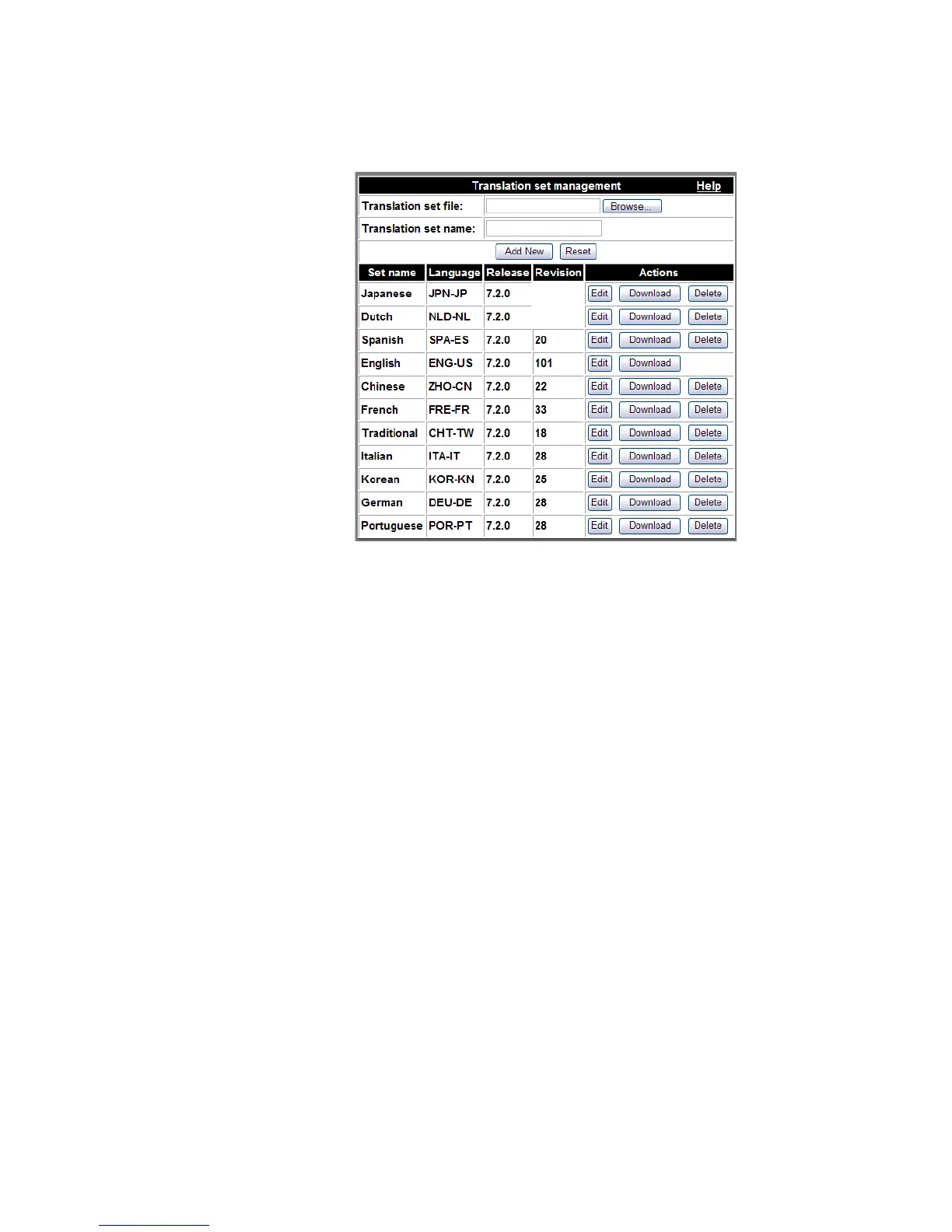
Figure 2-31 Translation Sets
Translation sets (dictionaries) are configured at the Domain level through
Configuration–>Domains–>Settings–>Web Interface Language. A Translation set
that differs from one that is being used at the Domain level can be assigned to an
individual user through Provisioning–>List User–>User Preferences–>Web Interface
Language
.
Note: New translation sets (languages) must first be added at the organization level
before they can be assigned at the user level.
To add a translation set file
........................................................................................................................................................................................................................
1 Click the Browse button to locate the xlatset.zip file associated with your required
language.
........................................................................................................................................................................................................................
2 Select the file and click Open.












 To Next Page