............................................................................................................................................................................................................................................................
To construct document conversion VMSystem Configuration
2-108
8AL90208USAD ed01
November 20, 2008
............................................................................................................................................................................................................................................................
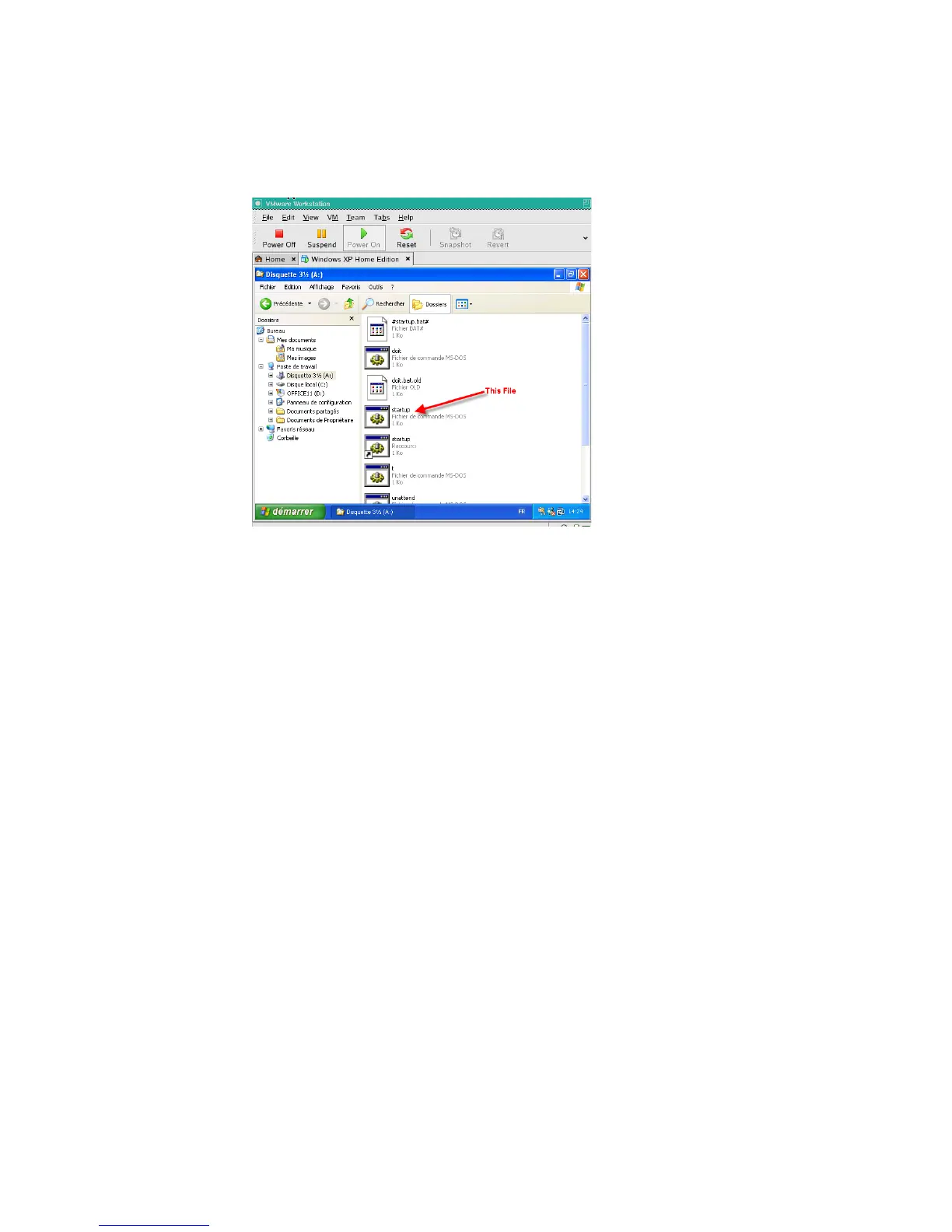
b. Navigate to the A:\ drive, and copy the file startup.bat. (not the shortcut file)
Figure 2-59 Location of startup.bat File
c. Change directories to your language’s equivalent of C:\Documents and
Settings\All Users\Start Menu\Programs\Startup\ and paste a copy of
A:\startup.bat file there. Do not paste a shortcut.
........................................................................................................................................................................................................................
6 Activate Windows and Office.
a. Select Start->All Programs->Accessories–>System Tools->Activate Windows
and follow the instructions given. When completed, exit the program.
b. Select Start->All Programs->Accessories–>System Tools->Microsoft Office.
Start Word and follow the instructions given, selecting Internet activation. When
completed, exit the program.
........................................................................................................................................................................................................................
7 Activate Windows and Office.
a. Select Start->All Programs->Accessories–>System Tools
->Activate Windows
and follow the instructions given. When completed, exit the
program.
b. Select
Start->All Programs->Microsoft Office. Start Word and follow the
instructions given, selecting
Internet activation. When completed, exit the
program.
........................................................................................................................................................................................................................
8 Reset the virtual machine’s hard drive settings to prevent additional changes to the virtual
hard drive.












 To Next Page