............................................................................................................................................................................................................................................................
View Call Detail ReportProvisioning and Account Management
4-42
8AL90208USAD ed01
November 20, 2008
............................................................................................................................................................................................................................................................
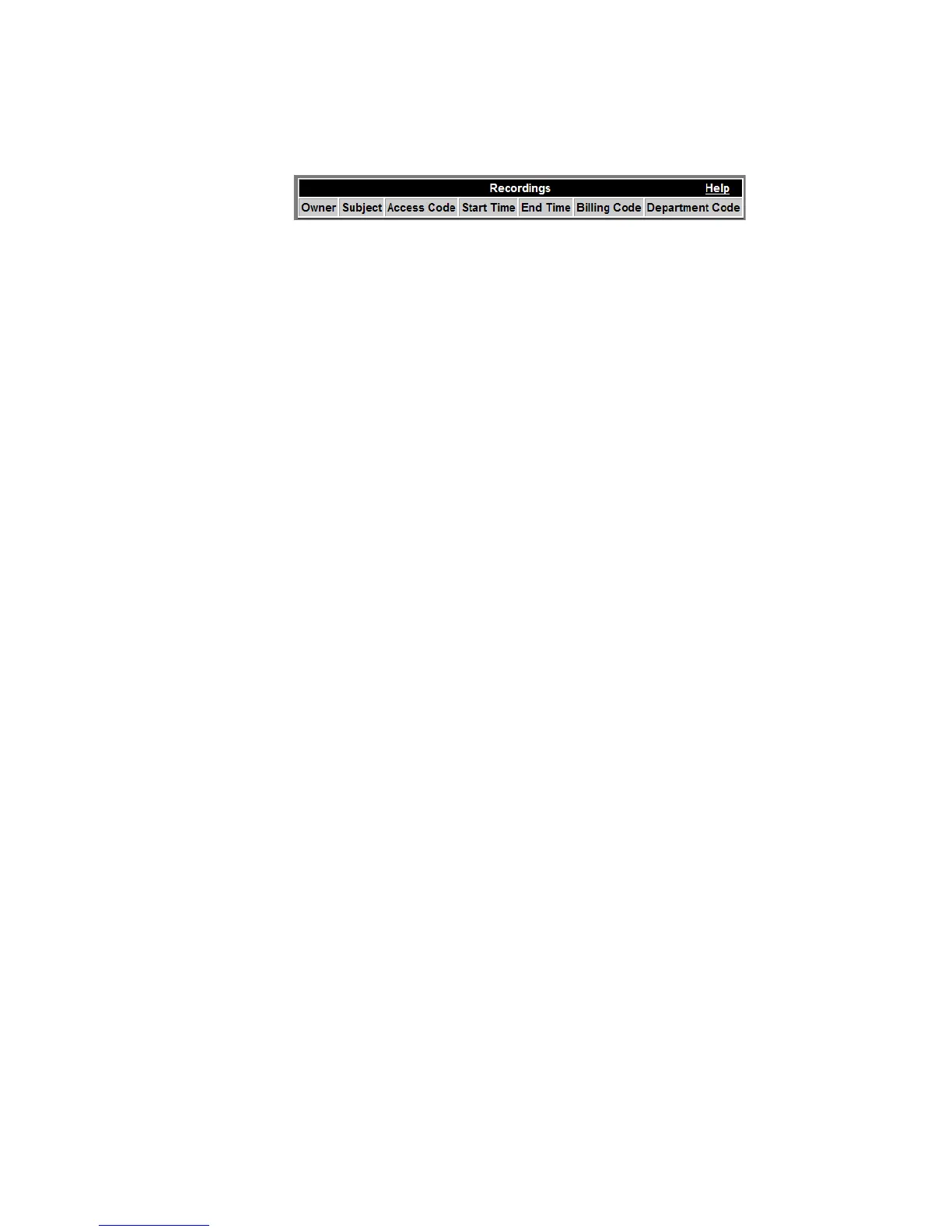
Figure 4-21 Scheduled Recordings Report Fields
Table 4-10 Scheduled Recordings Report
........................................................................................................................................................
E ND OF STEPS
View Call Detail Report
All calls are logged by ACS and stored in a database (tableName ths_call).
To generate a call report for a particular user
........................................................................................................................................................................................................................
1 Click View Call Detail Report. (Figure 4-15)
........................................................................................................................................................................................................................
2 Select the dates you are interested in from the calendar pop-ups.
Owner System user ID of the person who created the
conference.
Subject Conference Name/Description.
Access Code Code used to access the Recording.
Start Time Date and time when the recording started.
(MM/DD/YYYY; HH:MM:SS)
End Time Date and time when the recording ended.
Billing Code A text string that may be needed for billing
purposes for a scheduled conference/recording.
(This may be a Department Code or a Project
Code. It may also be a PBX extension that is
used when placing calls through an Alcatel-
Lucent OXE SIP gateway.)
Department Code A text string associated with the recording. (may
be used for billing purposes)












 To Next Page