To configure the settings of the Automated Message
Delivery System
System Configuration
............................................................................................................................................................................................................................................................
8AL90208USAD ed01
November 20, 2008
2-113
............................................................................................................................................................................................................................................................
To configure the settings of the Automated Message
Delivery System
........................................................................................................................................................................................................................
1 Click the Configuration tab.
........................................................................................................................................................................................................................
2 Click the Automated Message Delivery Settings item.
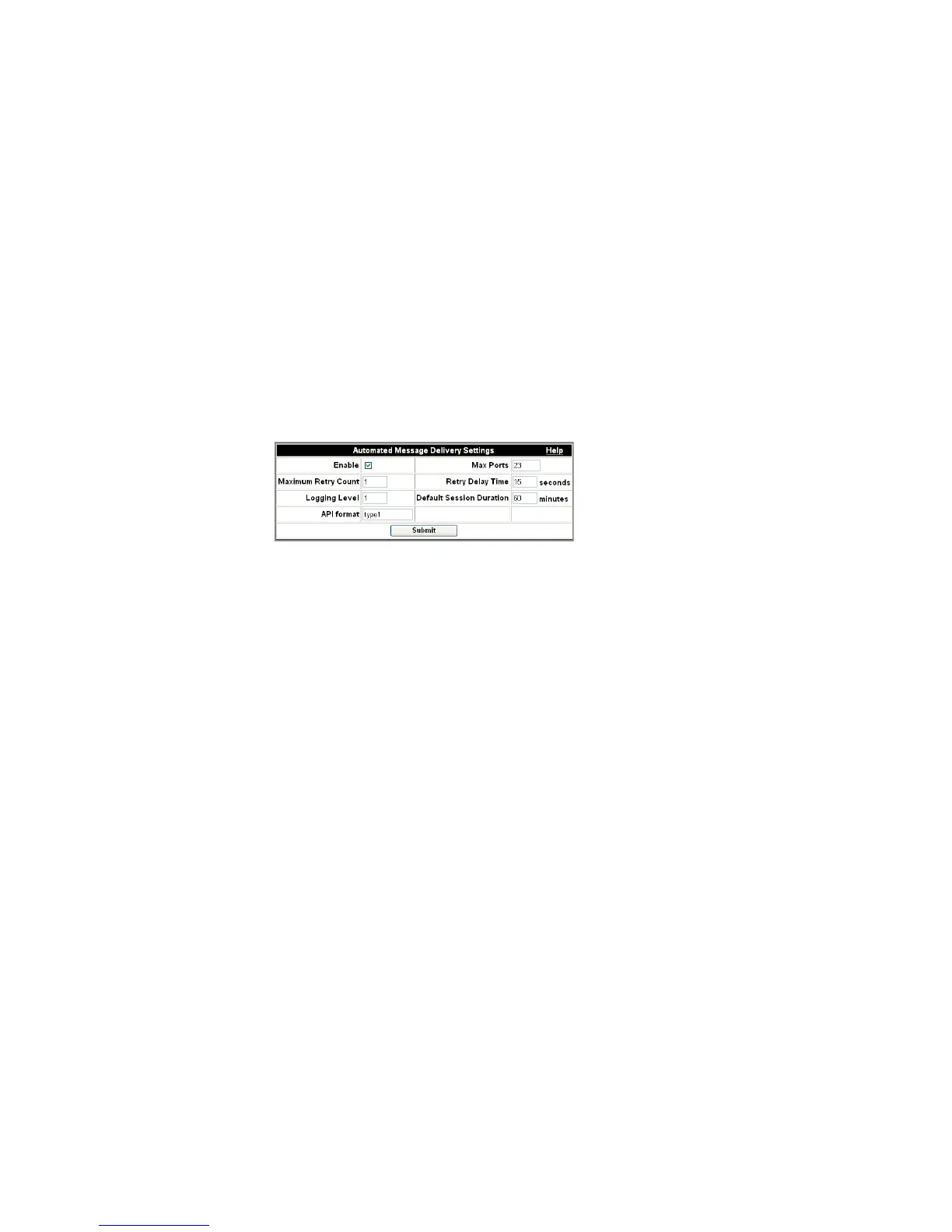
The Automated Message Delivery Settings page appears.
Figure 2-63 Automated Message Delivery
The settings are described in the following table.
Table 2-21 AMDS Settings
Enable Checking this enables the Automated Message
Delivery capability and makes it accessible to
users who are designated ‘AMDS users (see
Manage user settings).
Max Ports This sets the maximum number of DS0s (Digital
Signal, Level 0) on the server that can be
accessed by the Automated Message Delivery
System capability. If conferences are expected to
take place at the same time as messages are
being delivered, you will want to set this number
below the maximum number of server ports, or
conference users may find all ports occupied by
outgoing messages.
Maximum Retry Count This sets the maximum number of retries
allowed for delivery of a message.
Retry Delay Time This sets the time allowed (in seconds) between
retries of a message delivery.
Logging Level 1=default; 2=debug; 3=trace.












 To Next Page