............................................................................................................................................................................................................................................................
Manage user settingsProvisioning and Account Management
4-28
8AL90208USAD ed01
November 20, 2008
............................................................................................................................................................................................................................................................
These options are described in more detail in the following sections.
........................................................................................................................................................
E ND OF STEPS
Manage user settings
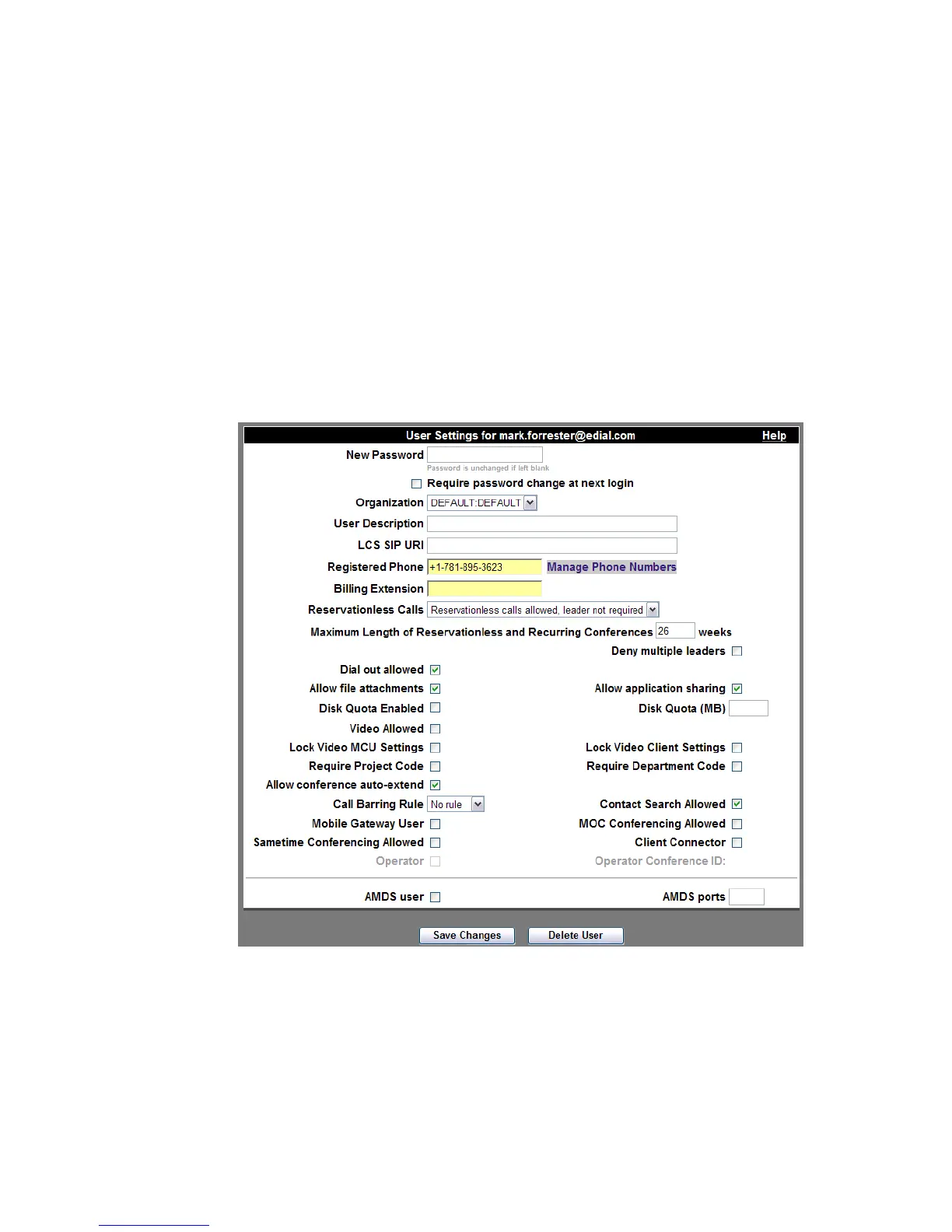
Click Manage User Settings as shown in Figure 4-15This selection will present the
following screen, which will allow you to view and modify a user’s profile:
Figure 4-16 Manage User Settings












 To Next Page