Password policyProvisioning and Account Management
............................................................................................................................................................................................................................................................
8AL90208USAD ed01
November 20, 2008
4-49
............................................................................................................................................................................................................................................................
Password policy
Note: You may also link to this page through Provisioning–>Organiztions. (see
Provisioning organizations)
To set password requirements for an Organization
........................................................................................................................................................................................................................
1 Click the Provisioning tab.
........................................................................................................................................................................................................................
2 Click the Password Policy item.
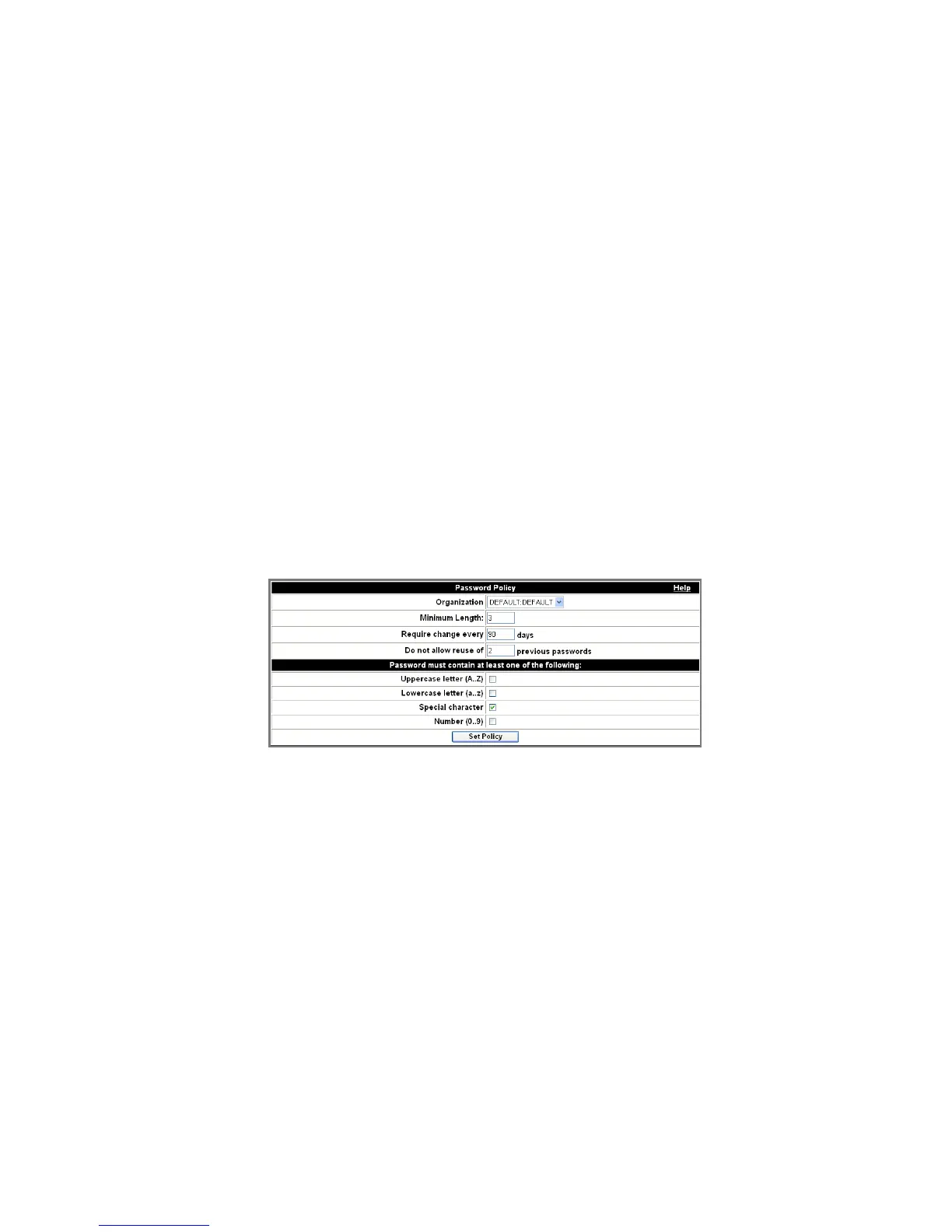
The Password Policy page appears.
Figure 4-25 Password Policy
........................................................................................................................................................................................................................
3 Select an Organization from the drop-down list.
........................................................................................................................................................................................................................
4 Enter the Minimum Length of the password, if desired.
........................................................................................................................................................................................................................
5 Set the requirement (in days) for a password change, if desired.
........................................................................................................................................................................................................................
6 You can also disallow use of previous passwords according to the number you set.












 To Next Page