To see media (calls; application sharing; video) that are
currently up on a particular server
Monitoring
............................................................................................................................................................................................................................................................
8AL90208USAD ed01
November 20, 2008
5-5
............................................................................................................................................................................................................................................................
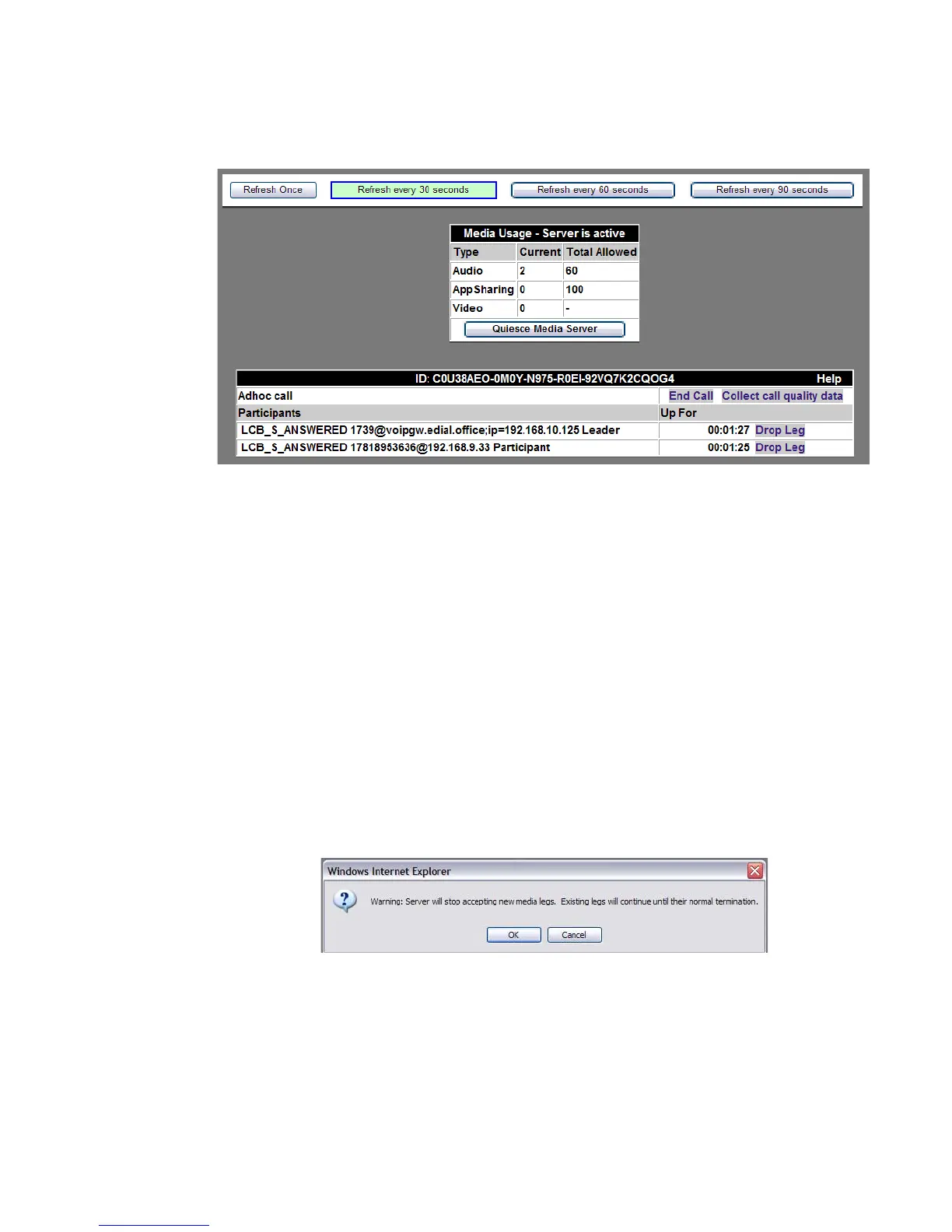
Figure 5-3 Active Media
Figure 5-4 Quiesce Media Server Warning Dialog Box
From active media screen, the System-wide Administrator can view all active media– the
media type, who the participants are, and how long each has been up.
Type • Audio
• AppSharing (if licensed)
• Video (if licensed)
Current These are the ports that are in current use for each
media type.
Total Allowed This is the total amount of ports alloted to each
media type.
Quiesce Media Server Clicking this button allows existing current media
legs to continue until termination, but does not
allow new legs. The “Quiesced Server” can then be
activated back to normal functioning.












 To Next Page