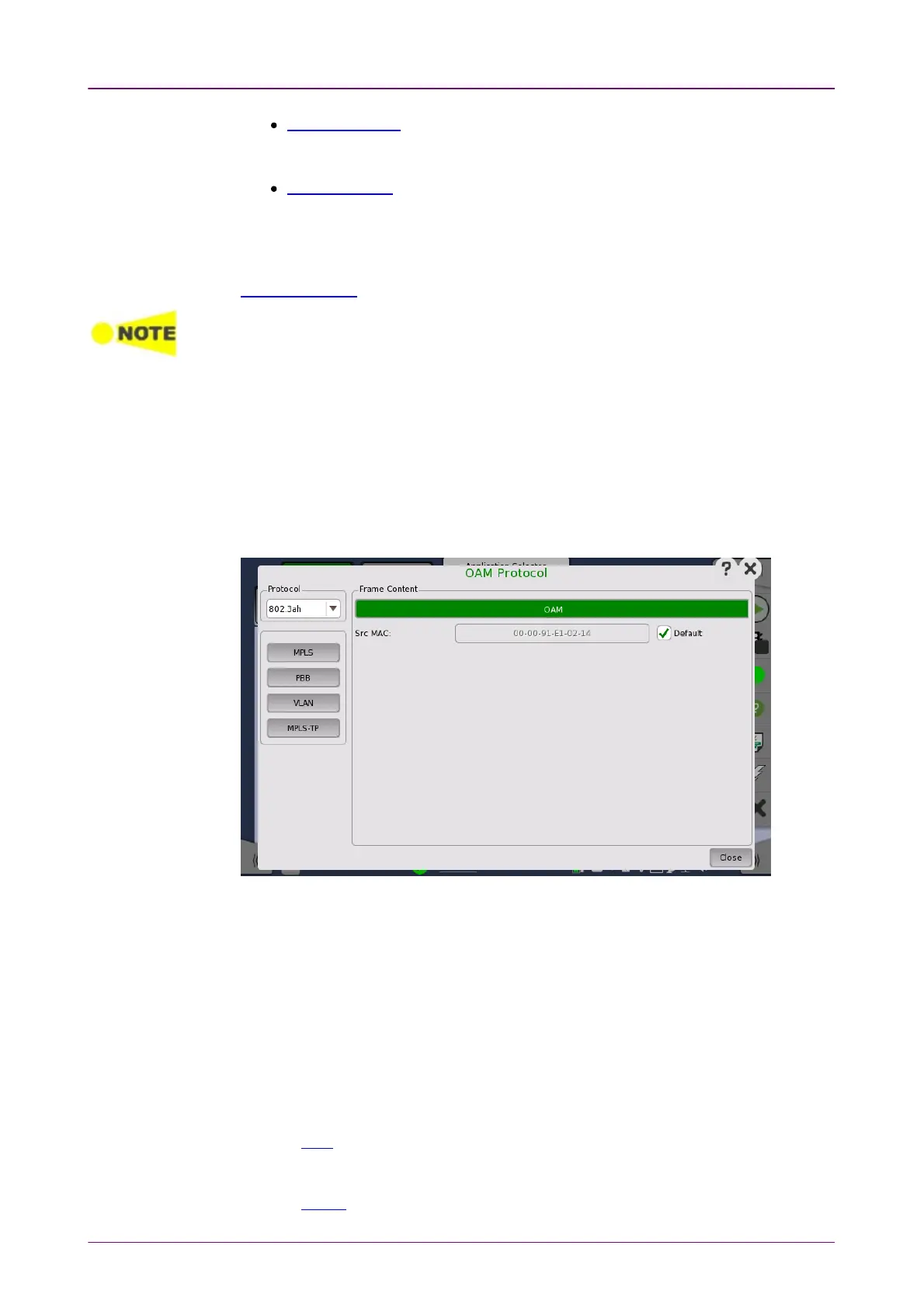
OAM ProtocolOAM Protocol
802.1ag protocol - Applies to the connectivity of bridges and paths that pass
through bridges. Handles both multipoint connections and point-to-point
connections.
Y.1731 protocol - An extension to the 802.1ag standard and relies upon the
802.1ag protocol for transport. Applies to both multipoint and point-to-point
connections.
In addition, the 802.1ag and Y.1731 protocol screens contain a special
Discovery setup.
To change to a different protocol, the state of the current protocol will be set to 'Off'.
FollowsFollows
It is possible to let the Port 2 copy the setup from Port 1 by touching the
FollowFollow button. When this button is displayed in green, Port 2 continues to
follow Port 1 change. This button appears when the Port 1 settings can be copy
to Port 2.
The configuration options available in the setup area of the screen are
described below. The status information is described in a separate section.
In the OAM ProtocolOAM Protocol dialog box the buttons on the left-hand side allow you to
select the relevant layers. The current selection is shown at the top of the
Frame ContentFrame Content area. Touching one of the layer buttons in the Frame ContentFrame Content
area will display the setup parameters for that layer.
The following layers and parameters are available:
OAM layerOAM layer
Src MACSrc MAC -The MAC address of the source that sends the OAM Protocol Data
Units, which is a unicast address.
PBB layerPBB layer
Refer to PBB in "Stream" subsection.
VLAN layerVLAN layer
Refer to VLAN in "Stream" subsection.














 To Next Page